Shadows ripple across blocky skies as revolutionary shaders breathe new light into Minecraft’s world, turning every sunset into a cinematic moment.
And hence, crafters still need to rely on the shader mods for now. But trust me, some of the coolest shaders available for Minecraft Java edition can transform your blocky pixelated world into a stunningly smooth and lifelike experience. So, dive right in to explore the best Minecraft shaders that can truly bring your world to life.
1. Complimentary Unbound Shaders
Complimentary Unbound Shaders offers a perfect balance between realism and classic Minecraft charm. It enhances lighting, reflections, and water textures while maintaining smooth performance on mid-range systems. Shadows appear soft and natural, and the subtle color grading gives each biome a warm, atmospheric glow. This shader works well for players who want visual upgrades without losing the game’s original aesthetic.
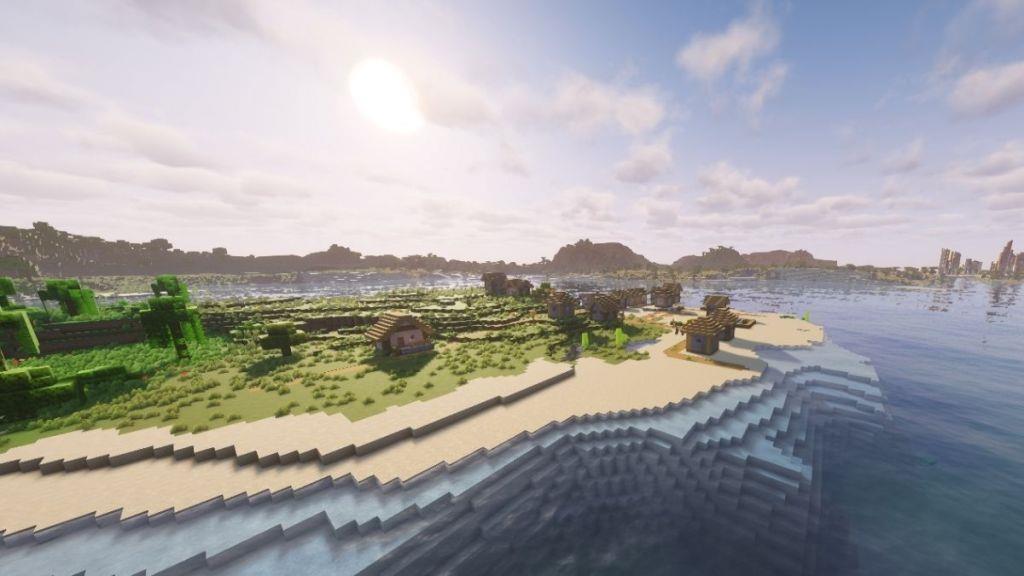
The first shader on our list is Complementary Unbound. It is one of the most popular and go-to options for many Minecraft players because of having perfect balance between the realistic graphics and performance. The Complimentary shaders also have a Reimagined version with softer shadows and blocky clouds.
But the Unbound takes things up a notch by introducing realistic skies, smooth reflections, and feathery clouds. This shader won’t use up a ton of memory space and keep your FPS smooth, so it’s perfect for everyday playthroughs while equally providing a natural look.
2. BSL Shaders
BSL Shaders deliver realistic lighting and shadows that transform Minecraft’s visuals with path tracing and screen-space reflections. Water surfaces shimmer convincingly, while volumetric clouds add depth to the sky. Color grading and bloom effects heighten immersion without taxing lower-end hardware. This pack stands out for its balance of quality and performance across various setups.
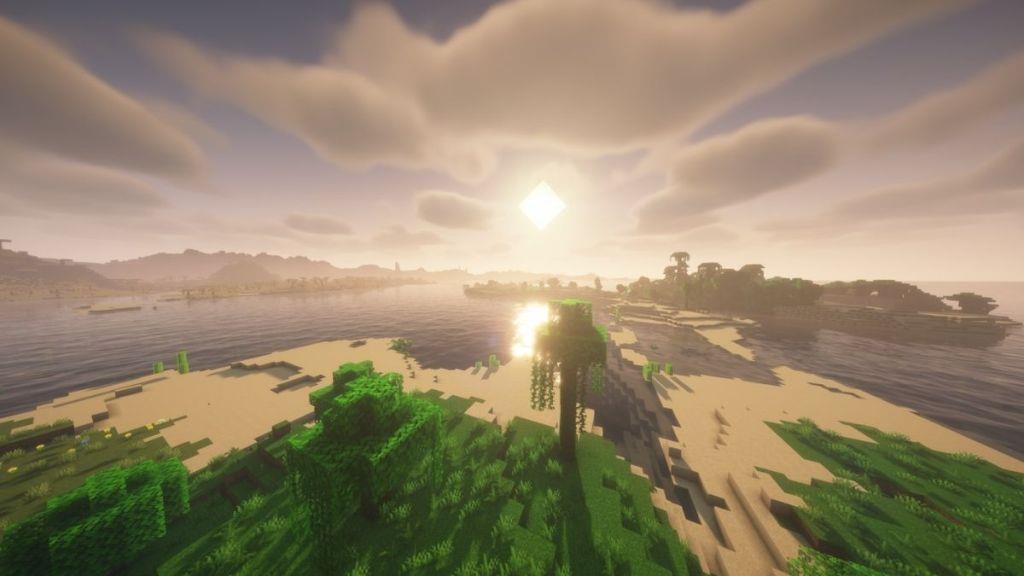
Another fan favorite shader in Minecraft is the BSL shaders pack. It is liked by most of the creators and players because of the warm and natural lighting produced during different times of the day. While the original charm of Minecraft is preserved, you get to see shadows and reflections with better depth.
Since this shader pack is hugely optimized, you can consider using BSL if you have a mid or a decent system. There will be no lag while you view the epic sunsets at a beach or have a duel with your friend there.
3. Photon Shaders
Photon Shaders deliver realistic lighting and shadows that transform Minecraft’s blocky visuals into a lifelike scene. Ray-traced reflections on water and glass surfaces add depth, while volumetric clouds drift overhead with natural motion. Compatible with most hardware setups, this pack runs smoothly at high frame rates, making it ideal for players seeking graphical upgrades without performance drops.
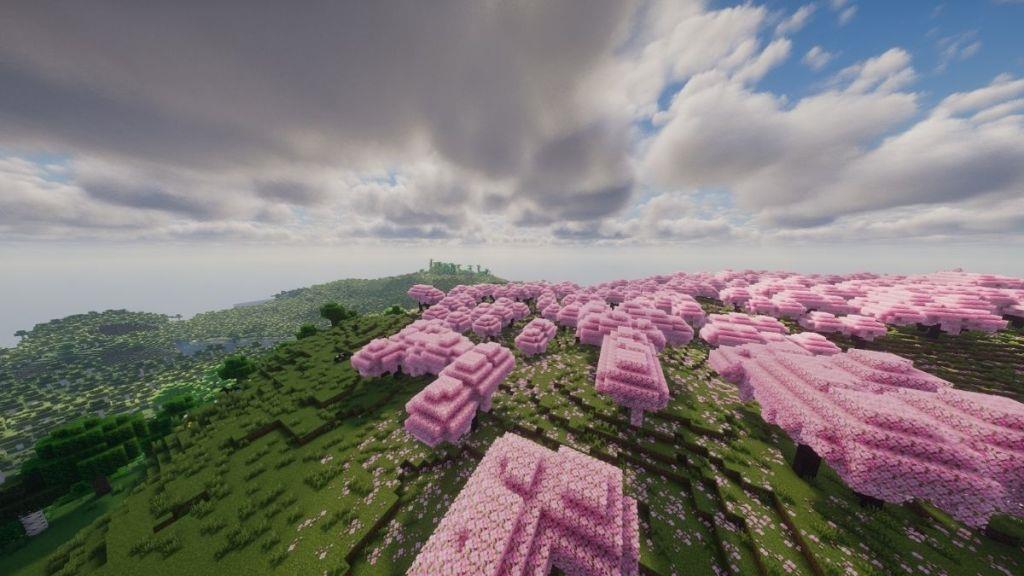
If the first two options weren’t realistic enough for your Minecraft world, here is something that will blow your mind. Presenting the Photon shaders that is only built for the high-end PCs. Once you install it and create a new world, you’ll experience a bright atmosphere with detailed reflections and pixel-perfect shadows.
The way the clouds shift across the sky and make shadows on the ground feels almost real and gives Minecraft the much-needed depth and perception. Whether you’re simply watching the rain or witnessing the cozy dusk atmosphere from your base’s roof, you will feel why Minecraft is the most satisfying game ever.
4. Insanity Shaders
Insanity Shaders focuses on creating a surreal and stylized atmosphere rather than strict realism. It applies vivid color grading, bold lighting contrasts, and strong motion blur to give Minecraft a dreamlike quality. Reflections and shadows are exaggerated, producing a cinematic mood that stands out from traditional shaders. This pack suits players who want their worlds to feel more artistic and expressive than natural.
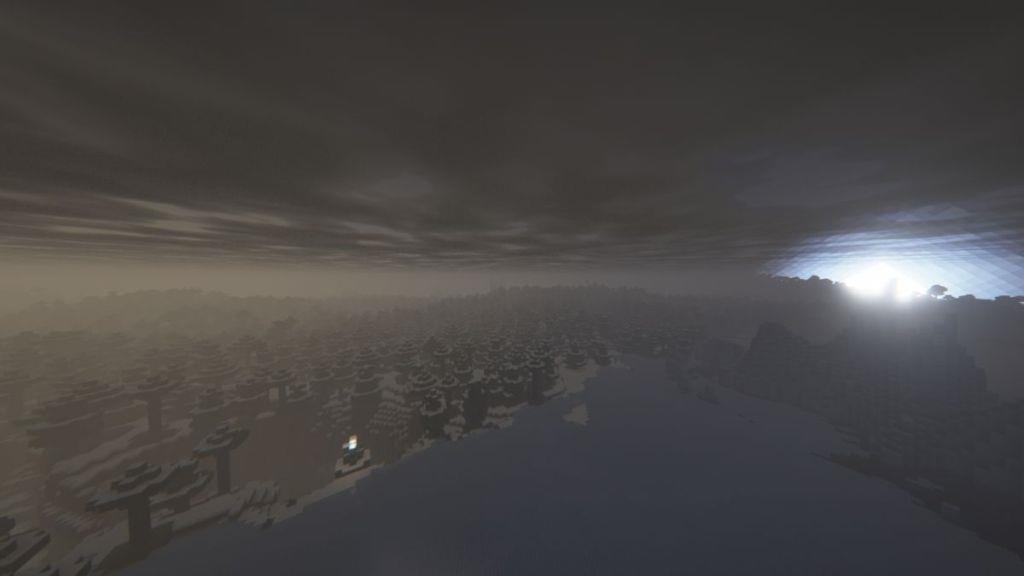
Now, it’s time to experience a bit of horror in Minecraft. We all might have experienced an eerie feeling while exploring caves, mineshafts, or deep ravines in Minecraft, when everything goes silent and dark. So, consider leveling this feeling up by installing the Insanity shaders.
There will be nothing but gloomy skies, endless fog, and a dim atmosphere. Even the torches and lanterns barely cut through this darkness. The Insanity shaders will pair up perfectly with some of the best Minecraft horror mods, adding monsters and specters to give you a terrifying, spooky time.
5. Visual Vibrance
Shaders under this category focus on brightening the game’s visuals with bold tones, crisp lighting, and rich contrast. They enhance color depth and reflection quality, making blocks, water, and skies appear more dynamic and lifelike. Subtle glow effects and atmospheric tints help create a sense of warmth or realism suited for players who prefer striking detail without losing the iconic Minecraft style.
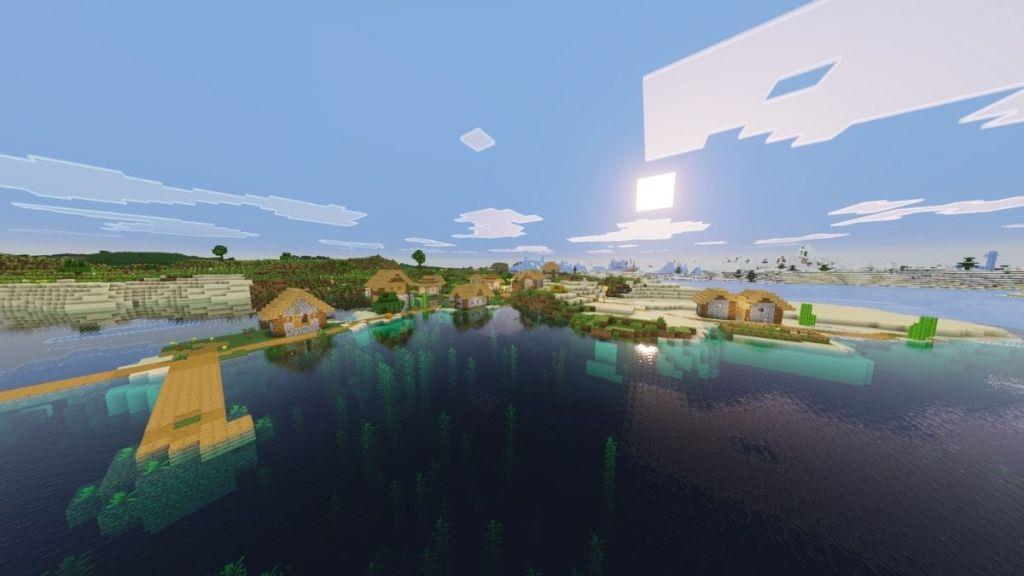
Next up is Visual Vibrance shaders, a name that rings a bell to all crafters. Yes, this one is inspired by the Vibrant Visuals, introduced to the Bedrock edition. So, as of now, this pack is available for download, giving you the same feel of what Vibrant Visuals might feel like in the Minecraft Java edition.
Visual Vibrance is perfect for players who want a subtle visual upgrade without heavily compromising on the frames that their system can run. Moreover, the originality of Minecraft blocks and environment is kept intact, with just a visual pop of color that looks fresh.
6. SEUS PTGI Shaders
SEUS PTGI Shaders deliver rich, realistic lighting and vivid atmospheric effects that enhance settlements, biomes, and builds without sacrificing performance. The shader pack offers smooth shadows, volumetric light, and bloom that subtly elevate visuals while remaining accessible to a broad range of hardware, making it a popular choice for players seeking cinematic immersion.
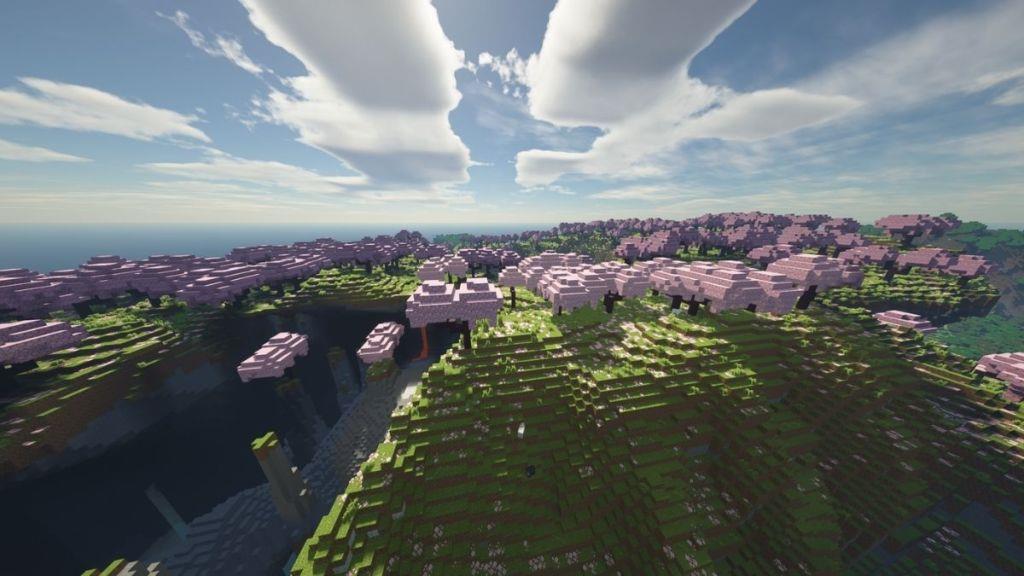
SEUS shaders might have been used by each one of you at least once while playing Minecraft. Now, the PTGI version takes things up a level by introducing a ray-tracing option. Although we haven’t used that in the image above, you can get a clear idea from their official website.
With that option, you can make your Minecraft world ultra-realistic with crystal-clear water, trees having properly visible leaves, global illumination, and whatnot. If you’re a builder with a high-end PC, this shader is a must-try. You’ll find yourself admiring your builds more than ever and make Minecraft look like some AAA game.
7. LITE Shaders
Shaders can dramatically enhance Minecraft’s visuals without overwhelming performance, and LITE Shaders strike a balance between vibrant lighting, realistic shadows, and smoother distant scenery, making biomes feel richer while staying friendly to lower-end systems.
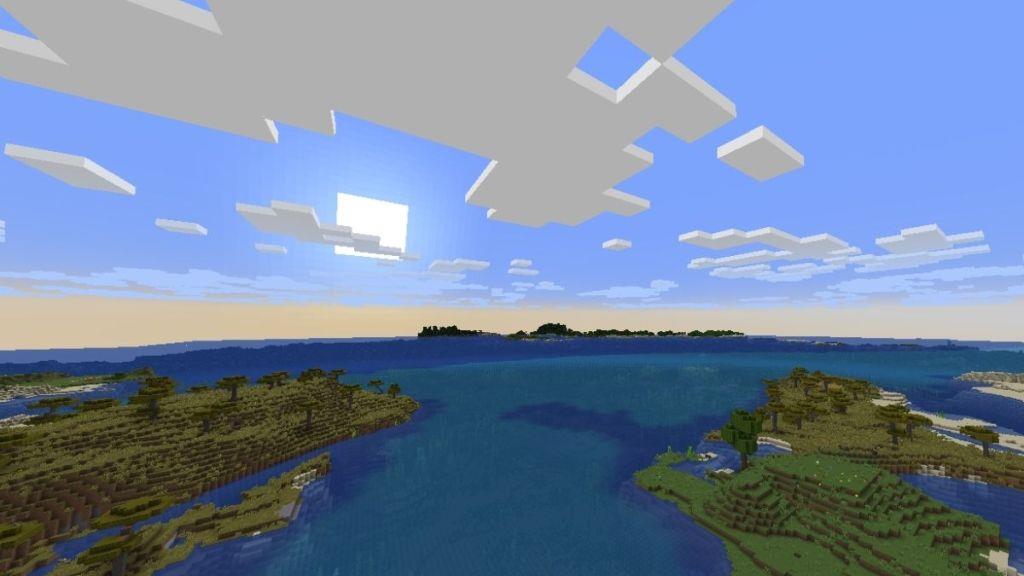
Next up is a great option for all the low-end PC users out there. The LITE shaders is a perfect pack for you that focuses on simplicity and performance. With this, there will be realistic shadows, some gentle reflections, and a decent amount of realistic surroundings that won’t slow down your game.
Using the LITE shaders, you get significantly better frame rates while exploring the different biomes or battling some hostile mobs. Therefore, you won’t require a heavy system to enjoy the same cool animations and realistic surroundings in Minecraft.
8. Sildur’s Vibrant Shaders
Sildur’s Vibrant Shaders bathes Minecraft in lush, dynamic lighting and rich color depth, delivering noticeable improvements to water, shadows, and ambient occlusion without sacrificing performance on capable hardware.
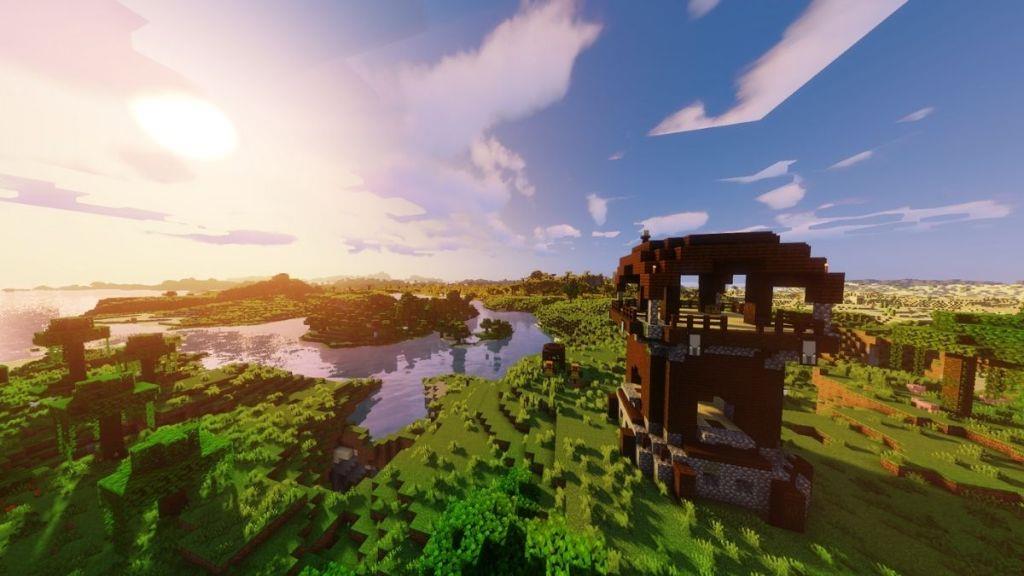
Sildur’s Vibrant Shaders is one of the most versatile and customizable shaders in Minecraft. The lighting system and color palette of the world are transformed by increasing the saturation and making everything look vibrant. In this pack, you also get the option to toggle on the motion blur that can introduce cool effects while running from the pillagers or riding your favorite mount.
Moreover, you can experience the world come alive with the water ripples, sunbeams shining through the trees, as well as the vivid sunrises and sunsets. There are options to download this shader for a range of systems, from low-end to high-end ones, where you can set the graphics to extreme fancy. Therefore, it’s suitable for all gamers.
Download Sildur’s Vibrant Shaders
9. Mellow Shaders
Soft, warm lighting and soft shadows define mellow shaders as they wash biomes in a gentle glow, smoothing textures and subtly blending colors for a relaxed, cinematic feel.
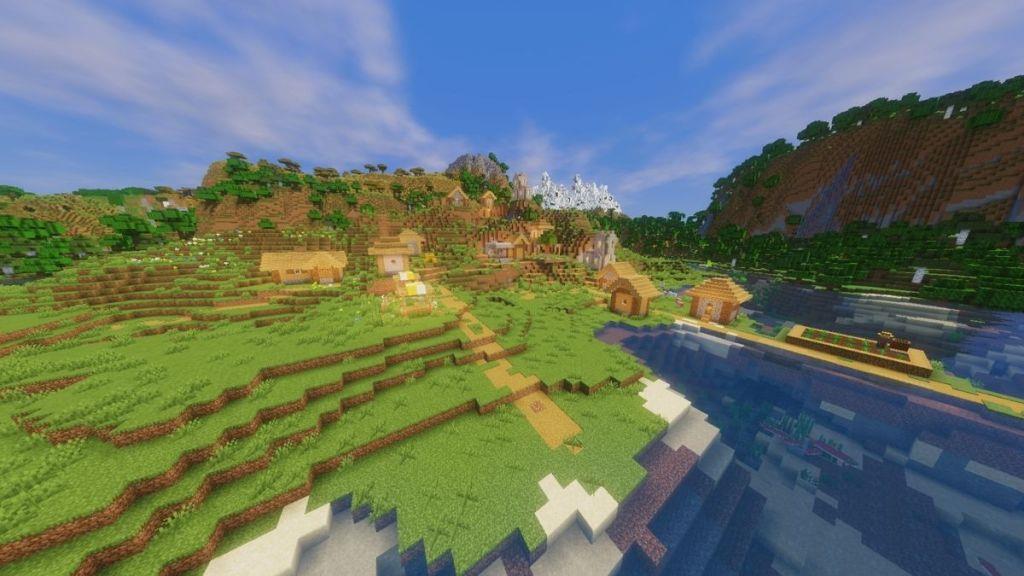
If you want softer and warmer lights in Minecraft, the Mellow shaders are the perfect choice for you. This will change the atmosphere into a cozy aesthetic perfect for your cottage core bases. Instead of chasing realism, Mellow shaders make the surroundings look a bit more saturated during the day.
With this shader installed, every biome feels cheerful and full of life. Coming to the performance part of this shader, you might have already guessed that Mellow can be run on any kind of PC. So, if you want to build a fall-themed small hut with Jack-o-Lanterns and soft lights that gives you a warm hug, consider trying out this shader.
10. Bliss Shader
Bliss Shader bathes Minecraft in soft, sun-drenched light and lush, painterly colors, smoothing textures for a serene, cinematic feel that elevates both landscapes and builds without sacrificing performance.
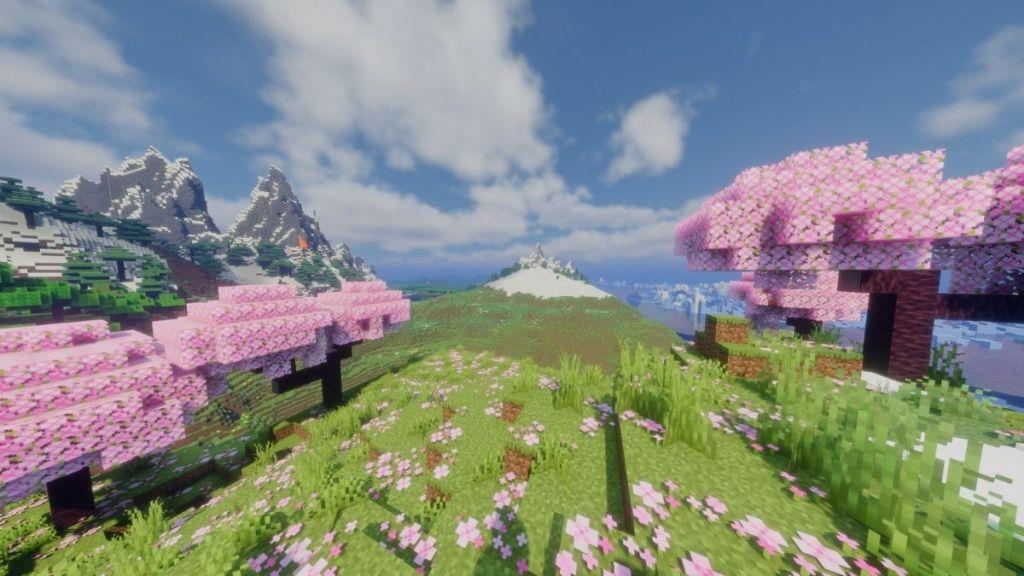
If you’re a fan of landscapes in Minecraft, consider trying out this Bliss shader pack. When paired with the Distant Horizons mod, you will experience breathtaking landscapes without compromising on details. Try experiencing the sunrises with this mod enabled. You’ll notice the gentle night fog clears out once the sun rises and the surroundings brighten up slowly but beautifully.
The Bliss shader pack provides you with a ton of customizable options. You can fine-tune the lighting, contrast, change the midtones, shadows, color intensity, and so much more. Whether you want a cinematic color grading or make your Minecraft sky appear a completely different shade, with the Bliss shader, everything is possible.
11. Solas Shader
Solas Shader enhances natural lighting and reflective surfaces, delivering richer colors, improved water and sky visuals, and more convincing shadows that respond to in-game conditions without sacrificing performance.
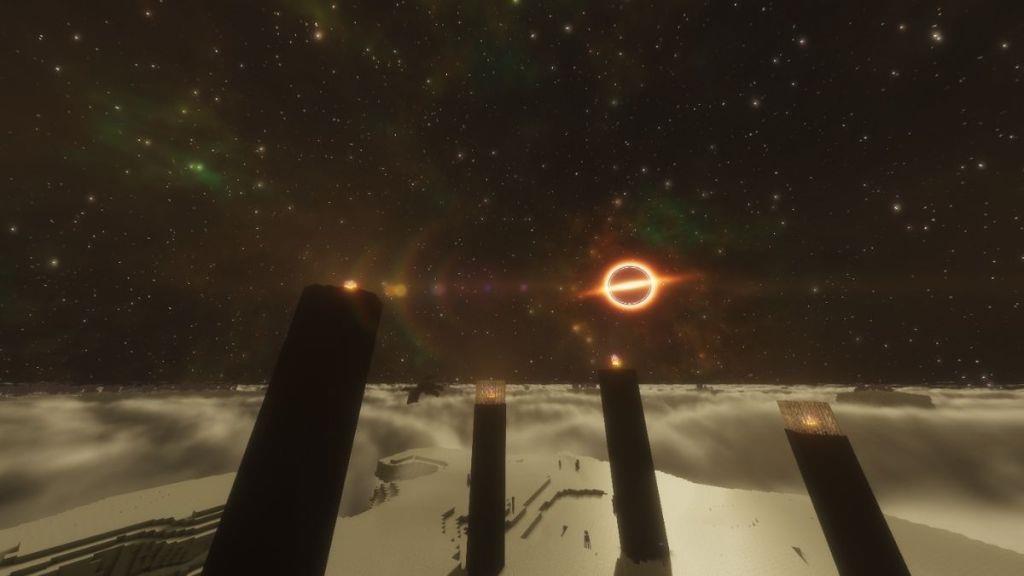
Here comes my personal favorite, the Solas shaders in Minecraft. If you’re new to using shaders, I would highly recommend starting off with this one, and it will leave you spellbound. This shader pack brings dreamy lighting, glowing skies, and a blend of magical colors to the environment. Every dimension, biome, structure, and even the individual blocks feel like painted by hand.
Whether you’re starting your Minecraft adventure by chopping some logs and sleeping in your dirt house the first night, or you’re defeating the final boss of the game, the Ender dragon, the surroundings will give you a mystical vibe every time. When it comes to performance, Solas can run smoothly on most devices, but I would recommend using one with above-average specs.
12. Derivative Shaders
Derivative shaders enhance texture detail by computing lighting, normals, and post-processing effects from existing scene data, delivering richer shadows, amplified bloom, and smoother material transitions without overhauling core rendering. These shaders can significantly elevate atmosphere and depth, especially when paired with high-resolution textures and ambient occlusion, while remaining adaptable to different hardware capabilities.
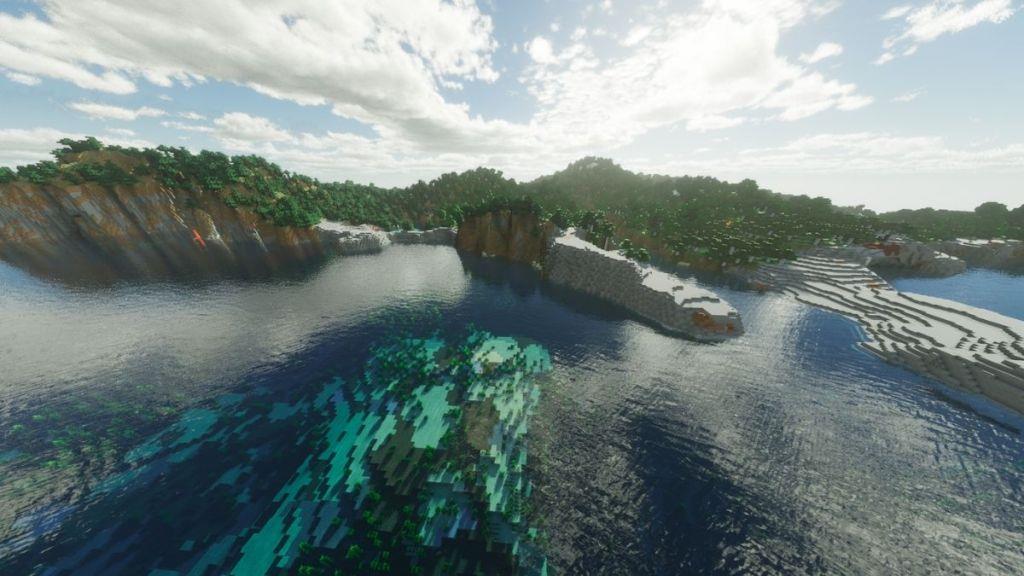
Derivative shaders are primarily for some high-end PCs as they offer crisp cinematic visuals in Minecraft. The best thing I like about these shaders is the fancy clouds you see above your head. Such a high level of detailing might not be found in other shaders available for Minecraft.
The Derivative shaders transform Minecraft into something out of a professional video edit. Once it starts raining, it’ll feel like stepping into an ASMR clip. But all this beauty comes at a cost. This shader isn’t the most optimized one out there. Therefore, not only do you require a powerful device, but you’ll also experience a bit of lag.
13. AstraLex Shaders
AstraLex Shaders deliver lush, painterly lighting with cinematic bloom and refined atmospheric effects, enhancing block palettes and water surfaces for a more immersive, painterly Minecraft experience.
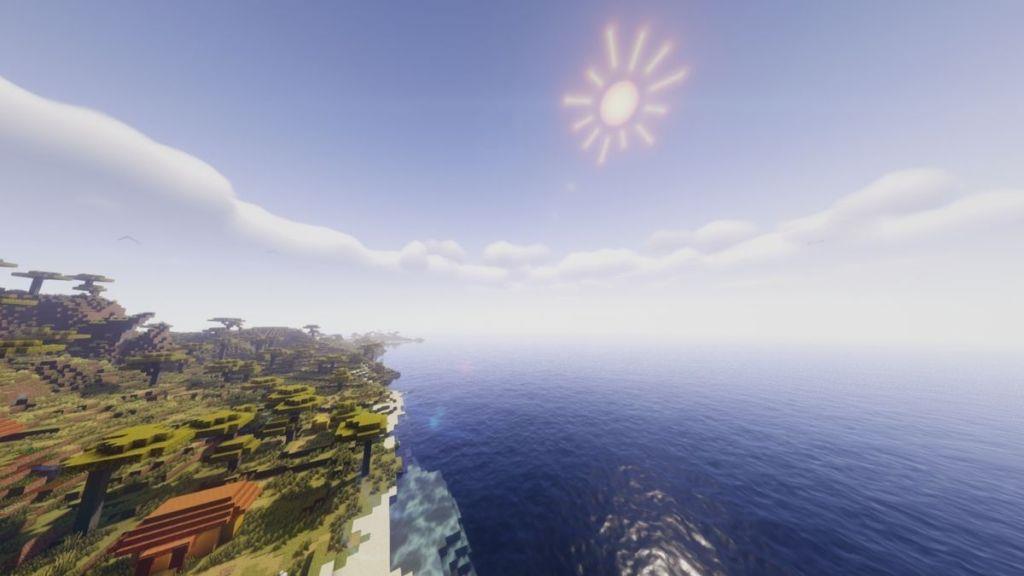
AstraLex shaders can help you customize your world to the maximum extent. Whether you want volumetric clouds, life-like shadows, or a motion blur while moving, AstraLex has it all. However, most importantly, you’ll need a high-end device to run this on.
Apart from the high-definition surroundings, you can also experience some fun details like birds, shooting stars, nebulae, and glowing rain effects, too. AstraLex is perfect for players who want a full fantasy world in Minecraft with heavy details.
14. MakeUp Ultra Fast Shaders
MakeUp Ultra Fast Shaders delivers crisp lighting and smooth transitions with minimal performance impact, making your exploration feel fluid without sacrificing visual fidelity.
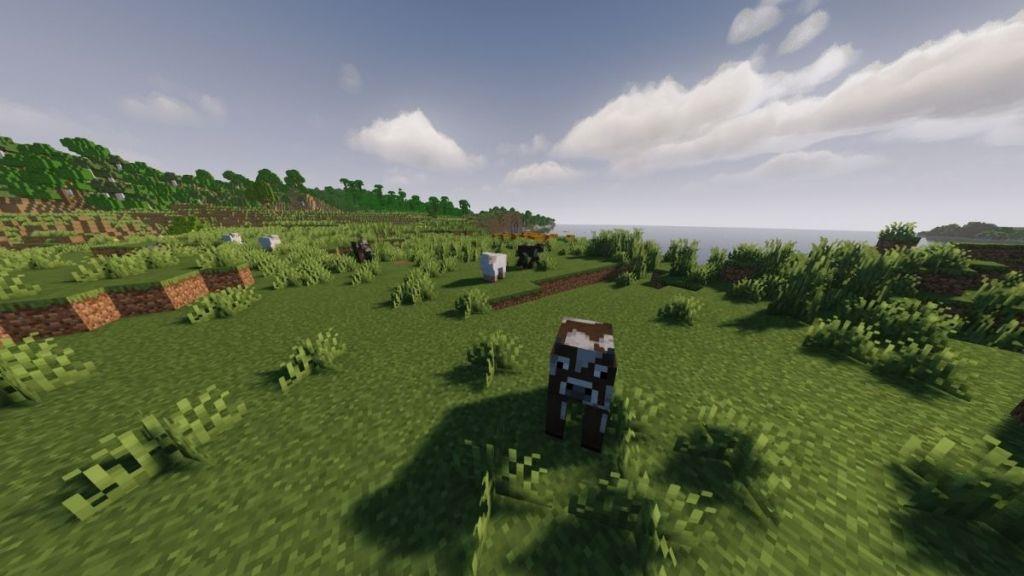
MakeUp Ultra Fast shaders focus on a single thing, and that is balancing realistic graphics and maintaining performance. Installing this pack in your system ensures that you won’t have to worry about the game lagging or chunk loading taking a lot of time.
Additionally, you can also enable motion blur, make the clouds volumetric, improve shadows, and customize your world with lots of options. MakeUp Ultra Fast is compatible with Optifine and Iris and is perfect for players with mid-range setups who want to keep things simple while changing the blocky vanilla Minecraft graphics as well.
15. Rethinking Voxels Shaders
Voxel shaders redefine how light, color, and atmosphere interact in Minecraft, delivering richer shadows, glow, and depth that elevate builds without sacrificing performance.
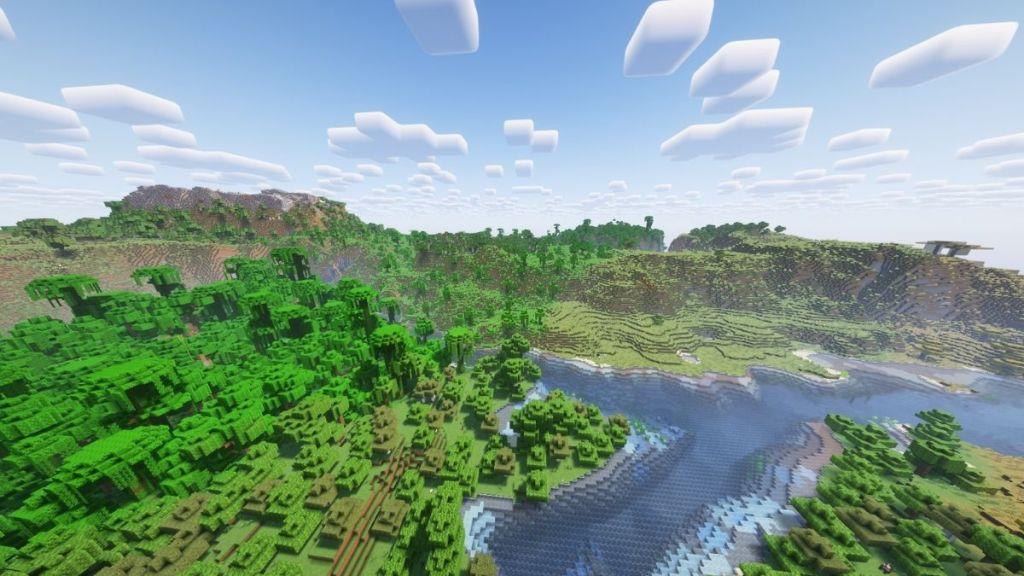
Finally, Rethinking Voxels is a great choice if you want to transform every dimension in your Minecraft world. While the overworld might feel like a soft and cheerful place, the Nether is equally terrific, while the End dimension feels quite mystical.
Rethinking Voxels might look a lot similar to Complementary Reimagined since it inherits a few basic elements from there. However, the fog is enhanced a lot, lighting will look better, and the deep dark biome glows like no other.
Which shaders work best on low-end PCs
Sildur’s Vibrant Lite and MakeUp Ultra Fast Shaders excel on low-end PCs, delivering smooth FPS with basic enhancements like waving grass and subtle lighting.
YoFPS Shaders prioritize performance over heavy effects, making them ideal for integrated graphics or older laptops by focusing on wind animations and minimal shading.
Top Low-End Picks
- Potato Shaders: Ultra-lightweight for the weakest setups, adding simple shadows and bloom without FPS drops.
- Super Duper Vanilla: Enhances vanilla style with soft clouds and lighting, optimized for low-spec hardware.
- Chocapic13 Low: Offers cinematic contrast and shadows in a lightweight preset for integrated GPUs.
- Complementary Reimagined (Low settings): Runs smoothly with tweaks, providing rounded clouds and gentle effects.
- BSL Shaders (tuned): Customizable for low-end use by disabling bloom or depth of field, yielding realistic visuals.
Optimization Tips
Lower render distance to 8-12 chunks, disable heavy effects like volumetric fog, and pair with Iris or OptiFine for compatibility. Test on Minecraft 1.21+ for best results, as these packs maintain 60+ FPS on modest systems.
Best shader presets for integrated Intel GPUs
MakeUp Ultra Fast and Super Duper Vanilla stand out as top shader presets for integrated Intel GPUs like UHD 620 or Iris Xe, prioritizing high FPS with minimal visual strain.
Sildur’s Vibrant Lite offers adjustable low settings for subtle enhancements without overwhelming weak iGPUs.
Recommended Presets
- Chocapic13 Toaster/Low: Tailored for Intel HD/UHD, adds basic shadows and water waves at 40-60 FPS on older chips.
- YoFPS Shaders: Extremely lightweight, focuses on motion and light tweaks ideal for laptops with integrated graphics.
- Potato Shaders: Bare-minimum pack for the lowest-end Intel setups, enabling bloom and grass sway playably.
- Complementary Reimagined (Lite): Tunable for Intel via Iris, yielding soft clouds if render distance stays under 10 chunks.
Intel-Specific Tips
Update Intel drivers, set anisotropic filtering to 2x, and cap FPS at 60 in-game; pair with Sodium/Iris for 1.21+ compatibility. These maintain 50+ FPS on modest Intel hardware like 8th-gen i5s.