Fortnite Chapter 7 invites a risky mercy: revive or vanish as the storm tightens, and a single mistake can rewrite your fate.
Can You Self Revive in Fortnite?
In Fortnite Chapter 7, self-revive is a rare, high-skill tactic that requires careful timing and resource management. Players can trigger it by using specific in-game items or mechanics when downed, but success depends on keeping distance from enemies and coordinating with teammates. Mastery comes from practice, map knowledge, and knowing the exact steps for your platform and game mode.
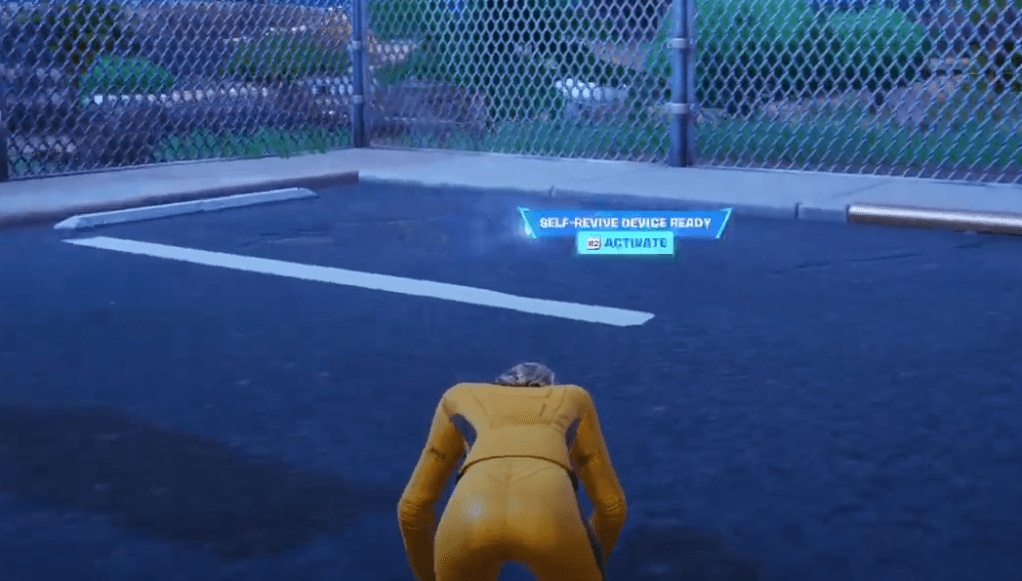
Yes, it is possible to self-revive in Fortnite Chapter 7 using the self-revive device. To revive yourself, get the revive device in your inventory. Once you are down, the self-revive device ready pop-up will pop up. During this pop-up, just click the fire button to activate the device. After using it, the device will break, and a short 10-second timer will run. As the timer runs out, you will revive with 30 HP.
Where to Find Self Revive Device in Fortnite
Self Revive devices can usually be found scattered across Fortnite’s map in mid-to-late-game zones, often tucked behind structures or near loot-filled buildings. Look for glowing green spark effects and check supply crates and shaky, damaged areas where players tend to concede a revive. If you’re in a dense team fight, prioritize hotspots with high player activity, as devices tend to spawn where combat concentrates.
Now that you know which items need to self-revive in the game, you might wonder where to get them. Here are all the locations where you can get the self-revive device in Fortnite:
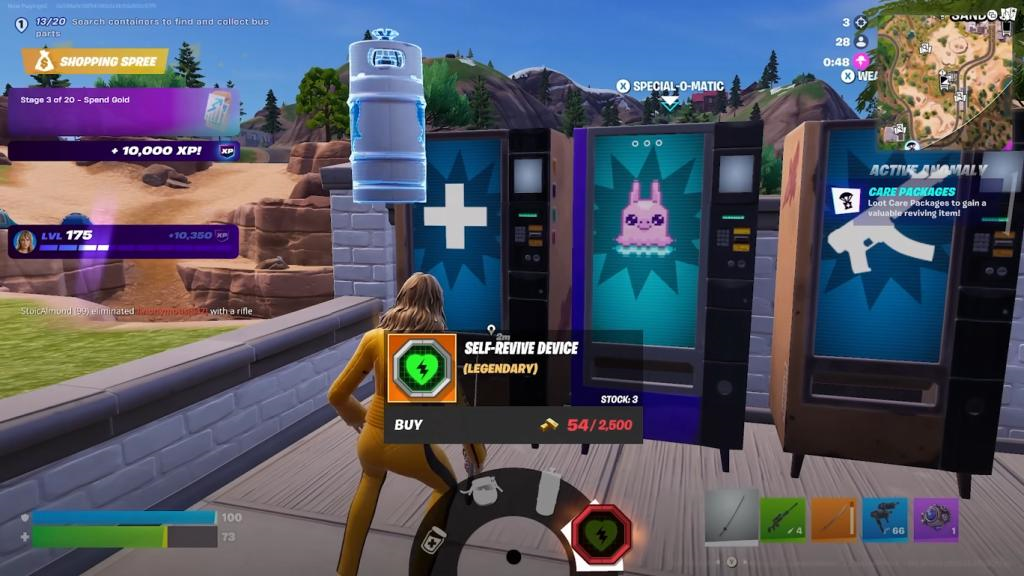
1. Mending Machine
The guaranteed way to get the self-revive device is through purchasing the item from a mending machine. Remember, you will need 2500 gold bars to acquire the legendary item.
2. Supply Drops
The second-best way to find the self-revive item in Fortnite is through the supply drops. Make sure you are prepared to grab the loot before someone else does.
3. Rare Chest
Where to reliably find self revive devices in Chapter 7
Self-revive devices in Fortnite Chapter 7 are most reliably found through targeted loot sources across the map. Mending Machines offer the surest method, while other options depend on match progression and RNG.
Primary Sources
Mending Machines guarantee a Self-Revive Device for 2,500 gold bars, available at fixed map locations like major POIs. Supply drops frequently contain them as high-tier loot, especially mid-to-late game, but require quick rotations to contested zones.
Secondary Sources
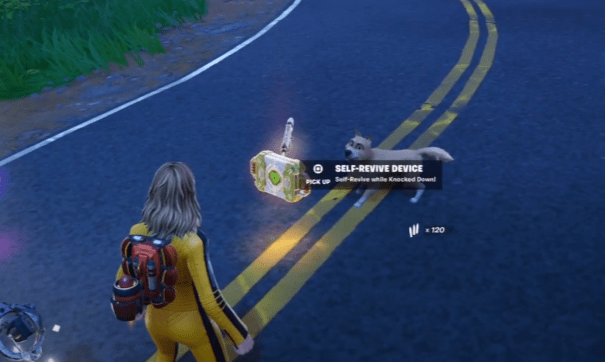
Rare chests occasionally drop the device, identifiable by their glow and audio cues in high-loot areas. Rift anomaly care packages, triggered by late-game Storm phases, can also spawn clusters with the item.
Acquisition Tips
-
Farm gold early from chests, downed opponents, or coolers to afford Mending Machine purchases.
-
Prioritize POIs with Mending Machines (e.g., near Golden Coast landmarks) for consistent access.
-
In squads, coordinate supply drop contests to secure devices without heavy spending.
How to activate and use the Self-Revive Device
Self-revive devices in Fortnite Chapter 7 activate automatically when you’re knocked down, if one is in your inventory. Press the prompted fire button (like RT on Xbox or R2 on PlayStation) to start the process, triggering a 10-second revival timer.
Activation Steps
A prompt appears on-screen when downed with the device equipped. Press the fire button immediately to begin revival; hesitation risks elimination. Survive the timer without enemy interference to stand with 30 HP-the device then breaks as single-use.
Platform Controls
-
Xbox: RT (right trigger).
-
PlayStation: R2.
-
PC: Left mouse button or assigned fire key.
On-screen instructions guide you during the knockdown state, working in solos and team modes.
Usage Tips
Position near cover before fights for safe timer completion. Communicate device status to teammates for protection. Avoid open areas, as enemies can finish you during the vulnerable countdown.