Players can now take control of their own Reboot Vans in Fortnite Chapter 7, changing how revives work across the island. This guide breaks down every drivable Reboot Van location and shows how to use these mobile recovery units to turn the tide of any match.
However, things can go south pretty quickly, as you may end up in a sweaty lobby and are looking for a method to self-revive, or, depending on your teammates, to reboot you. While finding a reboot van is tough enough, let alone rebooting a teammate without alerting your enemies, Epic has completely changed the way reboot works, and it’s actually quite convenient.
Drivable Reboot Vans are the latest addition to the current Vehicles roster on the Fortnite island that doubles as an escape car as well as a Reboot Van on the go. If you’re wondering where you can find one and how to use it, we’ve got you covered right here.
Fortnite Drivable Reboot Van Location Map in Chapter 7 Season 1
This map pinpoints all Drivable Reboot Van spots across the Chapter 7 Season 1 island. Players drive these vans to downed teammates, hold them near the body to trigger revival, then speed away while shielding from attacks. Vans spawn at fixed locations like major landmarks and POIs, respawn after use, and offer quick team recovery during intense fights. Check the interactive guide below for precise coordinates and visuals.
Drivable Reboot Vans spawn randomly across the Fortnite Chapter 7 Season 1 island. However, we’ve narrowed down the locations on a detailed map below where you may come across a drivable Reboot Van.

Your best bet to find a Drivable Reboot Van is to land at a named POI and look for one. As soon as you find it, get in the car and drive away. But if you’d like to know how to use it best in a Battle Royale match, check it out right here.
How to Use a Drivable Reboot Van
To use a Drivable Reboot Van, approach it and interact with the console on the side to begin the reboot process. The van will emit a signal and project your teammate’s holo-card during revival. Stay alert, as the reboot action makes noise and draws attention from nearby players. Once complete, your teammate respawns with basic gear, and the van temporarily goes on cooldown before it can be used again.
To use a Drivable Reboot Van, walk closer to the van and interact with it to drive, or hold the Reboot button to reboot a teammate. However, if you choose to drive it, simply use it like any other vehicle.
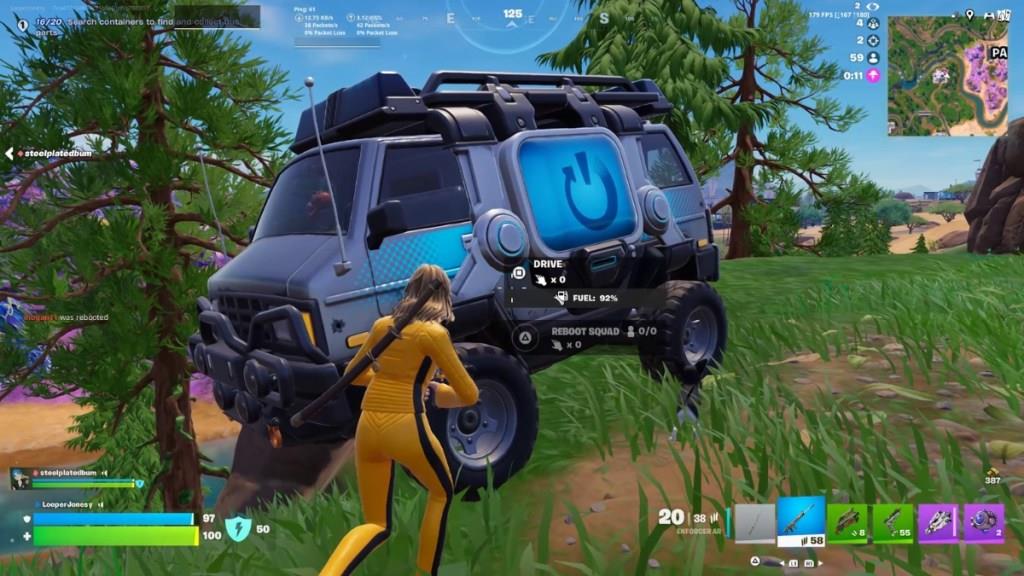
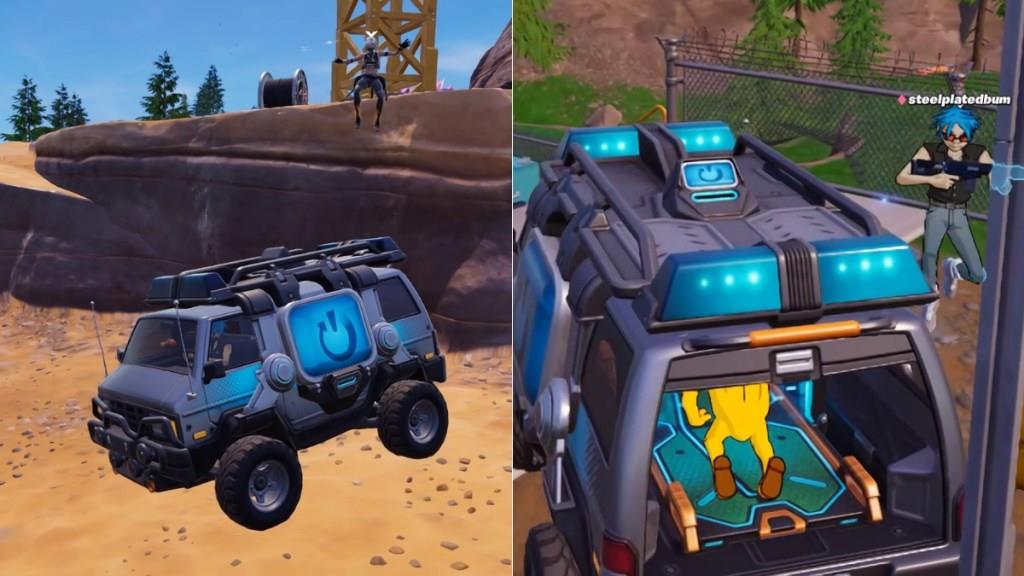
In case your teammate gets knocked (DBNO) on the way, or you’re driving the van towards a downed teammate, let them roll into the back of the Reboot Van themselves or carry and yeet them in the back.
The reboot bed placed on the back of the van will revive the teammate as you keep driving. However, if they get eliminated and you fail to collect their reboot card, you can purchase their card and then reboot them once your van is parked. Unfortunately, you cannot reboot a teammate while driving.
How to self-revive in Fortnite Chapter 7 Season 1
Self-revive in Fortnite Chapter 7 Season 1 is possible using the new Self-Revive Device or drivable Reboot Vans when downed (DBNO).
Self-Revive Device
Players obtain this legendary item from rare chests, occasional regular chests, Supply Drops, or Mending Machines for 2500 Gold Bars-it equips automatically above the inventory without taking a slot and lasts the match as a one-time use. When downed, a prompt appears; press the fire button to activate, crawl to cover during the 10-second timer, and revive with 30 HP (device then breaks). It works in storm edges if damage stays low, suits solos or squads, but enemies can still eliminate during the process.
Reboot Van Method
For squad play, downed players enter a drivable Reboot Van (teammate drives) or get thrown in back-the bed auto-revives while moving to safety. Vans spawn at POIs like Bumpy Bay; stationary reboots need Reboot Cards for eliminated teammates. This pairs with Self-Revive for flexible recovery without full reliance on allies.
Where to buy Self-Revive devices on the map
Self-Revive Devices in Fortnite Chapter 7 Season 1 are available for purchase at Mending Machines scattered across the Golden Coast map, typically found at gas stations and major Points of Interest (POIs).
Mending Machine Locations
These vending machines appear in clusters at high-traffic spots like gas stations near Bumpy Bay, Sandy Strip, Humble Hills, and Battlewood Boulevard-check for the gold-bar glow when you have 2500 Gold Bars ready. Each machine stocks up to three devices at the fixed 2500 Gold Bar price, resetting per match; they’re reliable but require farming gold from supply runs first.
Purchase Process
Approach a Mending Machine with sufficient gold, select the Self-Revive Device from its menu, and buy-it equips automatically without occupying an inventory slot. Pair this with nearby Reboot Vans at the same gas stations for squad strategies, though devices suit all modes.
