Yuki Yubari from Kill Bill has arrived in Fortnite, and players are racing to grab her stylish new skin without spending a cent. Here’s how you can claim this cinematic crossover reward before it disappears.
Since the Kill Bill crossover has officially been confirmed, and one of the cosmetic skins from the crossover, Gogo Yubari, is already free to be claimed for those who buy tickets to The Whole Bloody Affair, releasing next weekend in cinemas across the U.S.
However, Epic has now announced one more free Kill Bill skin, Yuki Yubari, that fans worldwide can claim, even if they can’t get her sister Gogo. Here’s how to get it.
How to Claim Yuki Yubari Fortnite Skin for Free
To claim the Yuki Yubari Fortnite skin for free, players should watch for limited-time events or crossover missions introduced by Epic Games. These promotions often reward participants with themed cosmetics after completing certain in-game challenges or connecting their Epic account with partner platforms. Checking the official Fortnite website and social media channels helps ensure you don’t miss active offers or redemption codes related to the Kill Bill collaboration.
Fortnite has announced that players can get the free Yuki Yubari skin from the upcoming Kill Bill crossover called The Lost Chapter: Yuki’s Revenge in Chapter 7. To get the Yuki skin, players need to log in between November 27 at 9 AM ET and December 1 at 9 AM ET.
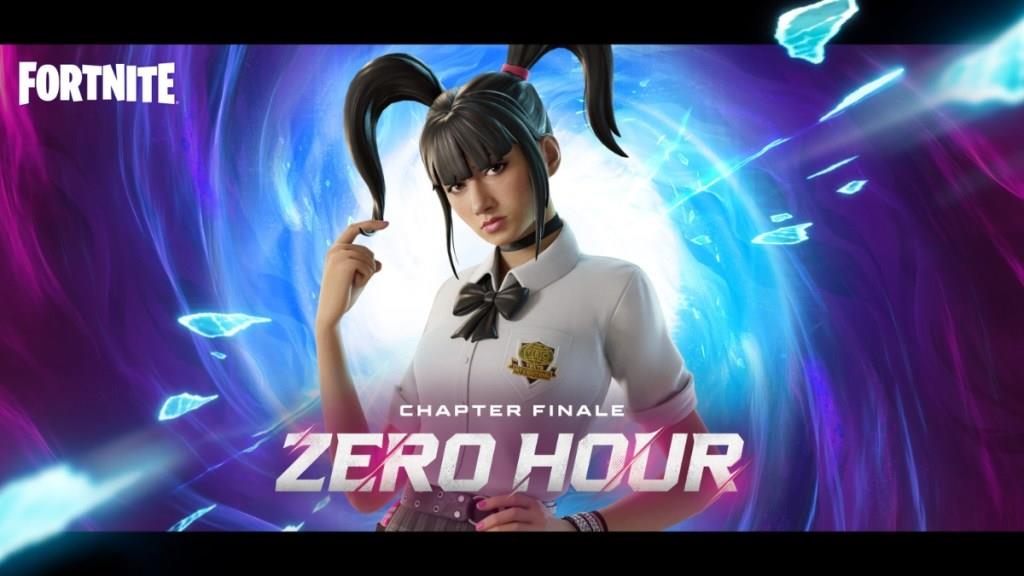
Players who do so will instantly receive the free Yuki skin in their Fortnite locker as soon as Chapter 7: Pacific Break goes live on December 1, 2025. Furthermore, you can also get the skin by just attending the upcoming Zero Hour live event, even if you can’t find the time to play Fortnite during the said period.
When exactly is the login window in my time zone
The Yuki Yubari free login window was announced in Eastern Time (ET), which is UTC-5 during standard time in late November 2025.
EET Conversion
Your time zone is Eastern European Time (EET, UTC+2). Subtract 7 hours from ET times: November 27, 2025, 9:00 AM ET equals 4:00 PM EET; December 1, 2025, 9:00 AM ET equals 4:00 PM EET.[conversation_history]
Key Times in EET
-
Start: Thursday, November 27, 2025, 4:00 PM EET
-
End: Monday, December 1, 2025, 4:00 PM EET
This window has passed as of January 18, 2026. No extensions were announced.
Why is my login time showing wrong during daylight saving
Login times during daylight saving time (DST) shifts often appear wrong due to automatic clock adjustments not syncing properly with your system settings.[conversation_history]
Common Causes
Incorrect registry data for your time zone, like EET (UTC+2), fails to apply DST rules correctly, causing a 1-hour offset. Outdated Windows time zone definitions or disabled “Automatically adjust clock for Daylight Saving Time” exacerbate this during transitions.
Fixes for Windows
-
Open Settings > Time & Language > Date & Time; enable “Set time automatically” and “Adjust for daylight saving time automatically,” then sync now.
-
Run timedate.cpl via Win+R, verify EET selection, and update the time server to time.windows.com.[conversation_history]
-
Restart or run tzutil /g in Command Prompt as admin to force time zone refresh.
Fortnite Context
Fortnite login timestamps use server time (ET-based), ignoring local DST mismatches, so discrepancies won’t affect rewards like Yuki Yubari-claim by server window regardless.[conversation_history] If persistent, check BIOS clock or CMOS battery.
