Guess the drop spot before the storm hits-Fortnite Geoguessr turns every screenshot into a test of memory, map knowledge, and instinct. Here’s how players are using Lostgamer’s fan-made version to turn familiar battlegrounds into a thrilling challenge of location and speed.
What Is Fortnite Geoguessr?
Fortnite Geoguessr is a fan-made browser game by lostgamer that drops players into random Fortnite Chapter 5 locations. You study the scenery, structures, and details around you to pinpoint the exact spot on an interactive map. Guess correctly to score points and climb leaderboards in this quick, addictive challenge blending battle royale familiarity with GeoGuessr-style precision.
Fortnite Geoguessr is a fan-made browser game that challenges players to recognize locations from the game’s ever-changing maps. Created by lostgamer, it is an excellent way to challenge yourself and others with your Fortnite map knowledge. The game is not affiliated with Epic Games or Geoguessr, made completely by fans. This is one of the Geoguessr alternatives that you will love playing with friends.
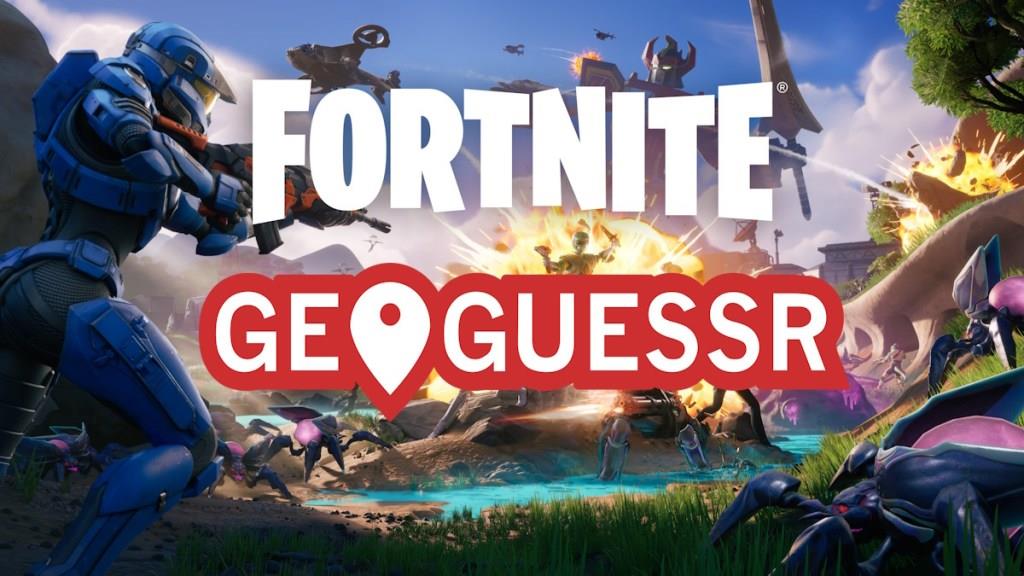
Instead of guessing real-world cities or countries like in traditional GeoGuessr, you’re dropped into a random spot from Fortnite and must pinpoint where you are on the in-game map. The closer you are, the more points you can earn.
Fortnite Geoguessr features the maps from Chapter 1, all the way to Chapter 5 Season 3 map. It is both a trivia and a memory test. If you want a nostalgia trip from multiple chapters and seasons of Fortnite, you can try the game and get on the leaderboard.
How to Play Fortnite Geoguessr
Fortnite Geoguessr drops you into random spots across the island. A map outline appears with a marker showing your location. Guess the correct zone by dragging the marker to match the scenery, buildings, and landmarks around you. Submit your pick to see how close you landed and earn points based on accuracy. Play rounds solo or with friends to climb leaderboards.
Now that you know what Geoguessr in Fortnite is all about, here is how you can play it:
1. Head to the Game
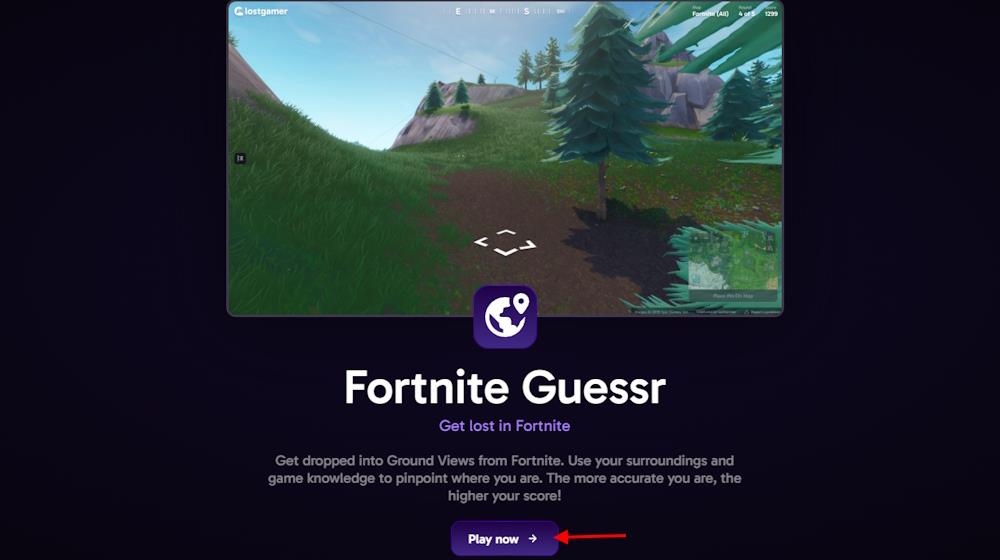
You’ll find Fortnite Geoguessr on Lostgamer.io. Once there, click the purple Play Now button. It nudges you into Ground Views from Fortnite’s map; you only need your game sense and map knowledge to guess your location.
2. Pick Your Map
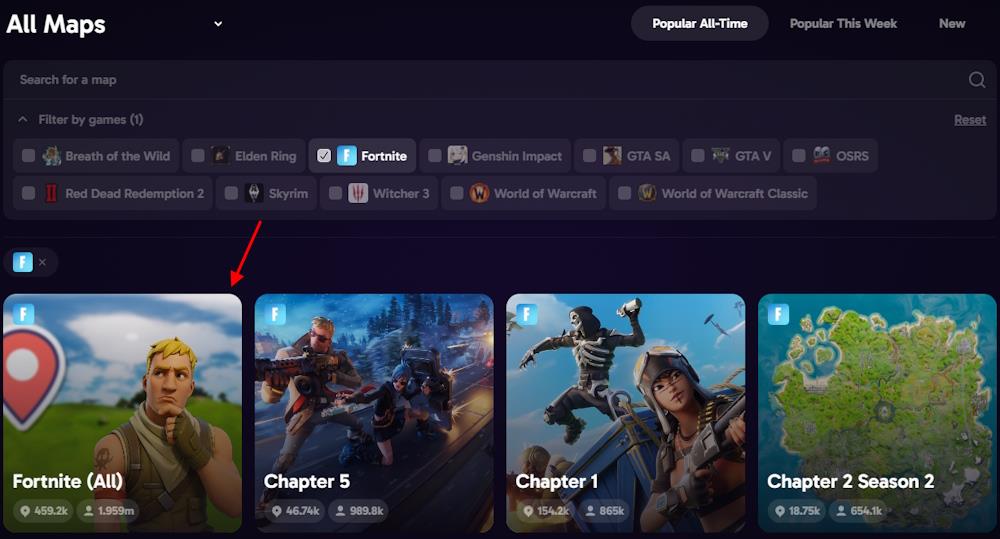
Lostgamer offers a range of map selections for Fortnite Geoguessr. You can go broad with ‘Fortnite (All),’ which includes over 459,000 possible locations, or narrow down to a specific chapter or season.
Scroll the Fortnite Geoguessr map menu and select maps such as Chapter 1, Chapter 2, or Chapter 5 Season 3, each with its distinct area count and rounds played.
3. Choose Game Settings
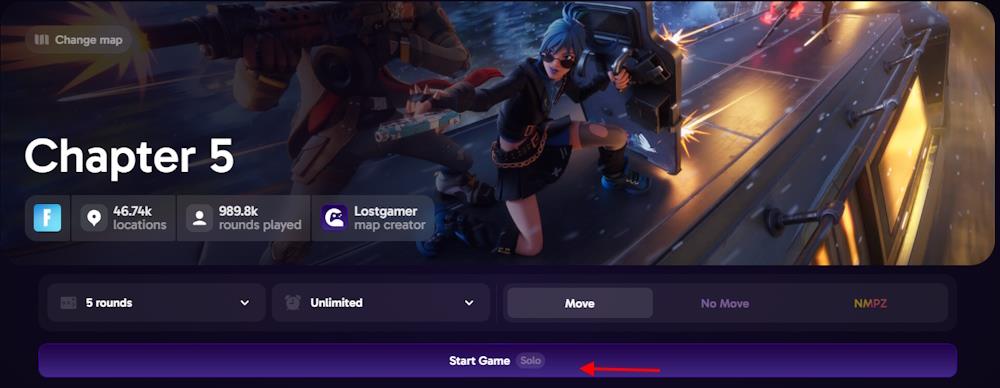
You get to decide how much challenge you want, and the game unfolds accordingly. The options in Fortnite Geoguessr usually include:
- To choose between Solo, Multiplayer, or Raid mode, do it from the main menu.
- Number of rounds: five is set by default, but you can go for 10, 20, or more.
- Time limits per round: anywhere from 5 seconds up to 10 minutes.
- Camera Movement: allow movement for easier spotting or disable it for a stiffer challenge (NMPZ – no move).
4. Play and Guess
After you have selected the desired settings, click the Start Game button to finally play Fortnite Geoguessr.
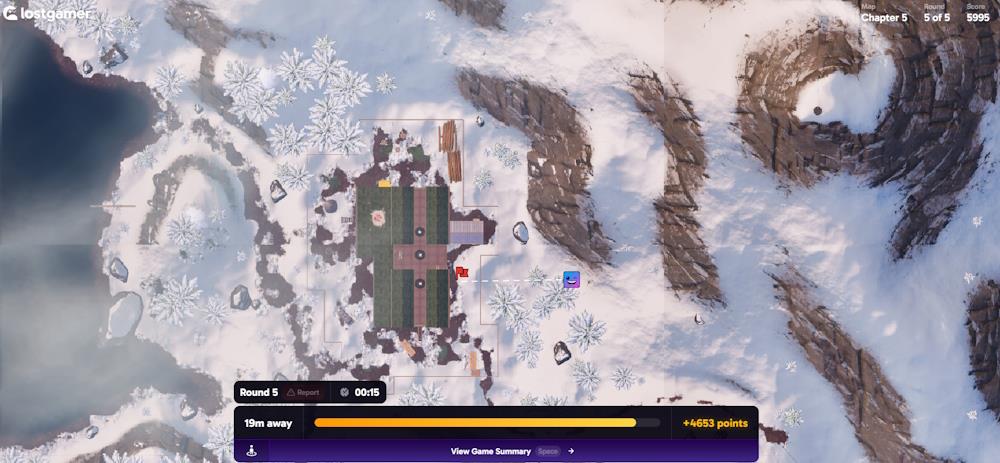
Each round drops you somewhere on the Fortnite map. Use any available context clues, such as terrain, buildings, or landmarks, to narrow down your guess. If you are not playing in NMPZ mode, use the arrows to move the camera around. After you are ready to make a guess, move your cursor to the minimap on the bottom right and pin a spot. Click ‘Next Round’ to go to the next guess.
5. See Your Score
After your final round, you will get a total score. It sums your accuracy across all rounds (like the original GeoGuessr, with up to 25,000 points). Click on the View Game Summary to check it. If you are logged in, you can save your score, and it may show your rank on a global leaderboard.
Best maps or seasons for Fortnite GeoGuessr practice
Chapter 3 Season 2 stands out as a top choice for Fortnite GeoGuessr practice. This map by Lostgamer ranks highly in popularity with around 17k plays, offering diverse terrain and landmarks ideal for building recognition skills. Its balanced size and iconic features make it accessible for beginners honing biome and POI identification.
Popular Practice Maps
-
Fortnite (All): Features over 459k spots across chapters, perfect for comprehensive practice but overwhelming at first-use it after mastering singles.
-
Chapter 3 Season 2: High play count (17.36k) and varied environments like urban POIs and open fields for targeted guessing drills.
-
Chapter 1 or OG Seasons: Simpler, nostalgic layouts with fewer changes, great for fundamentals; less popular but effective for quick sessions.
Recommended Seasons
Early chapters (1-2) suit newcomers due to familiar, static maps emphasizing core landmarks. Later ones like Chapter 3 provide challenge through evolving biomes, boosting accuracy on “All” modes. Start with 5-round sessions on these to track improvement.
Which Creative map codes are best for beginners
Raider464’s Edit Practice Map (0744-7641-9247) tops the list for beginners honing editing skills. This map offers progressive courses from low to intermediate difficulty, ideal for building fundamentals without frustration. Pair it with Skaavok’s Aim Trainer (8022-6842-4965) for essential aim practice in a controlled setup.
Top Beginner Codes
-
Movement Map (6463-0324-3788): Focuses on gliding, tracking, and basic navigation to improve mobility quickly.
-
Piece Control Map v3 (6818-9760-6633): Over 25 drills for precise building and control, expanding on simpler versions.
-
Super Red vs. Blue: Popular for meta practice and warmups, playable solo or with bots for low-pressure fights.
Why These Work
These maps emphasize repetition in short sessions, suiting new players transitioning to keyboard/mouse or core mechanics. Load via Fortnite’s search in the lobby, add to favorites, and practice 15-20 minutes daily for gains.
