Beans power gardens: a simple can, a splash of soil, and a leap from pantry to plot-watch a mundane cupboard staple spark a thriving, tastier patch.
So, if you’re wondering how to unlock this item, here’s a guide with the steps to get and use the Can of Beans effectively in Grow a Garden
How to Get Can of Beans in Grow a Garden
Grow a can of beans by selecting a compact, pre-washed variety, then rinse and drain before adding to your garden project. Use the beans as a quick protein boost in soil amendments or as a nutrient-rich mulch layer, and pair them with compost to enrich microbial activity. Keep the application light and evenly spread to avoid overwhelming your plants.
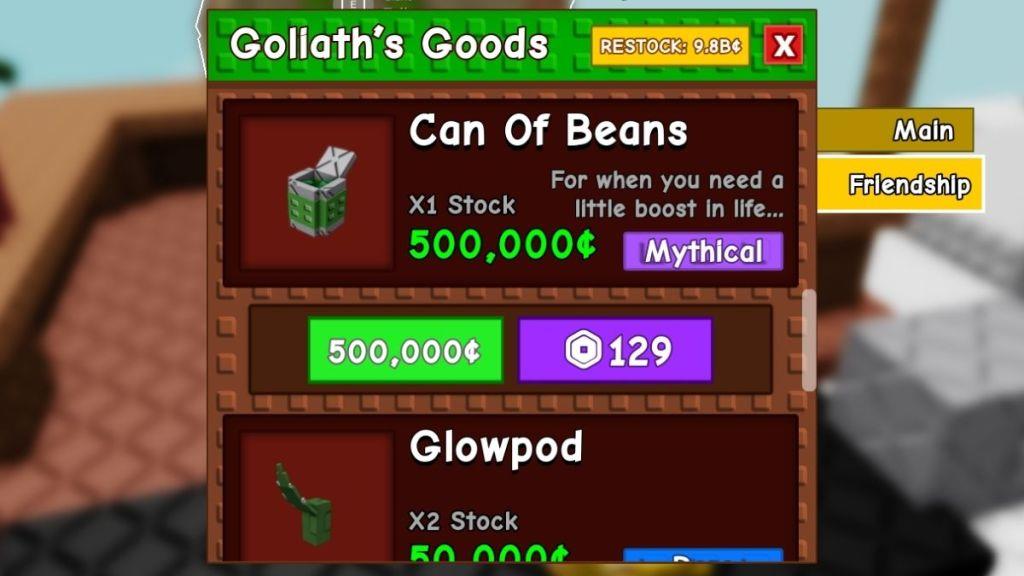
The Can of Beans is only available at the Friendship shop in Grow a Garden. However, you may not purchase it the moment the update is dropped. In order to unlock the item, you must first grow your friendship with the giant at the top of the Beanstalk. With that being said, follow the steps below to obtain the Can of Beans:
- Head to the center of the map and submit all the required types of plants in Grow a Garden to Jack and grow the beanstalk.
- Now, climb to the top of the beanstalk by doing a bit of parkour or using the portal.
- Interact with the giant Goliath NPC, and you’ll find the Friendship shop by choosing the dialog, “What are you selling?”
- Most of the items in the Friendship shop will be locked at first. So, feed the Goliath giant some delicious food (use our cooking recipes guide) to grow the friendship level up to 4 to unlock the Can of Beans.
- Now, you can purchase the Can of Beans item by spending 500,000 Sheckles.
Also Read: All Vegetable Plants in Grow a Garden and How to Get Them
How to Use Can of Beans in Grow a Garden
Using canned beans in Grow a Garden is a simple way to add protein and fiber to your meals while saving time. Rinse and drain the beans to remove excess salt, then mix them into salads, stews, or veggie bowls. They’re versatile, affordable, and store well, making them a convenient staple for quick, hearty dishes.
Now that you have obtained the Can of Beans, using the gear is the most elementary thing to do in this game. This gear allows you to boost your jumping height, so make sure you move close to the magic beanstalk or any plant in your garden that you have difficulty climbing.
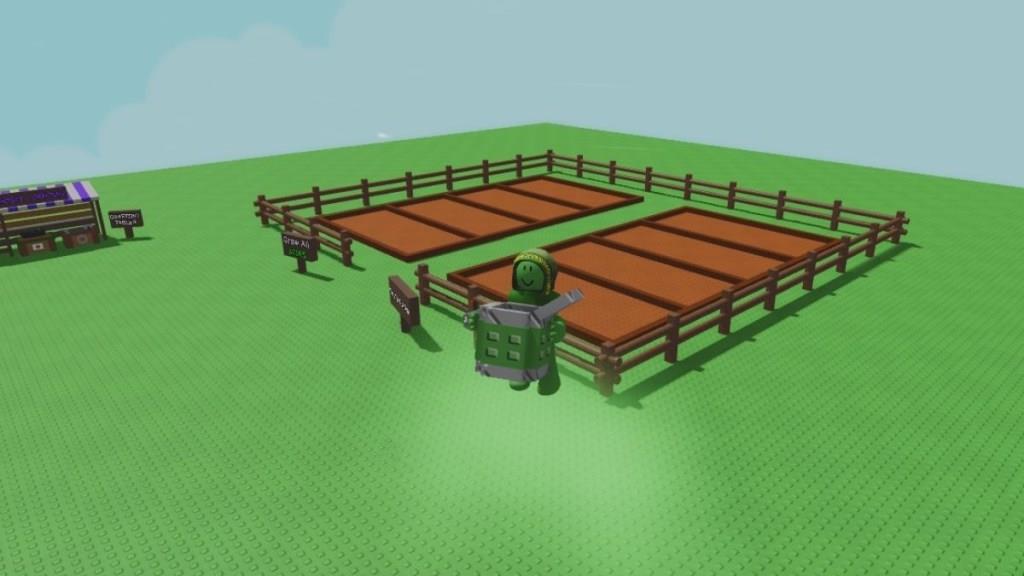
Equip the can in your hand and press the spacebar key or the jump button to launch yourself higher and reach those hard-to-access areas. Remember that jumping even once will consume a single can, so make sure you are positioned perfectly and ready to make the jump.
Should You Get a Can of Beans in Grow a Garden
A Can of Beans in Grow a Garden is a valuable item for players who want to move faster and reach higher spots while exploring. Using it grants a temporary jumping boost, making it easier to access hidden areas or complete tricky sections of the map. While not mandatory to progress, having a few cans on hand can save time and offer a smoother gameplay experience, especially during challenges that require agility.
Coming to the most important question, I recommend skipping the Can of Beans item unless you are utterly bad at obby’s and climbing the magic sprout is proving to be a challenge for you.
Most of the time, while climbing the beanstalk, I tend to jump on the stalk itself rather than take the usual route. It saves me a lot of time to reach the top, and climbing the beanstalk became a thing of the past once I unlocked the portal.
Furthermore, if you have tall plants in your garden and collecting their harvests is proving to be a tough task, you might consider buying the bouncy mushroom rather than the Can of Beans. The bouncy mushroom is a new cosmetic item that can be placed anywhere in your plot, and it won’t get consumed as well. Alternatively, you can grow medium-tall plants like the bamboo to collect these harvests that are out of your reach.
Where to find the Giant to buy Can of Beans in Grow a Garden
Locating the Giant
The Giant (Goliath NPC) resides at the top of the Beanstalk in Grow a Garden.
Accessing the Giant
Head to the map’s center to grow the Beanstalk by submitting required plants to Jack. Climb via parkour or use the portal to reach the summit and interact with the Giant.
Unlocking the Friendship Shop
Interact with the Giant and select “What are you selling?” to access the Friendship shop. Most items, including Can of Beans, start locked.
Buying Can of Beans
Feed the Giant cooked food to raise friendship to at least Level 2 (some sources say Level 4). Purchase Can of Beans for 500,000 Sheckles once unlocked.
How to reach the top of the Magic Beanstalk quickly
Reaching the Beanstalk Top
The Magic Beanstalk (also called Beanstalk) in Grow a Garden grows at the map’s center when players contribute specific plants to Jack’s requests, progressing in stages until it reaches cloud height.
Quick Climbing Methods
Climb using parkour jumps along the Beanstalk’s vines and platforms, managing stamina carefully to avoid falls-harvest stamina-restoring plants beforehand for longer endurance. Videos highlight “secret hacks” like precise jump angles or wall glitches for speed, often reaching the top in under a minute with practice.
Fastest Access Options
Unlock the summit portal by contributing to six separate Beanstalk growths across servers, teleporting directly to the top area with the Giant. Use Can of Beans for targeted jump boosts on tricky sections, or equip pets/sprinklers that enhance mobility during ascent.
Tips for Efficiency
Join high-player servers for rapid growth contributions, and follow the in-game garden guide for quick plant harvesting matching Jack’s requests. Once at the top, rewards like chests appear along platforms before the Giant’s Friendship shop.