A trail of fruity trades and pet-swap secrets awaits-master the barter, grow your garden, and turn Roblox into a fruitful frontier.
How to Get Trading Ticket in Grow a Garden
To obtain a trading ticket in Grow a Garden, open the trading interface, select the item you want to trade, and confirm your offer. Ensure you meet any requirements such as currency or item limits, then wait for a trade match or initiate a direct trade with another player.
To trade plants and pets in Grow a Garden, you will need a Trading Ticket.
Go to the Gear shop in Grow a Garden and purchase the legendary Trading Ticket for 100,000 Sheckles. There is also the option to buy this ticket for 19 Robux. It is an uncommon gear, so you will find this item in stock more often than the other items. Just select the Trading Ticket from the list and press the Buy option.
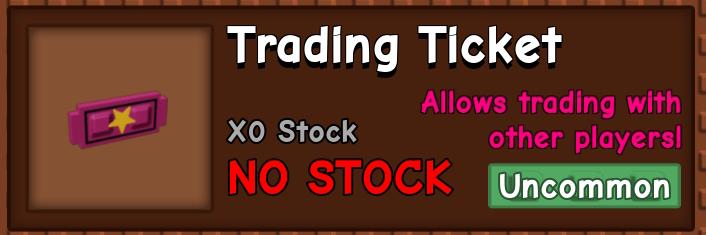
Note that one Trading Ticket can only be used for one trade in Grow a Garden. If the other player accepts your request, the ticket will be consumed. However, if the player denies your trade request, then the ticket will be used, and you can use it with others.
How to Trade Items in Grow a Garden
Learn how to trade fruits and pets in Grow a Garden by checking trade offers, evaluating item value, and communicating clearly with other players to reach fair deals.
Before the dedicated trading system, players could only gift items to other players in the lobby by pressing the E key on their keyboard. While gifting is still an option to show gratitude to others or your friends, trading makes exchanging items easier.
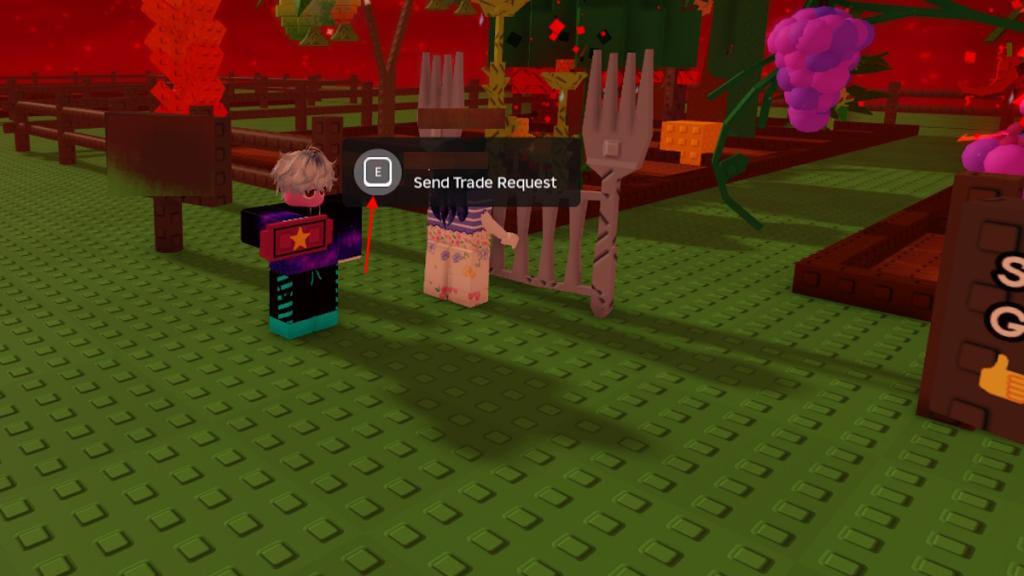
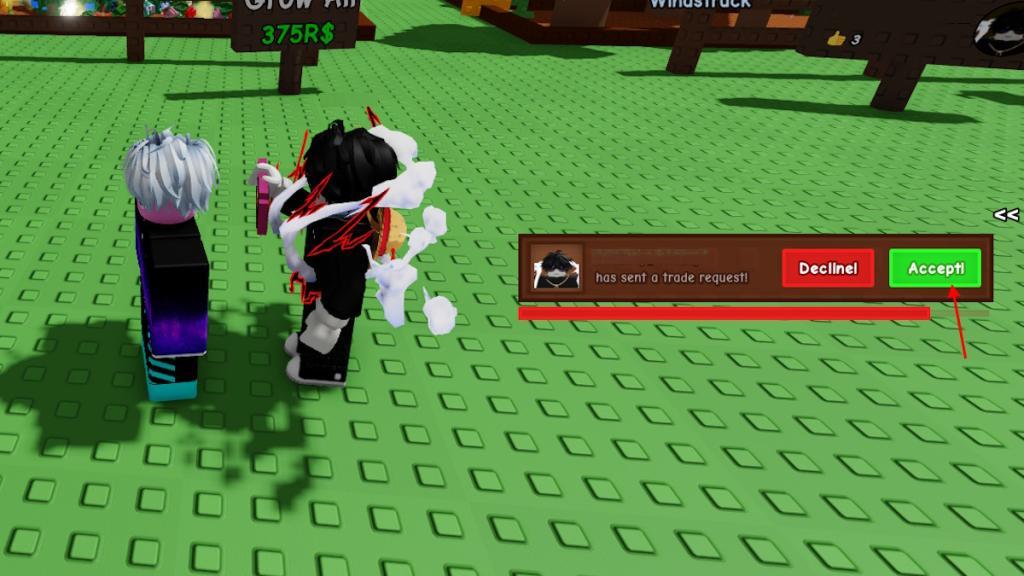
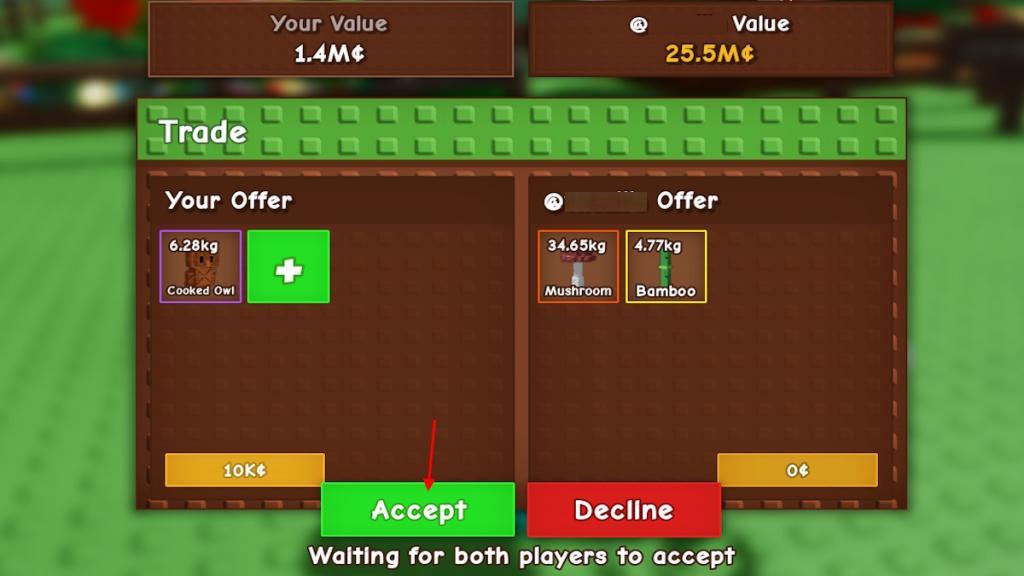
To open the trading hub, you must interact with other players using a Trading Ticket. Here is the step-by-step process to trade in Grow a Garden:
- Hold the Trading Ticket in hand and walk over to a player first.
- Now, hold the E key to send them a trade request.
- After accepting the request, the Grow a Garden trading hub window will open.
- Select items by clicking the green square with the plus icon.
- You can also add Sheckles by using the box in the left corner of the hub.
- Once done, both players need to click the Accept button.
- After both players click accept, both must click the Confirm button.
- Now, an announcement will appear in the middle of the screen, confirming the completion of the trade.
Remember, whether you are adding an item or accepting items, a short 5-second cooldown will lock the buttons for a moment. This has been implemented for the safety of players so that they cannot steal and run away with another player’s items.
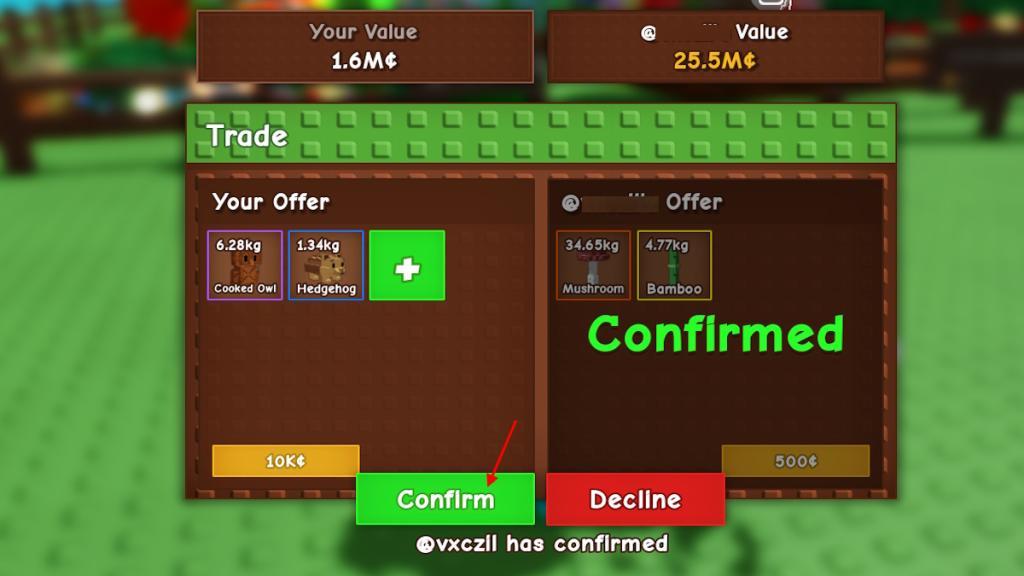
Also Read: How to Make Every Cooking Recipe in Grow a Garden
Important Things to Know When Trading in Grow a Garden
Trading in Grow a Garden works through a player-to-player exchange system where fruits, pets, and tools hold different values based on rarity and demand. Before trading, check the market trends and compare offers to avoid scams or poor exchanges. Always trade in safe zones provided by the game to prevent losing items. Rarer fruits and event pets often bring higher returns, so keeping an eye on limited-time drops can give you better deals. Patience and observation often lead to fair and profitable trades.
Now you know how to trade items in Grow a Garden. However, there are a few things you must remember before starting your trading journey in the game.
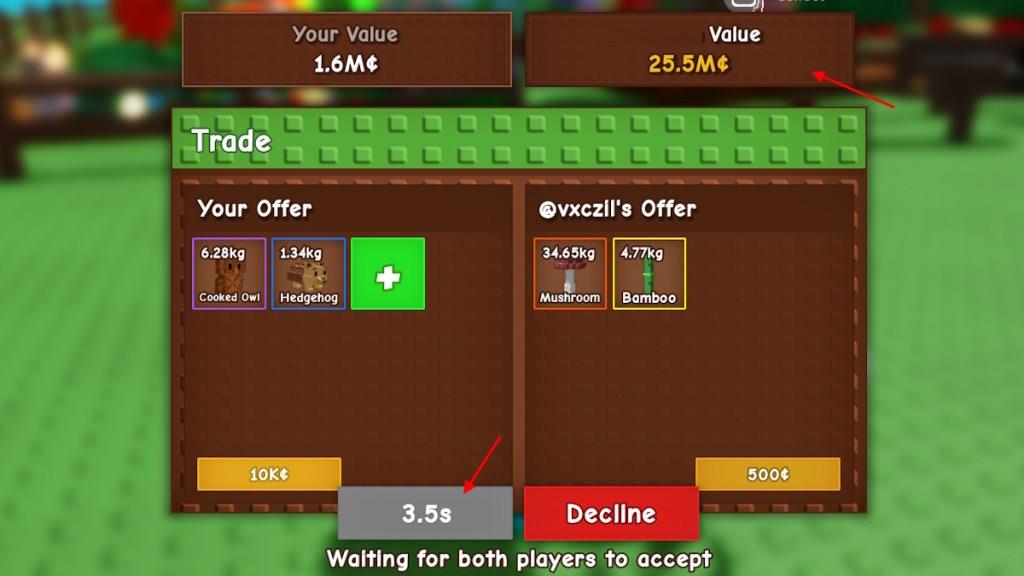
- Always check the values: When both players add items for the offer, you will notice the total value of the offered items on the top banner of the hub. This will help you know if you are getting scammed for a lower-valued item or not.
- Seeds are not tradeable: The trading only works for fruits and pets currently in Grow a Garden. Unfortunately, the players who want the Bone Blossom seeds from their friends, no good news yet.
- Cooldown periods: There is a cooldown and a timer attached to the full trading experience. The trade request has a timer that runs out if the player does not accept or reject the offer. There is also a cooldown of 5 seconds for each action in the trading hub. Moreover, after confirmation, there is a timer that runs before you receive the items.
How to get a Trading Ticket fast in Grow a Garden
Trading Tickets in Grow a Garden are essential for initiating trades and can be obtained quickly by focusing on the Gear Shop. They cost 100,000 Sheckles or 19 Robux but rotate in stock periodically.
Gear Shop Strategy
Locate the Gear Stall with the green and white striped canopy between the Pet Egg Stall and Cosmetic/Crafting Stall. Check it frequently, as the uncommon Trading Ticket restocks often-typically every 2-3 cycles if out of stock.
Fast Sheckle Farming
Farm high-value crops like Shocked Bamboo or Candy Blossom to reach 100k Sheckles rapidly; use events like rain or thunderstorms for boosts. Avoid spending on non-essentials and consider a Recall Wrench for quick shop teleports.
Robux Shortcut
Buy directly with 19 Robux when available, bypassing the grind entirely for immediate access. Tickets are one-use consumables, so stock up after your first trade.
Best times for Gear Stall restocks in Grow a Garden
Gear Stall, known as the Gear Shop in Grow a Garden, restocks every 5 minutes automatically. Players can optimize timing by checking on the dot every 5 minutes from server start or using in-game clocks for precision.
Optimal Checking Schedule
Monitor the shop run by Eloise (green and white striped canopy) at 0, 5, 10, 15, 20, 25, 30, 35, 40, 45, 50, and 55 minutes past each server hour. Restocks occur precisely on these 5-minute intervals across all servers.
Instant Refresh Options
Pay 79 Robux for immediate restock when waiting isn’t viable, especially for Trading Tickets. During Restock Fever weather, gear odds slightly improve, marked by a rainbow outline.
