Roblox is testing a new system that scans players’ faces to prove their age-giving verified users access to chat features once reserved for adults. The move raises fresh questions about privacy, parental control, and how far platforms should go to keep kids safe online.
Roblox Brings Filter-Free Chatting for Users Above 13
Roblox is introducing a new chat system that removes automatic filters for players aged 13 and older, giving them broader freedom in conversations. This feature will only be available to users who complete age verification through a face scan process, confirming they meet the platform’s requirements. The change aims to create a more authentic messaging experience for older players while keeping younger users under stricter moderation. Roblox says this system balances safety with user expression, using verified age data to control access.
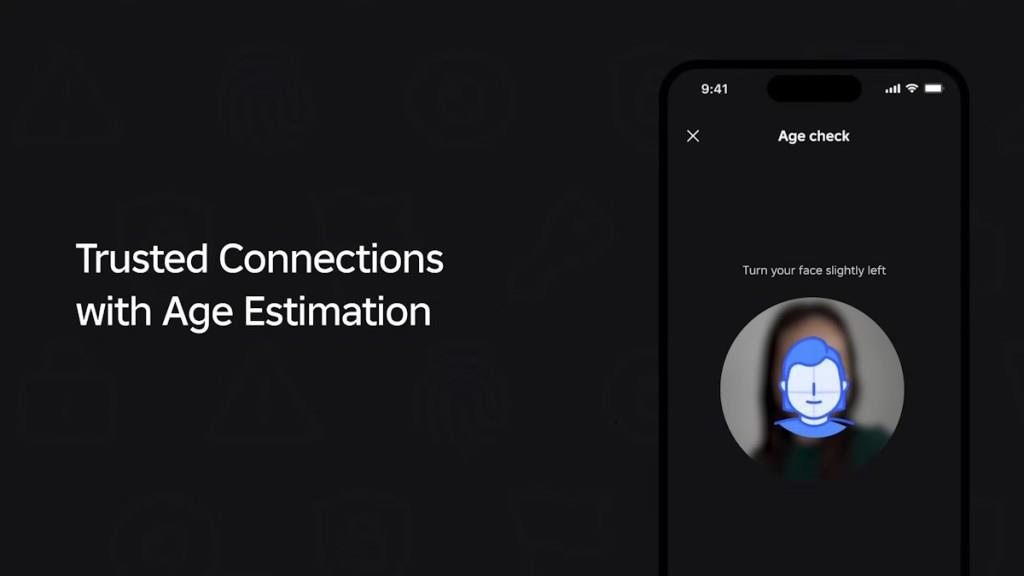
The age verification feature is not just a random filter update like before. Roblox is launching a new facial-analysis system (via Persona) to verify whether a user is 13 years old or older. If you pass, congrats! You can slide into your friends’ chats without censorship.
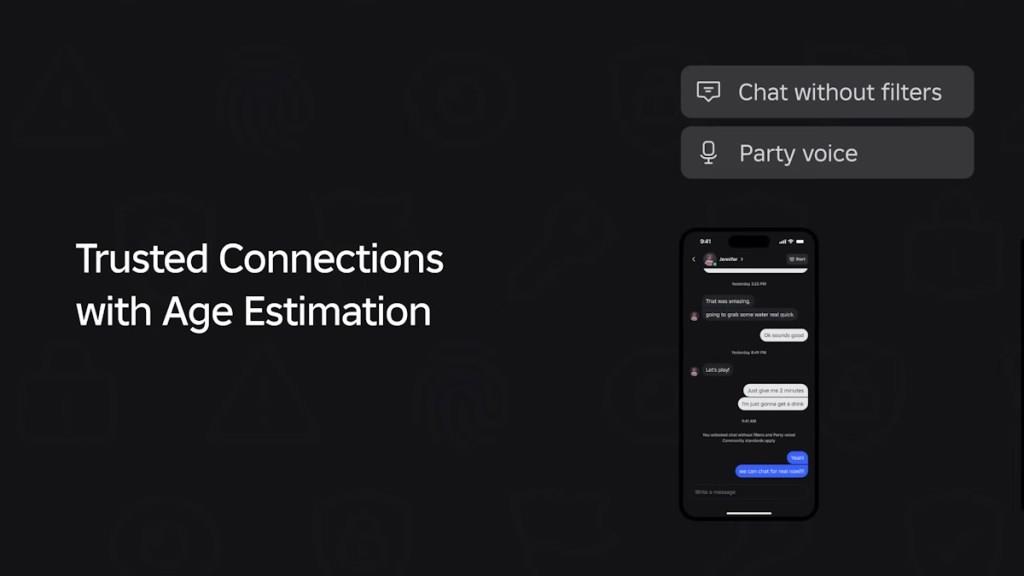
If the age verification system does not work, it’s back to baby mode with filtered messages and no trusted connection privileges. So what does this mean?
Basically, Roblox has now renamed friends to Connections. Among those, you can mark certain friends as Trusted Connections. This new feature has been introduced to add positive interactions on the platform with fewer blurred lines. Only then can you unlock private, uncensored chats. But for that feature, both of you need to pass the age test or verify through a government ID.
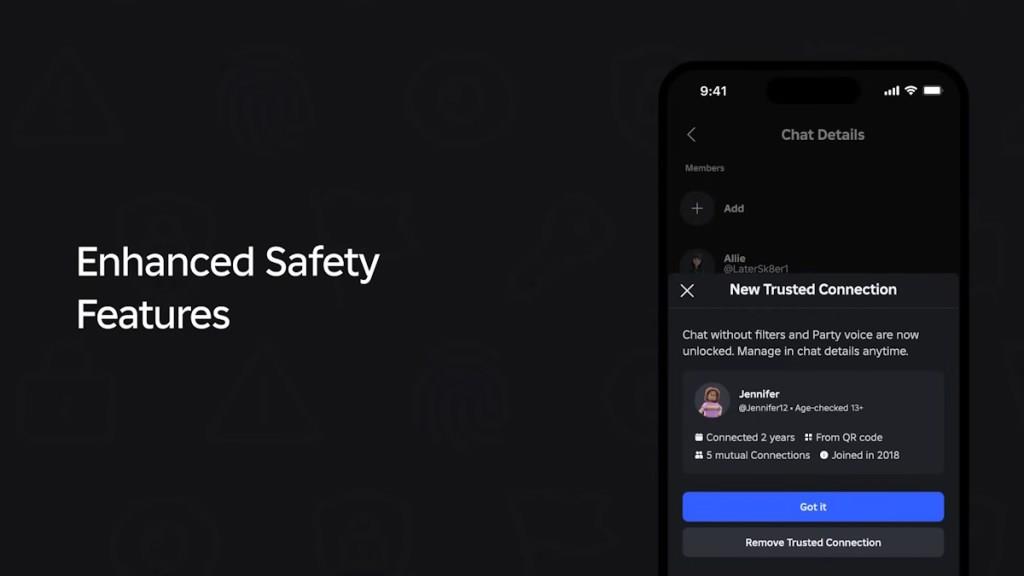
Can Teens Add Adults in Roblox Trusted Connections?
Teens cannot add adults to their Trusted Connections on Roblox unless both accounts meet verification requirements. The system links only verified users within similar age groups to maintain safe communication boundaries. Adults cannot appear in a teen’s trusted list unless the platform confirms a legitimate connection, such as a parent or guardian identity. This safeguard helps prevent inappropriate interactions and keeps chat experiences aligned with Roblox’s age protection policies.
If a teen wants to add an adult, they will need to scan a QR code or use Roblox’s contact importer to make sure they actually know the person. In short, Roblox isn’t letting you rizz random 40-year-olds, which, honestly, is fair.
Also Read: Roblox Bans Kids from Social Hangouts; Intros Others Child Safety Changes
Especially when, in recent times, the billion-dollar company came under fire for multiple child exploitation controversies. With the latest Roblox Hatch event controversy, it seems like the right time for a feature like this.
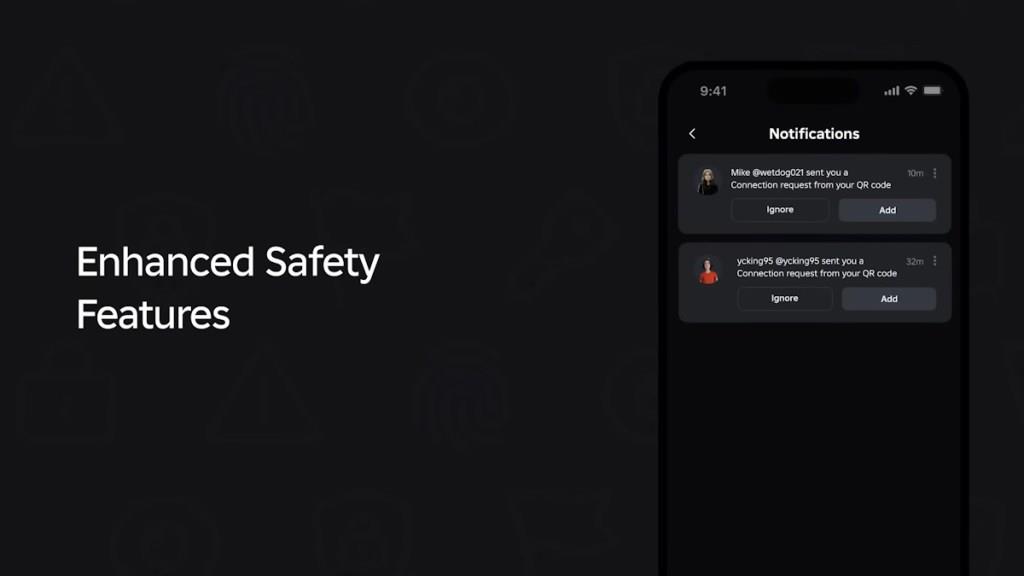
Ryan Ebanks, Principal Product Manager for Social Products at Roblox, said Trusted Connections is there to make chat and voice communication much freer with people you already know. He further added,
“This makes Roblox the only major platform that will require age verification, like facial age estimation in order to use private voice or unfiltered chat.”
Not everything is fun and games if you ask me. Okay, I’m all for safety. But a full-on selfie scan just to drop unfiltered chats feels wild. I get that Roblox wants to keep users from sliding into sketchy DMs off-platform, but at what cost? Giving your camera a full mugshot just to tell your homie ‘L ratio’ seems extra.
Still, if you’re 13 and tired of Roblox censoring “sus” or “skibidi,” this might be the golden ticket. And let’s be real, most teens already FaceTime while gaming. This just puts it under Roblox’s hood, with slightly more adult supervision.
If they add a feature that asks you to say “skibidi” into the camera for ID proof, I’m uninstalling. But what about the parents?
What Parents Need to Know About Trusted Connections
Parents should understand that trusted connections on Roblox let kids chat freely with approved friends or family, skipping the platform’s usual filters and safeguards. This feature demands face scans for age checks to confirm identities before granting access. It aims to build safer bonds but carries risks if approvals go to unverified contacts. Review who your child adds carefully, and talk openly about safe online sharing to keep interactions secure.
Don’t worry, parents, you can control whether your 14-year-old is safe on Roblox. Parents can now link their account with their teens’ to get a view of what their child is doing on Roblox. With permission, they can see both Connections and Trusted Connections.
Alongside that, parents can also check screen time and get alerts when their teen spends Robux or hits big transaction amounts. It’s like giving parents a behind-the-scenes pass to their teen’s Roblox life.
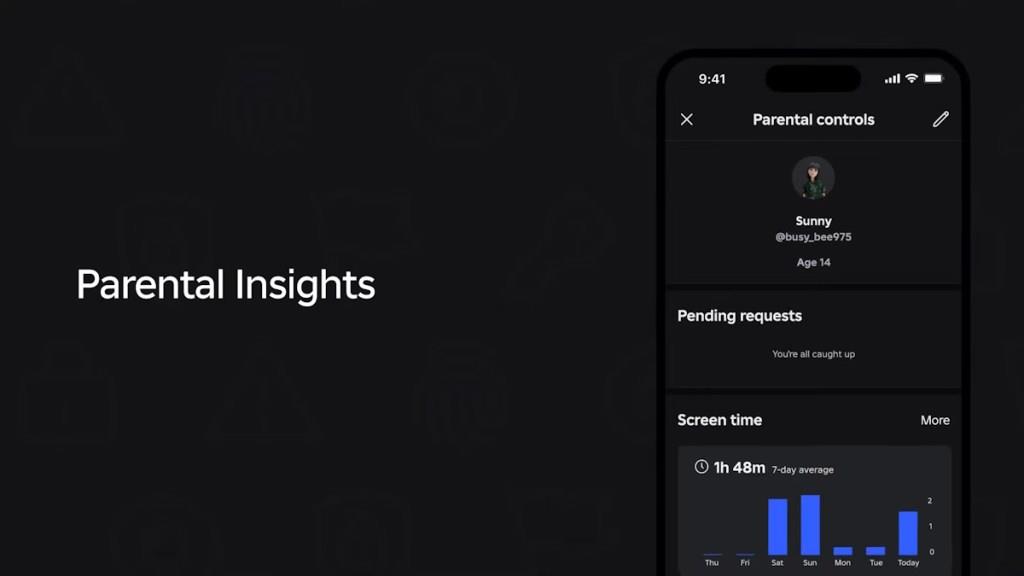
Roblox is extending the parental controls to make safety and privacy a more important part of their child’s gaming time. Just a simple dashboard connection will add parents to their teens’ Roblox home, making things much smoother to track.
Even though chats are unfiltered for trusted users, Roblox still monitors conversations for what it calls “critical harm.” That means grooming, exploitation, or anything truly off-limits will still get flagged, even in your most secret 1v1 squad chat.
How does Roblox Facial Age Estimation work step by step
Roblox Facial Age Estimation uses AI to analyze a user’s face via their device’s camera, assigning them to age groups like under 9, 9-12, 13-15, 16-17, 18-20, or 21+ for safer chat access. The process, powered by vendor Persona, captures a short video or selfies, processes them briefly, and deletes the data immediately.
Step-by-Step Process
-
Log into Roblox and navigate to Settings > Account Info > Age Group (gear icon on desktop/mobile).
-
Select Continue with selfie (or ID as alternative) to grant camera access and begin estimation.
-
Position your face in the on-screen frame in good lighting (no hats/glasses/shadows), then follow prompts: turn head left/right/up/down and smile if asked to confirm it’s live video.
-
AI analyzes facial features from the video/selfie to estimate age; results appear instantly, unlocking age-appropriate chat/features.
-
Data deletes post-processing; under-13 estimates may remove linked email/phone.
Key Tips for Success
-
Use natural light and eye-level camera for accuracy; retries or ID upload fix failures.
-
Optional but required for chat/voice; parents can verify kids via controls.
What data does Roblox send to the third-party vendor during the scan
Roblox sends images or a short video captured from the user’s device camera directly to its third-party vendor, Persona, during the Facial Age Estimation scan. Persona processes these to extract face geometry data (biometric identifiers like facial measurements), estimates the age, and then deletes the raw images/video and extracted biometrics shortly after, without Roblox receiving or storing the biometric data itself.
Data Sent to Persona
-
Raw media: Selfie images or live video clips of the user’s face, taken via the app’s camera prompts (e.g., head turns, smiles for liveness detection).
-
Derived biometrics: Face geometry scans generated from the media for age estimation-no personal identifiers like names or account details are included in the scan data itself.
-
No additional metadata (e.g., timestamps, device info) is explicitly detailed in official notices as being sent for this process.
Roblox’s Role and Limits
-
Roblox facilitates camera access but does not receive, store, or access the biometric data or raw media; only the age group result (e.g., 9-12) is returned to Roblox.
-
For ID verification alternative, users upload ID scans/selfies directly to Persona, retained up to 30 days before deletion.
-
Critics note potential risks if vendor policies change, despite deletion claims.
