Speed, power, and creativity collide in Roblox’s Dig Vehicles. Here’s how to get every car, spawn them on command, and make each one your own with custom designs and upgrades.
They offer something for everyone, whether you prefer playing solo or completing quests with friends. Check out all the vehicles in Dig, including their prices, level requirements, and stats.
List of All Vehicles in Dig
This section lists every vehicle available in Dig, including standard cars, utility trucks, and special vehicles used for different tasks. Each entry shows the model name, type, rarity, and performance stats, helping players choose the best ride for their playstyle. Whether you prefer fast racing cars or heavy construction machines, this table covers all options currently available in the game.
Before we begin to inspect each Roblox Dig vehicle and talk about its pros and cons, here is the list of all available cars in the game right now.
| Vehicle Name | Level Requirement | Price ($) |
|---|---|---|
| ATV | None | 500 |
| Golf Cart | None | 1,000 |
| Koi Truck | None | 3,000 |
| Commander | 5 | 5,000 |
| Silver | 10 | 8,000 |
| Pulse | 25 | 10,000 |
| Rumbler | 35 | 10,000 |
| Tracer | 35 | 17,000 |
| DMW M3 | 40 | 25,000 |
| Elite 6×6 | 50 | 35,000 |
| Forklift | 50 | 5,000 |
| The Ox | 60 | 100,000 |
| Roadster RS | 70 | 135,000 |
| Tornado | 90 | 400,000 |
| Mcbruce 700 | 100 | 900,000 |
| Monster Silver | 100 | 1,200,000 |
| Harvester | None | Obtained for free from the “Reboot” Quest |
| Pizza Roller | None | Complete 50 Penguins Pizza Quests |
| Pizza Monster Silver | None | Complete 500 Penguins Pizza Quests |
| The Patriot | None | Early Access Reward |
1. ATV
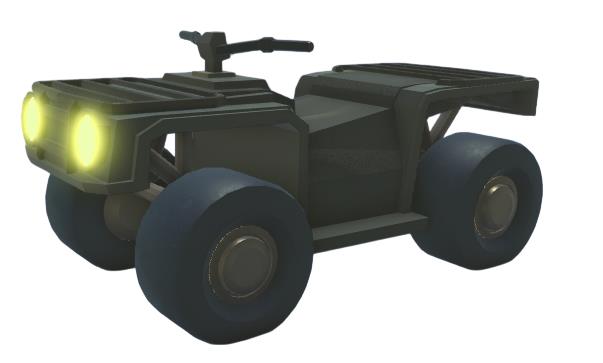
- Handling: 23
- Top Speed: 36m/s
- Acceleration: 0.03m/s
- Seat(s): 1
The ATV is likely the first vehicle you will purchase in Dig. It may be small and only fit one person, but it’s incredibly useful in the early stages of the game. When you’re short on cash and focusing on shovels in Dig, the ATV is a reliable companion to get you around quickly.
2. Golf Cart
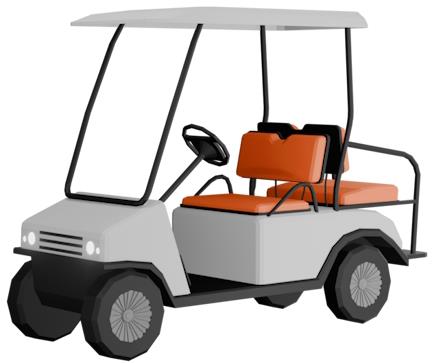
- Handling: 19
- Top Speed: 39m/s
- Acceleration: 0.03m/s
- Seat(s): 3
Want to trade a bit of speed for better handling and a fun ride? Then the Golf Cart might be the right pick. It doesn’t offer major advantages for its price in the early game, but if you’re playing in a group of three, it’s a stylish addition you won’t want to miss.
3. Koi Truck
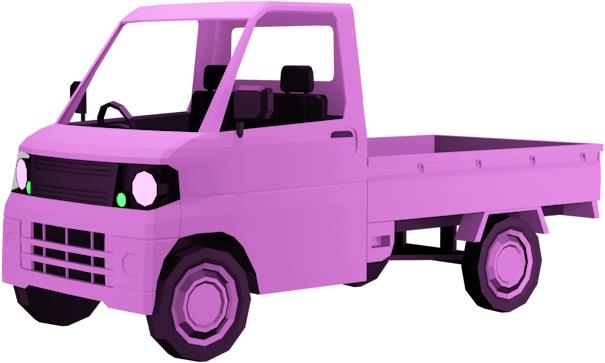
- Handling: 30
- Top Speed: 40m/s
- Acceleration: 0.5m/s
- Seat(s): 4
The Koi Truck is a perfect choice for all four-player squads who are still at a beginner stage in Dig. This one doesn’t cost a lot, has decent acceleration and top speed that can take you to key locations swiftly in the game.
4. Commander
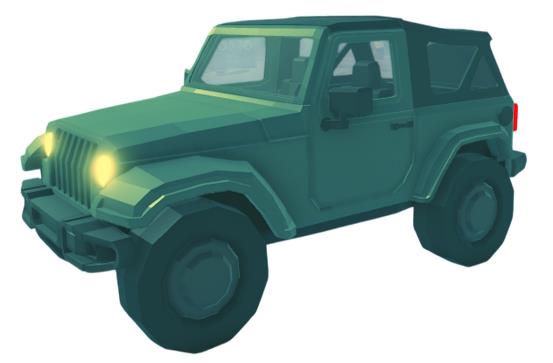
- Handling: 20
- Top Speed: 55m/s
- Acceleration: 0.009m/s
- Seat(s): 3
Next up is the Commander, which has a rough and tough look with the attire of army jeeps. Although the acceleration might not suit some players, as the top speed is hit, the Commander can even beat the Koi Truck.
5. Silver
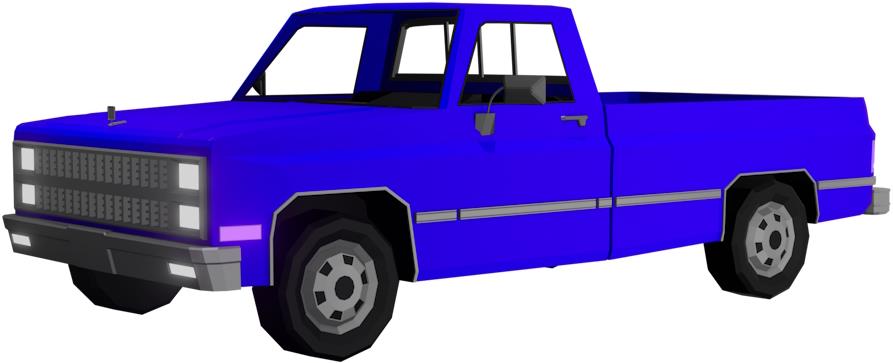
- Handling: 30
- Top Speed: 40m/s
- Acceleration: 0.5m/s
- Seat(s): 2
Silver is a long truck with strong handling but low top speeds and acceleration. This will help you climb the mountains and cliffs with steep turns. However, you might feel that you’re falling behind when your friends use faster vehicles in the game.
6. Pulse
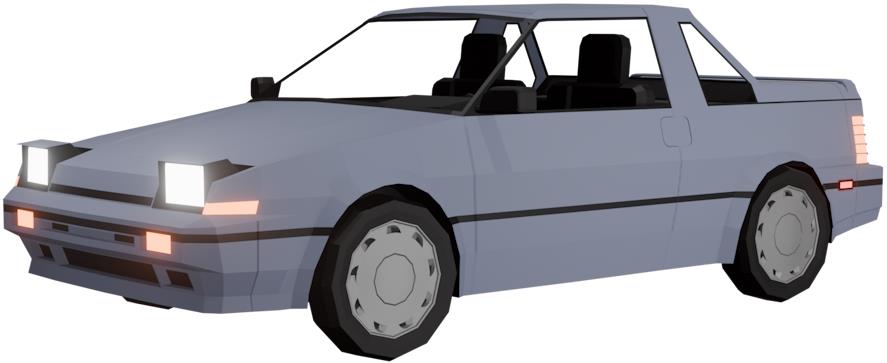
- Handling: 30
- Top Speed: 56m/s
- Acceleration: 0.04m/s
- Seat(s): 2
Pulse is a good first upgrade vehicle from the ATV for a lot of players in Dig. There are no cons in this vehicle, as such, if you’re at an early-mid game stage. The handling is great, it has a decent top speed, and it accelerates pretty fast as well.
7. Rumbler
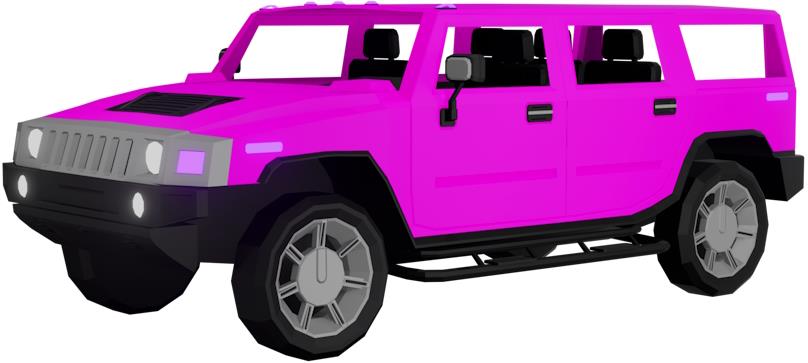
- Handling: 28
- Top Speed: 54m/s
- Acceleration: 0.013m/s
- Seat(s): 5
The Rumbler is suitable for large groups of friends trying to complete quests and take on the bosses together as a team. With an average top speed and not-so-great handling and acceleration, this one is not suitable for reaching anywhere fast.
8. Tracer
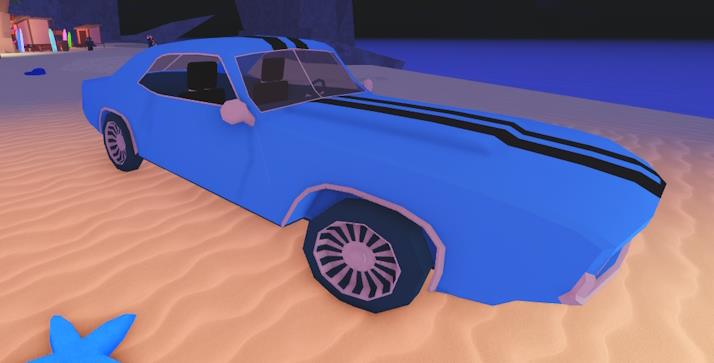
- Handling: 38
- Top Speed: 60m/s
- Acceleration: 0.15m/s
- Seat(s): 2
If you always find yourself noticing the boss spawning text late, then this car is for you. Built with the inspiration of the Ford Mustang, with high acceleration and 60m/s top speed, you’ll surely reach the desired Dig locations fast.
9. DMW M3
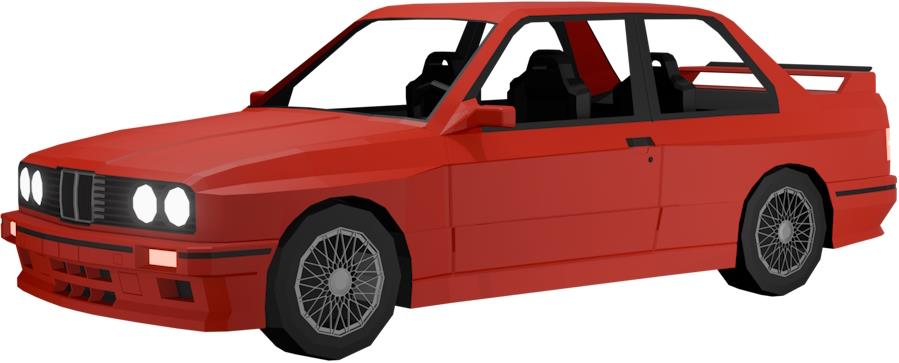
- Handling: 30
- Top Speed: 68m/s
- Acceleration: 0.08m/s
- Seat(s): 4
Want BMW in a Roblox game? The DMW M3 is what you must pick then. It leans toward the pricier side but doesn’t offer much in terms of acceleration or top speed. It’s not the best value for your money, especially when there are better vehicles available at a similar price. I’d recommend skipping it for the time being.
10. Elite 6×6
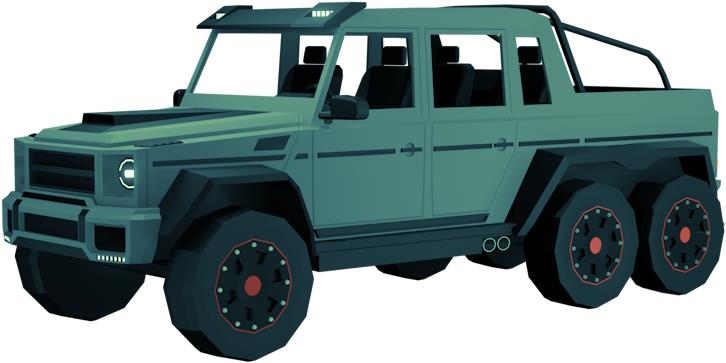
- Handling: 45
- Top Speed: 80m/s
- Acceleration: 0.01m/s
- Seat(s): 6
Inspired by the Mercedes-AMG G 63, the Elite 6×6 is built for big teams. If you’ve got a group of friends in Dig, this is the perfect ride to start your adventure together. Whether you’re taking on bosses, hunting down secret quests, or exploring the islands, the Elite 6×6 is the ultimate team vehicle.
11. Forklift
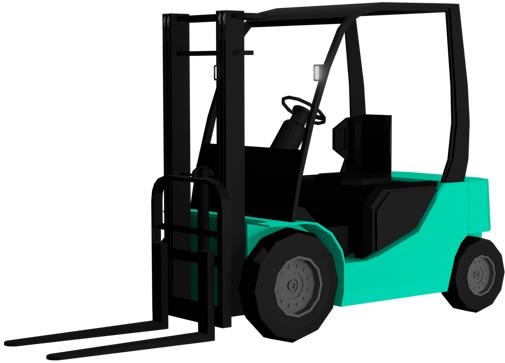
- Handling: 19
- Top Speed: 23m/s
- Acceleration: 0.03m/s
- Seat(s): 1
If you think reaching late-game means unlocking only top-tier vehicles in Dig, think again. The Forklift unlocks surprisingly late at level 60, despite having average stats across the board. While it’s not the most practical choice, it’s a fun option if you want some funky vehicles in your collection.
Also Read: All Dig Totems and Their Effects
12. The Ox
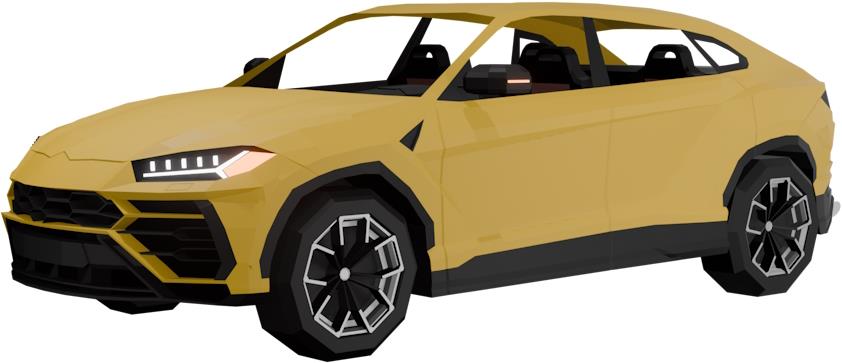
- Handling: 30
- Top Speed: 79m/s
- Acceleration: 0.1m/s
- Seat(s): 4
The Ox is a heavy-duty vehicle in Dig, inspired by the Lamborghini Urus, with a top speed of 79 and above-average acceleration. While it performs decently, there are still better options available if you’re willing to save a bit more money. That said, if you’re after looks, the Ox is hard to beat.
13. Roadster RS
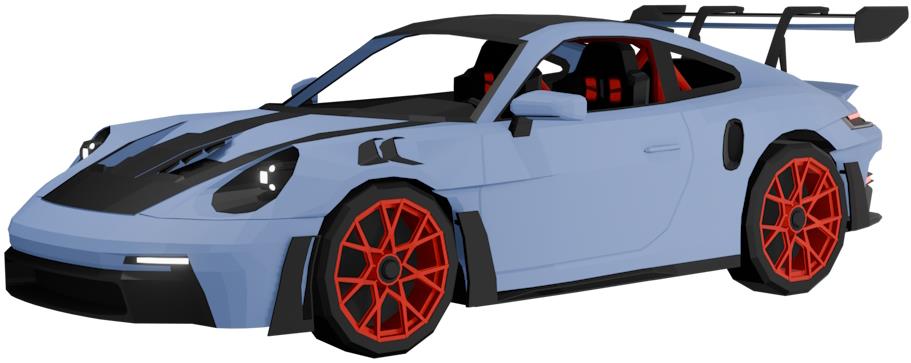
- Handling: 40
- Top Speed: 84m/s
- Acceleration: 0.15m/s
- Seat(s): 2
Nothing beats a car that looks stunning and performs exceptionally well. Inspired by the Porsche 911 GT3 RS, the Roadster RS is one of the coolest sports cars you can get in Dig. Its smooth handling makes sharp turns easy, and with its high speed and acceleration, you won’t miss a single boss fight.
14. Tornado
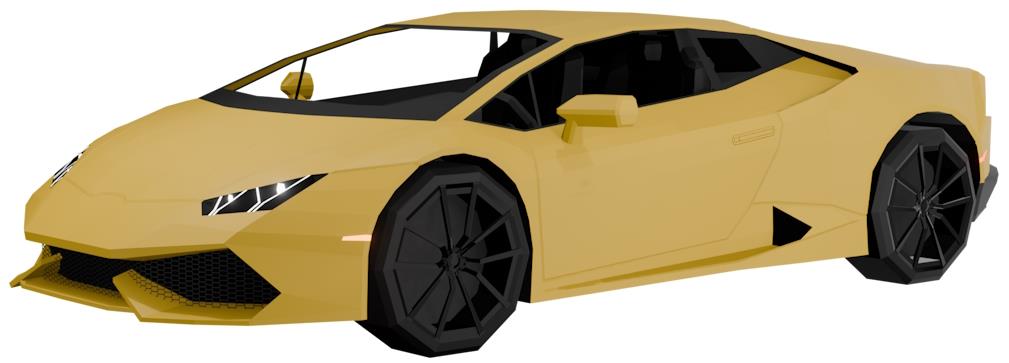
- Handling: 15
- Top Speed: 89m/s
- Acceleration: 0.05m/s
- Seat(s): 2
What’s better than one Lamborghini in a game? Two, of course. Meet the Tornado, one of the most stylish and eye-catching cars in Dig. It’s faster, more expensive, and with its iconic Lambo-inspired hood, it’s nearly impossible to ignore.
15. McBruce 700
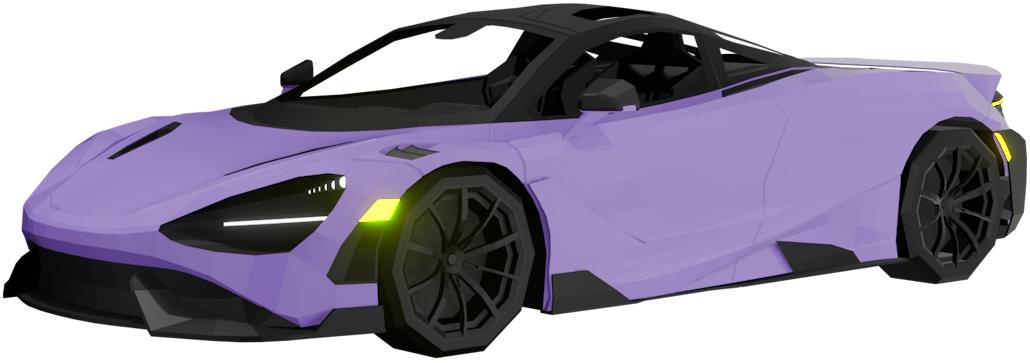
- Handling: 25
- Top Speed: 94m/s
- Acceleration: 0.25m/s
- Seat(s): 2
When the owner of Dig, Woozynate, designs a vehicle inspired by his own McLaren 765LT, you know it’s going to be top-tier. The McBruce 700 is the second sports car in the game, with slightly lower handling than the Roadster but higher top speed and acceleration. It’s also the fastest end-game car you can buy in Dig.
16. Monster Silver
- Handling: 15
- Top Speed: 60m/s
- Acceleration: 0.005m/s
- Seat(s): 2
Next up is the Monster Silver, which is essentially a Monster Truck in Dig. If you’re into that style, it’s a fun choice, but keep in mind its acceleration is the worst in the game, and handling isn’t great either. And with this car being so expensive, think multiple times before making the purchase.
17. Harvester
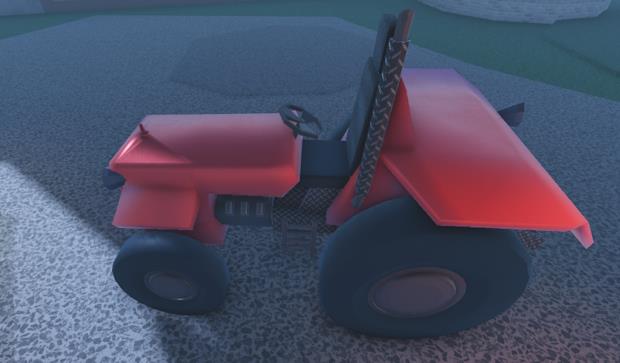
- Handling: 30
- Top Speed: 30m/s
- Acceleration: 0.02m/s
- Seat(s): 1
The Harvester is a free vehicle you can get for completing the Reboot quest in Verdant Vale. It has decent all-around stats, making it a solid pick for beginners in Dig. As you progress, you can swap it out for faster vehicles.
18. Pizza Tracer
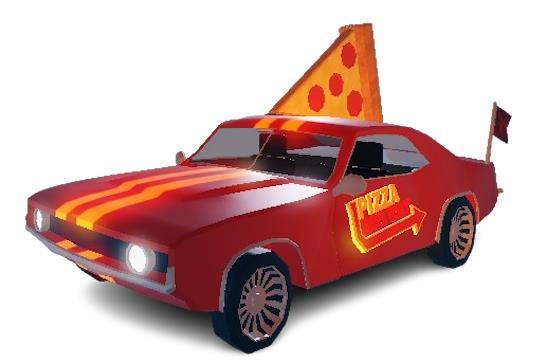
- Handling: 34
- Top Speed: 85m/s
- Acceleration: 0.15m/s
- Seat(s): 2
Despite being a free car, the Pizza Tracer is surprisingly impressive. You unlock it by completing 50 Pizza Delivery quests in Dig, and it’s well worth the grind thanks to its high speed and acceleration. Plus, its bouncing tires add a fun touch as you tear through uneven terrain.
19. Pizza Monster Silver
- Handling: 14
- Top Speed: 60m/s
- Acceleration: 0.005m/s
- Seat(s): 4
Another reward from Pizza Deliveries is the Pizza Monster Silver, which unlocks after completing 500 delivery quests in Dig. Unfortunately, despite the grind, it’s not really worth it, with below-average stats in handling, top speed, and acceleration.
20. The Patriot
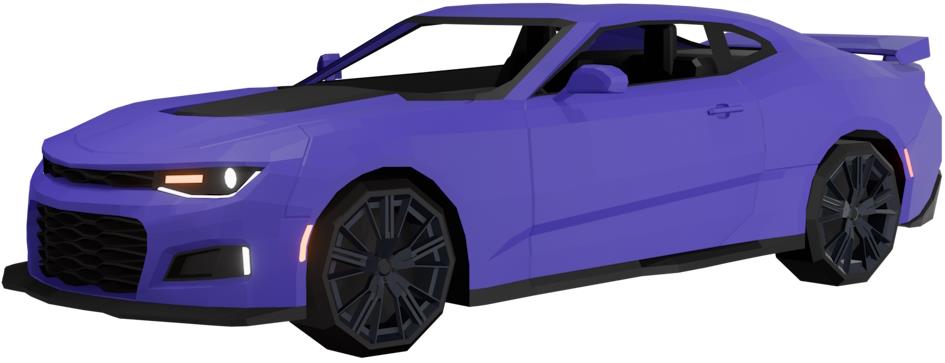
- Handling: 30
- Top Speed: 60m/s
- Acceleration: 0.15m/s
- Seat(s): 2
The Patriot is an exclusive vehicle in Dig, only available to players who bought early access before the game’s official release. Inspired by the Chevrolet Camaro ZL1 1LE, it’s a rare collectible. But if you missed out, don’t worry; there are still plenty of other great vehicles to choose from.
How to Spawn Vehicles in Dig
To spawn vehicles in Dig, open the Vehicle Menu from the main interface and choose the car you want from your collection or the available options. Once selected, press the spawn button, and the vehicle will appear near your character. Make sure you’re in a valid area with enough space, as vehicles can’t spawn in restricted zones or tight spots. If your chosen car doesn’t appear, try moving to an open surface or resetting the vehicle from the menu.
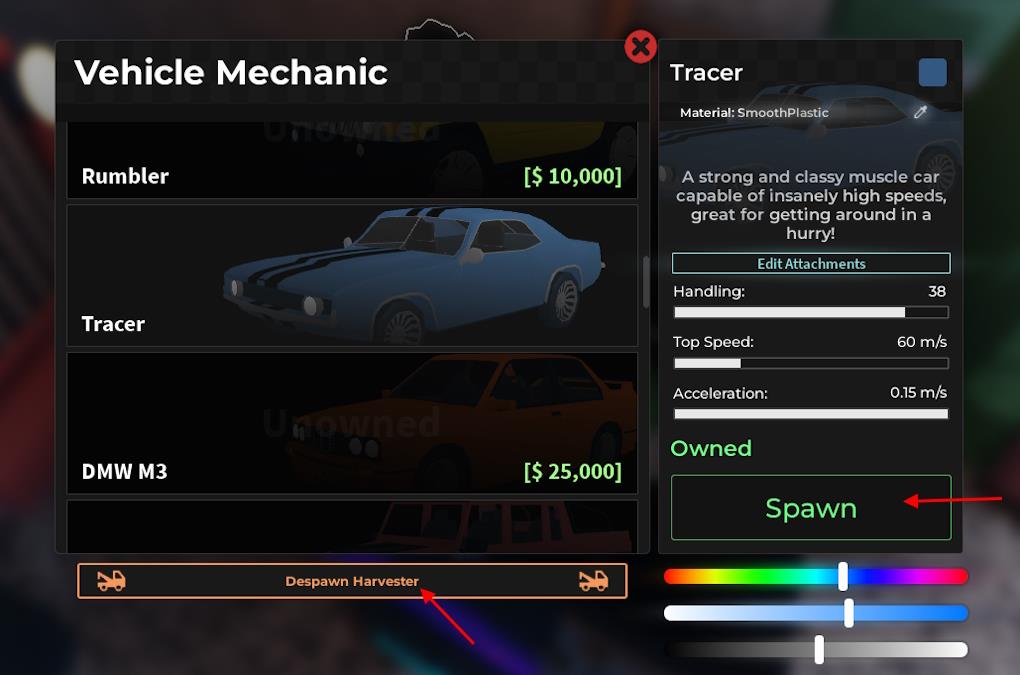
Now that you know about all the vehicles in Dig, you might be wondering how to spawn them. First, head to a mechanic and press the E key to interact. From there, you can select a car, and if you have enough level and money, you can unlock it.
Once you unlock a vehicle, select the vehicle you own and click the Spawn button. You can also use the Despawn button below the car list to remove your vehicle from anywhere on the map.
How to Customize Vehicles in Dig
Vehicle customization in Dig allows players to modify their cars’ appearance and performance using parts gained through gameplay or purchased in the shop. Players can change elements like color, wheels, attachments, and lighting to create unique builds. Some upgrades improve handling or speed, while others are purely cosmetic. Customization stations can be found near the main garage area, where players can preview changes before confirming their setup.
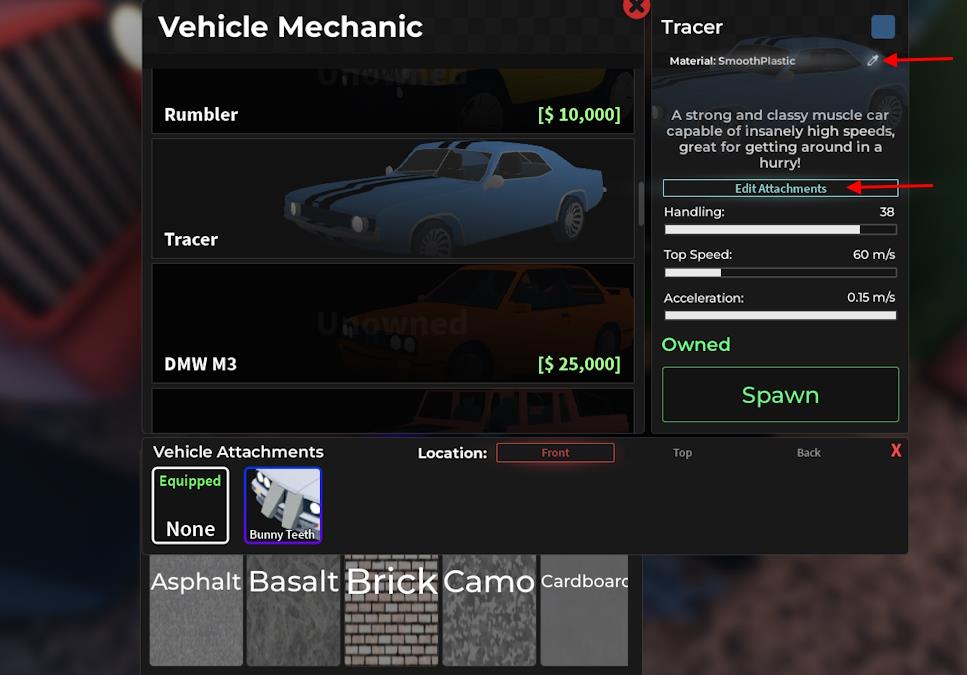
Want to catch the eyes of fellow diggers? Then normal colors on a car won’t do. To customize the vehicle color in Dig, from the mechanic’s menu, select the car and move the color sliders as per your requirement.
To add or remove attachments, click the Edit Attachments option. This will let you add or remove Top, Front, and Back attachments to your car. Moreover, you can buy the Car Materialsgamepass on Dig for 99 Robux to unlock the material feature.
Once you have it, click the dropper button beside material and change from the menu at the bottom of the list. You will see the option to add material effects, such as asphalt, camo, and more, to your car in Dig.
Best vehicles for speed versus handling in Dig
Vehicles in Roblox’s Dig prioritize either speed for fast straight-line travel or handling for tight turns and off-road navigation. Top speed and acceleration favor speed-focused picks, while higher handling scores excel on twisty terrain. Choices depend on your level and playstyle.
Speed-Focused Vehicles
These excel in top speed and acceleration for quick map traversal or boss rushes.
-
McBruce 700: Highest top speed at 94m/s, strong acceleration (0.25m/s), but moderate handling (25); level 100, $900k.
-
Tornado: 89m/s top speed, sleek design for highways; low handling (15).
-
Roadster RS: 84m/s top speed, good acceleration (0.15m/s), solid handling (40) as a balanced speed option; level 70, $135k.
-
Pizza Tracer: Free via 50 pizza quests, 85m/s top speed, 34 handling; great mid-game value.
Handling-Focused Vehicles
Prioritize control for mountains, cliffs, and precise digging spots.
-
Elite 6×6: Top handling at 45, 80m/s speed for teams; level 50.
-
Tracer: Excellent 38 handling, 60m/s speed; level 35, $17k; ideal early-mid upgrade.
-
Silver: Strong 30 handling for climbs, but only 40m/s s
What is the fastest vehicle in Dig Roblox
The McBruce 700 stands as the fastest vehicle in Roblox’s Dig, boasting a top speed of 94-105 m/s depending on the source.
Key Stats
This level 100 vehicle costs $900,000 and features strong acceleration at 0.25 m/s, though handling sits at a moderate 25, making it best for straight-line speed rather than sharp turns.
It edges out competitors like the Tornado (89 m/s top speed, 15 handling) and Roadster RS (84 m/s, 40 handling).
How to Get It
Unlock at a Mechanic NPC after reaching level 100, then purchase with in-game cash earned from digging and quests.
Spawn it via the vehicle menu for rapid map traversal, ideal for late-game boss chases or quick travel.