A new Star Wars crossover has landed in Fortnite, bringing the First Order Stormtrooper skin straight from the galaxy far, far away. Players can now earn this striking cosmetic for free-here’s how to claim it before it disappears from the Item Shop.
How to Get Free First Order Stormtrooper Skin in Fortnite
Players can claim the First Order Stormtrooper skin for free by linking their Epic Games and Star Wars accounts during the ongoing event. After completing specific in-game challenges or participating in themed missions, the reward will automatically be added to their Fortnite locker. The offer is only available for a limited time, so fans should check the event schedule and complete the tasks before it expires.
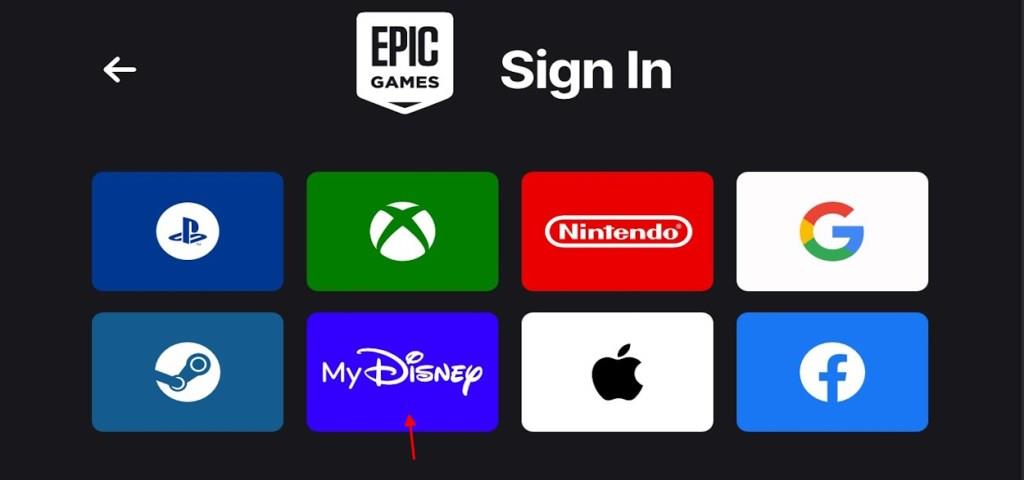
If you are new to Fortnite and have yet to create a new Epic Games account, you can simply go to the Epic login page and log in with your MyDisney account. You can create one on the MyDisney website. After you have created one, you can get the free skin right away by logging in.
Also Read: Psycho Bandit Skin Returns After 5 Years in Fortnite: Here’s How to Get It
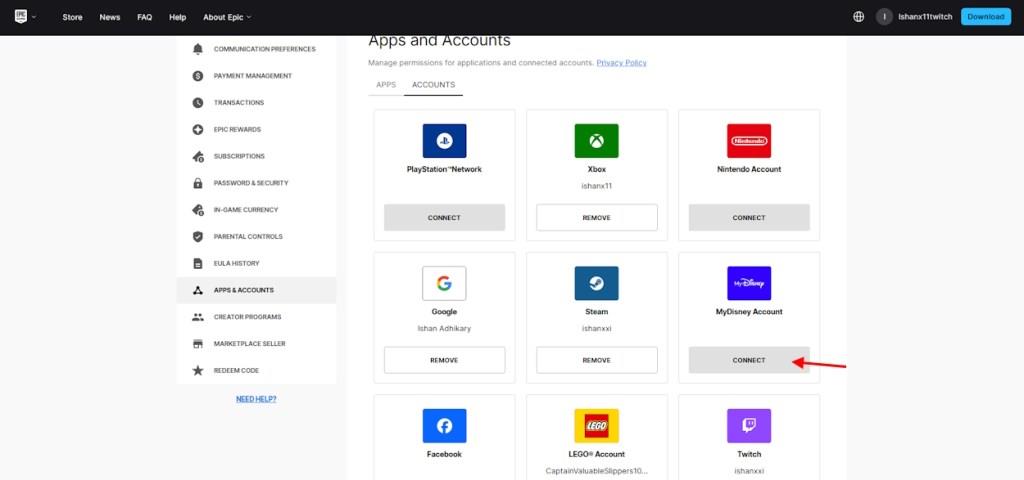
In case you already have an Epic Games account for Fortnite, here is how to link the MyDisney account to it and get the new Stormtrooper skin for free:
- Go to your Epic Games account and log in.
- Now, go to the Connections tab and look for the MyDisney account option.
- Click the ‘connect‘ button and add your MyDisney account.
- Once done, log in to Fortnite, and you will receive your skin.
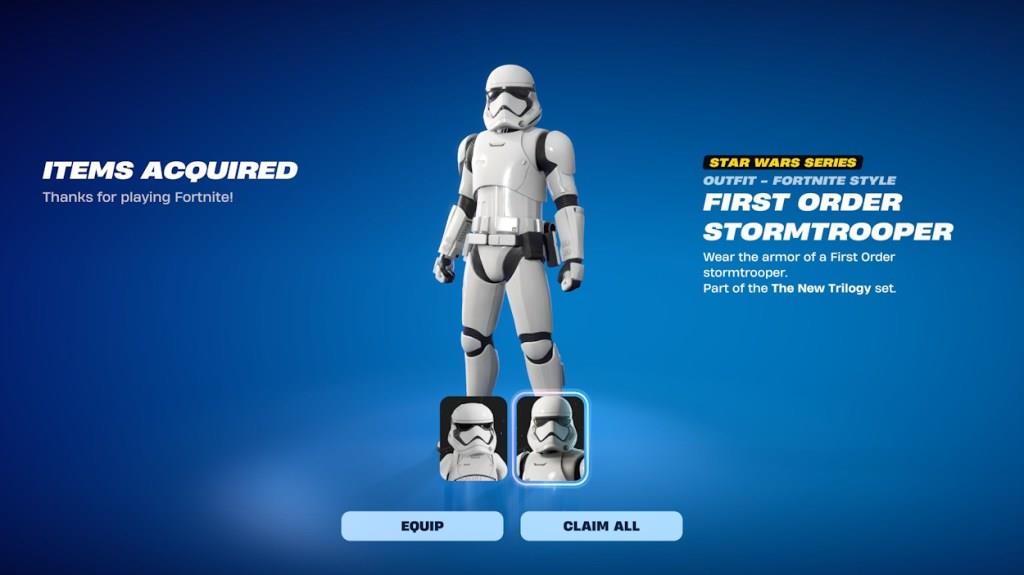
First Order Stormtrooper Skin Preview in Fortnite
The First Order Stormtrooper skin brings the iconic look from Star Wars directly into Fortnite, matching the design seen in the films with impressive accuracy. The white armor, black visor, and detailed helmet textures create a striking presence on the battlefield. Players can preview the skin in the Item Shop before claiming it for free through special in-game challenges or promotions tied to Epic Games’ Star Wars event.
Want to have a look at the Stormtrooper skin before starting the process to get it? Once you have completed all the steps, you must restart Fortnite if it’s already on. After that, you will see the skin on your main menu. You can claim or equip it from the main menu right away. With the Fortnite Battle Royale skin, you will get a LEGO version of the First Order Stormtrooper skin as well.
How to connect Epic Games account to MyDisney
Linking an Epic Games account to a MyDisney account enables free Fortnite cosmetics like the First Order Stormtrooper skin. The process starts on the Epic Games website and redirects to MyDisney for authorization.
Step-by-Step Guide
Open a browser in incognito mode and visit www.epicgames.com. Sign in to your Epic account using the top-right button, then click your display name, select Account, and navigate to Linked Accounts (or Apps & Accounts) on the left.
Click Link or Connect next to MyDisney. Sign in with your existing MyDisney credentials or create a new account by providing an email, birthdate, and password; authorize the connection when prompted.
Log into Fortnite afterward to check your locker for rewards. Only one MyDisney account links per Epic account, and each household member needs their own.
Eligibility Notes
Linking requires eligible accounts and is unavailable in unsupported regions like some parts of Europe or Asia-check Epic’s supported locations list (e.g., US, Australia, Argentina). Issues like age restrictions or prior links may block it; try logging out fully or using a different browser.
Why can’t I link my Epic Games to MyDisney account
Linking an Epic Games account to MyDisney often fails due to eligibility restrictions or technical glitches. Common issues prevent access to rewards like the First Order Stormtrooper skin.
Common Reasons
-
Region restrictions: Linking is unavailable in unsupported areas, such as parts of Europe, Asia, or even some listed countries like Egypt due to glitches.
-
Account ineligibility: Epic or MyDisney accounts must meet specific criteria; child accounts face age limits, or prior links block new ones.
-
Household limits: Only one MyDisney account per Epic account; family members need separate MyDisney profiles.
Technical Fixes
Use incognito mode on www.epicgames.com, fully log out first, and ensure you’re on Apps & Accounts >MyDisney >Connect. Clear browser cache, try another device/browser, or wait if loading indefinitely. If no link option appears, your account/region likely doesn’t qualify-check Epic’s supported locations list.
