Dress to Impress players craft stunning looks-then watch them vanish. Unlock the outfit saving feature to keep your favorites forever.
With this feature, you don’t need to worry about the effort you are putting in layering your dress as you will now be able to access it when the same theme appears again. Having said that, let’s look at the steps to save outfits in Dress To Impress.
How to Save Outfits in Dress to Impress
Save outfits in Dress to Impress by organizing looks into folders or collections, adding descriptive tags, and using clear titles so you can quickly pull together coordinated ensembles for any occasion.
The ability to save outfits in Dress to Impress can be utilized in both Freeplay and Competition modes. To try this yourself, follow the steps below:
- As you start a round, you will spawn in the Dressing room.
- Head to the changing room in front of the Skin Tones section.
- Step inside a free changing room and press the ‘E’ key.
- This will open the pop-up on the right side of your screen.
- Click the wardrobe icon on the left side of the pop-up.
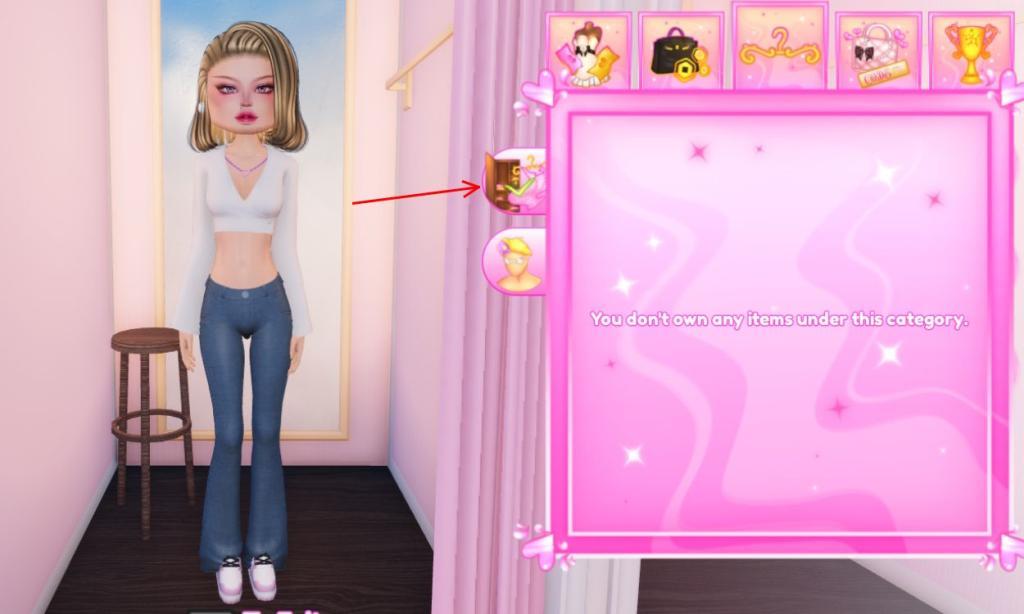
- Next, press the ‘ ‘ button in the wardrobe.
- Give your current outfit a name and click the Save button.
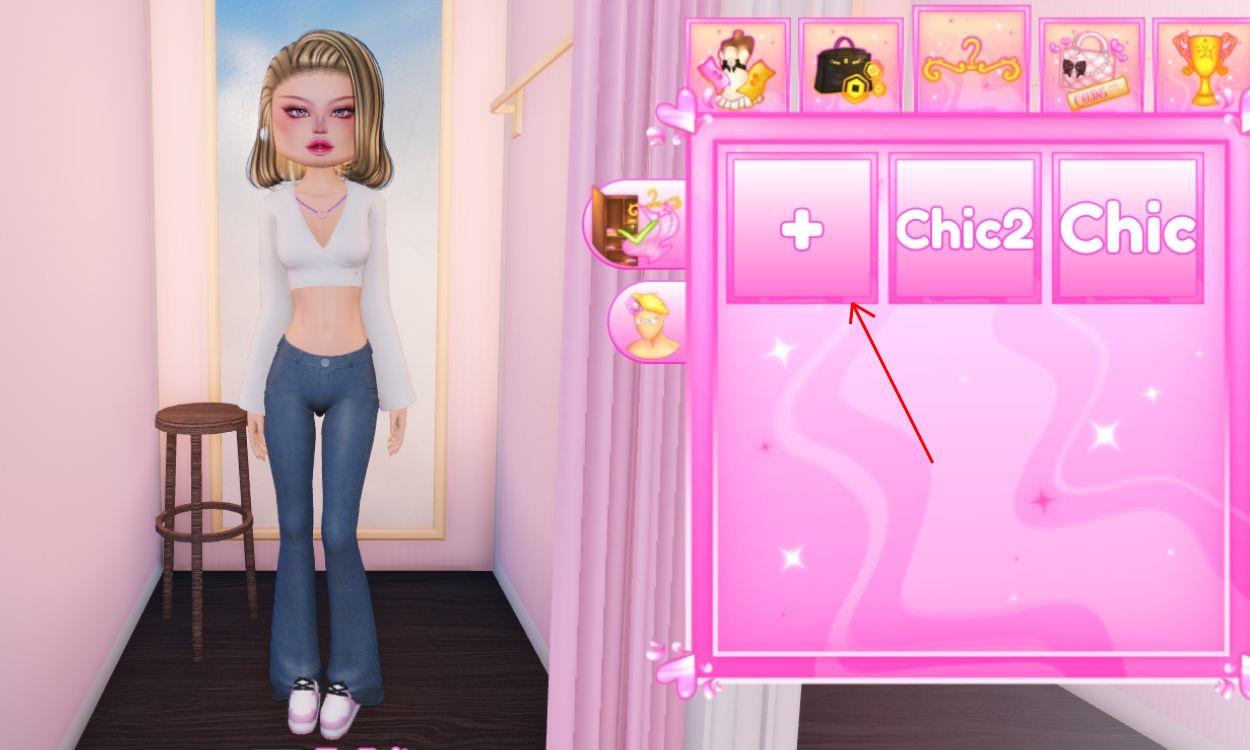
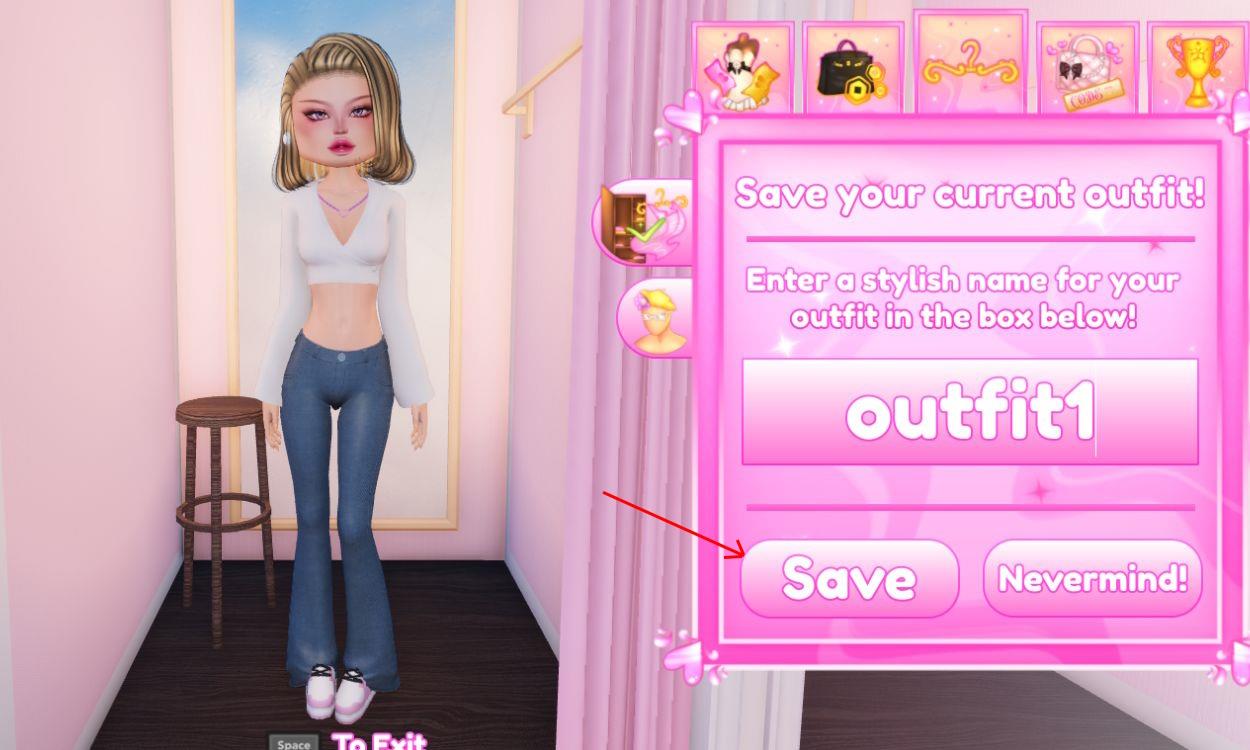
This will save and store your current outfit with the name you entered. This game-changing feature will include all the items you used in your outfit based on Dress to Impress themes, be it accessories, clothes, makeup, and so on. You can add to your collection by redeeming all these Dress to Impress codes, which give you free outfits.
How to Wear Saved Outfits in Dress to Impress
Open the wardrobe menu from the main lobby or dressing room. Scroll to the Saved Outfits section at the bottom. Select your preferred outfit and tap Equip to apply it instantly. Confirm any prompts if the game requires it, then head to the runway or contest area to showcase your look. This process works across all servers and updates.
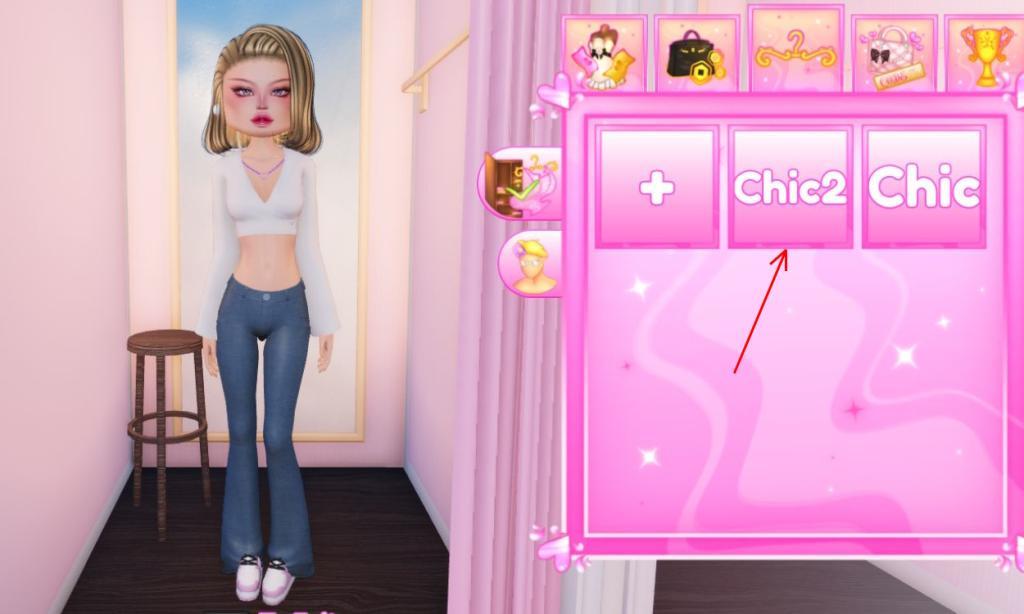
Having saved a few outfits in your wardrobe, you might want to try them out in your next runway performance. However, this can be done in only Freeplay mode. In competitions, you need to start the themed outfit from scratch, which is obvious for fair play. That said, let’s look into the steps to wear your saved outfits:
- Press E to access the changing room in DTI.
- In the pop-up menu on the right, open the wardrobe.
- Here, you will find all of your saved outfits.
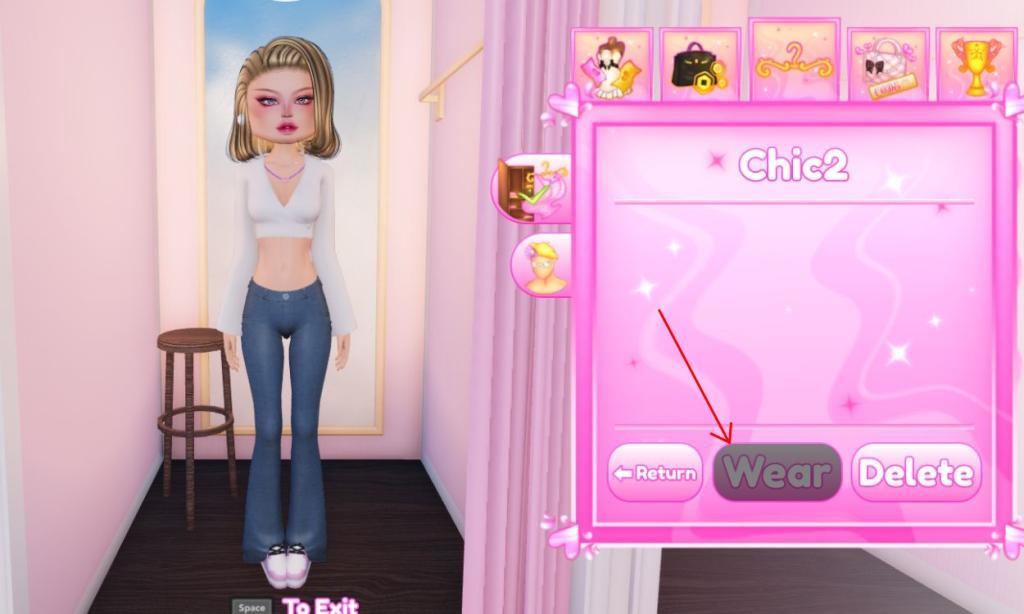
- Select an outfit and click the “Wear” button.
- And that’s it! Your outfit will be changed right away.
Furthermore, if you want a few minor changes to a saved outfit, you can do so with ease. Click the icon with a yellow Mannequin head and then click the cross button to remove the items you don’t require in that outfit.
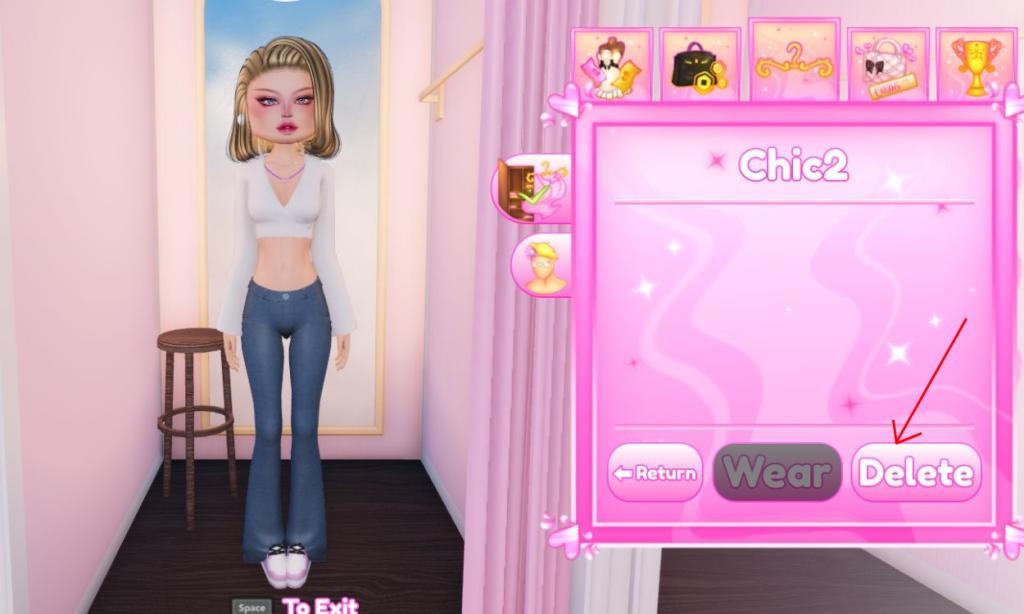
Lastly, if you feel that your saved outfits section is getting cluttered, you can choose to delete them at any time. Select the outfit you wish to remove and then click the Delete button. This will make a little bit of space in your wardrobe for your new ideas.
Can saved outfits be used in themed rounds or only Freeplay servers
Saved outfits in Dress to Impress on Roblox cannot be used in themed rounds on regular servers.
Usage Restriction
The feature limits saved outfits to Freeplay servers only, where there’s no timer or competition judging. This preserves the core gameplay of building outfits from scratch under time pressure during themed rounds.
Reasons and Workarounds
Developers restrict this to avoid bypassing the timer’s challenge, as instant-loading would undermine the rush of styling on the spot. Players use Freeplay for practice, screenshots, or showcasing, then recreate looks manually in competitions.
Will saved outfits work in VIP or Pro servers
Saved outfits in Dress to Impress on Roblox do not work in VIP or Pro servers.
Server Limitations
VIP and Pro servers function like standard competition servers, enforcing the time limit and requiring outfits to be built from scratch each themed round. The saved outfit feature remains restricted to Freeplay mode across all server types to maintain gameplay fairness.
Player Feedback
Community discussions confirm players cannot load saved outfits in these premium servers, leading to frustration over the timer’s impact. Developers prioritize the core challenge, so no changes have enabled it as of January 2026.
