Resin Bricks rise from molten glow: a puzzling craft that reshapes Minecraft’s blocks into secretive, sturdy stories.
The Resin bricks are now a great alternative to the creative players who had a limited option of using either the Clay bricks or the Nether bricks in the game. Want to get on this newest item? Here’s how to make Resin Bricks in Minecraft.
How to Make Resin Bricks in Minecraft
Resin bricks in Minecraft are crafted using resin and a common brick base, often obtained through custom mods or add-ons rather than the standard game. Begin by collecting resin from trees or special resin blocks, then combine it with clay bricks at a crafting station or smithing table, depending on the version or mod settings. The finished resin bricks feature a glossy texture and can be used for crafting decorative blocks, strong structures, or specialized tools that require resin as a binding material.
The Resin bricks are made by heating Resin clumps in a furnace. To get the Resin clumps, visit the Pale Garden biome when the Creaking spawns at night. Once you have located the monster, smack it multiple times. This will make the Creaking emit a trail of orange particles, leading you to a Pale Oak tree with clumps of resin attached to its log. Now, collect the clumps by breaking them with your hand.
Once done, follow the steps below to learn how to make Resin Bricks in Minecraft:
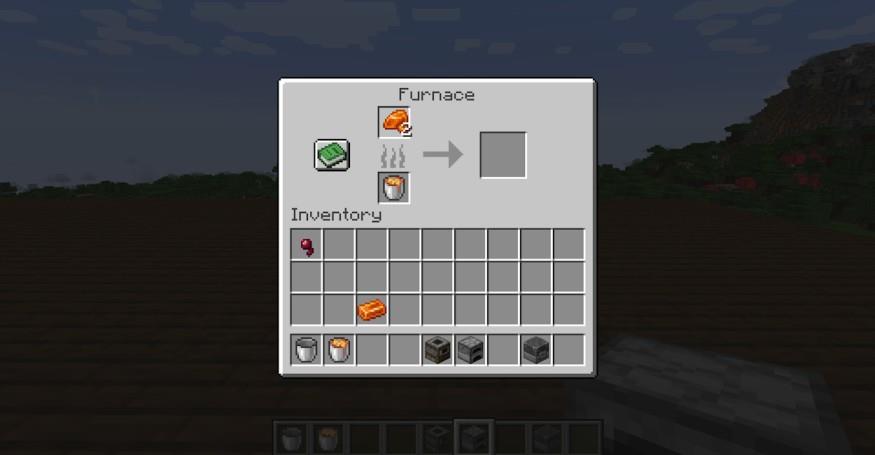
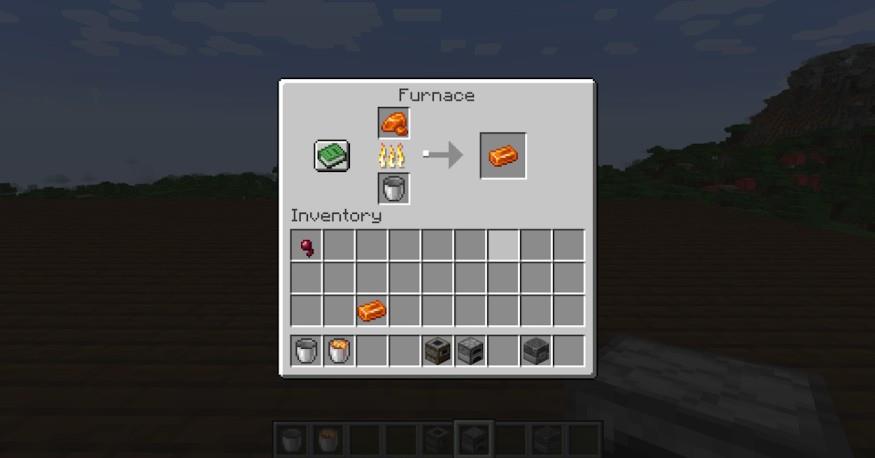
- Place the required resin clumps in the first block of the furnace.
- Place a fuel source such as coal or a lava bucket in the block below the resin.
- This will prepare your resin bricks in a few minutes.
These shiny orange bricks can be used to make brick blocks and armor patterns.
Alternatively, you can get Resin bricks by raiding Woodland Mansions. However, this will be a very challenging task. This method is only recommended if you have a full Iron or Diamond armor and a shield. An Iron sword is the minimum requirement, and having a few potions with yourself that boost your health or your damage output is also preferable.
Once you have defeated the mobs in the mansion, you can loot the chests to get 1-2 Resin Bricks. The chances of finding resin bricks inside this mansion are 44% in the Java edition. However, it can go as low as 16% in Bedrock.
How to Use Resin Bricks in Minecraft
Resin bricks can be used as a sturdy building material, adding texture and a glossy finish to structures. They also serve crafting purposes when combined with other materials in a smithing table, allowing players to strengthen tools or create decorative blocks. Placing resin bricks in patterned builds, such as floors or walls, provides a polished and modern look while maintaining durability comparable to traditional bricks.
Currently, there are only two uses for Resin bricks in Minecraft: making Resin brick blocks and using them as a Smithing Ingredient.
1. Making Resin Brick Blocks
The Resin Brick blocks have a very similar look to that of the usual clay ones and those found in the Nether Fortress. To make a Resin brick block, you only need four resin bricks. Place the bricks in a 4×4 area on the Crafting Table, and your Resin brick block is ready.
Furthermore, you may use the Resin brick block to make Resin brick stairs, walls, and slabs. Once you have the Resin brick block, the recipes to make other blocks will also unlock. Now, you may use them as building materials to give your structures a new look, for instance, a Medieval Castle, or make a small orange hut as you desire.
2. As a Smithing Ingredient
When Resin was first introduced in the game, the clumps were used as a Smithing ingredient. A few snapshots later, Mojang replaced the clumps with Resin bricks to be used as the main ingredient.
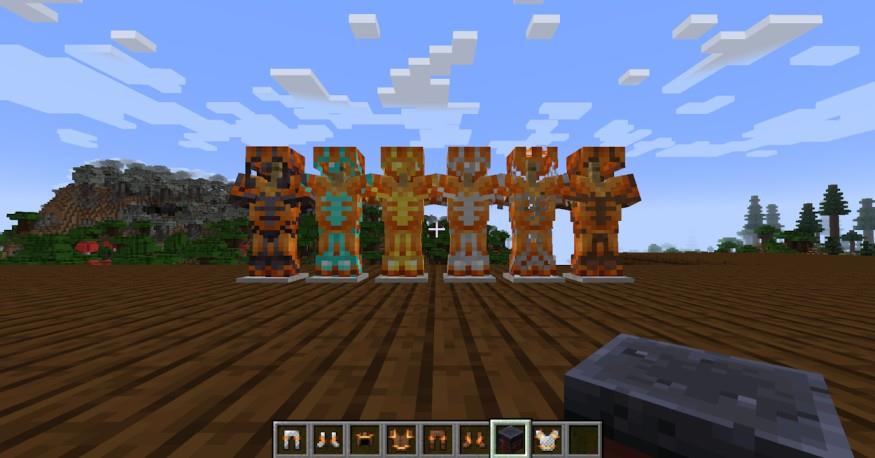
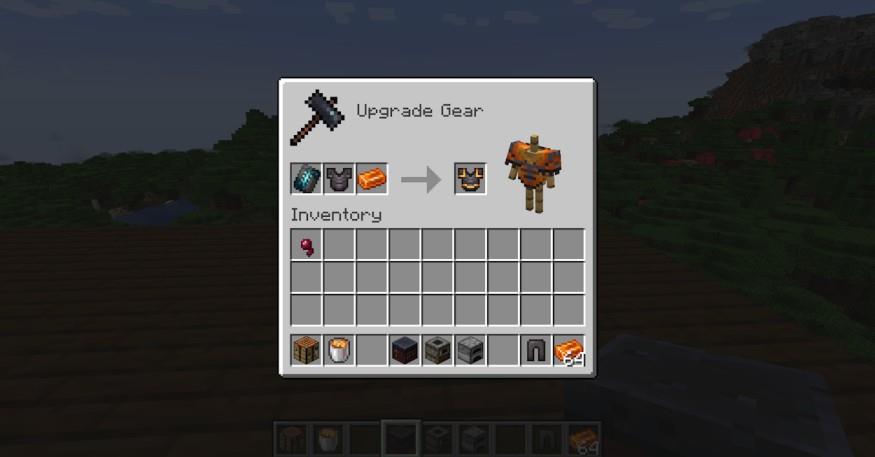
Simply open up your Smithing table and place the template on the left block, the armor piece on the middle, and the Resin brick on the right. This will give your armor piece an orange pattern that looks very similar to lava.
Where to find resin clumps in Minecraft Winter Drop
Resin Clumps Overview
Resin clumps are a key resource introduced in Minecraft’s Winter Drop update (version 1.21.4+), primarily tied to the Pale Garden biome. They drop when interacting with Creaking mobs or their hearts and can also appear as loot elsewhere. Smelt them into resin bricks for building or smithing.
Primary Location: Pale Garden Biome
Locate the rare Pale Garden biome in dark forest areas, identifiable by pale oak trees. At night or during thunderstorms, Creaking mobs spawn from creaking hearts embedded in these trees-grayish-brown tree-like entities with off-center heads. Attack the Creaking to trigger its heart to generate resin clumps on nearby pale oak logs (orange particles mark the trail); break these clumps by hand or any tool for 1 per drop (up to 6 with Fortune III on hearts). Note a 5-second cooldown per attack, and Creakings despawn at dawn.
Secondary Location: Woodland Mansion
Raid Woodland Mansions in dark forest biomes for 2-4 resin clumps in chests (66% trade chance for maps from journeyman cartographer villagers: 14 emeralds + compass). This offers a rarer but tool-free alternative to biome hunting.
Additional Tips
Breaking a creaking heart directly yields 1-3 clumps (more with Fortune). Craft clumps into blocks or hearts for farms. Availability matches Java/Bedrock in Winter Drop content.
Locate a Pale Garden biome on a vanilla world seed
Pale Garden biomes are rare variants of dark forests in Minecraft’s Winter Drop update, often surrounded by birch forests, jungles, or old-growth taiga. Use vanilla tools like commands or seed maps to locate one quickly on any world seed.
Fastest Method: /locate Command
Enter /locate biome minecraft:pale_garden in chat (requires cheats enabled). The game reveals the nearest biome’s coordinates; use /tp to teleport there. Copy your world first to preserve achievements.
Exploration Tips
Search dark forest edges at high humidity (check F3 debug screen). Fly in creative mode or use elytra for efficiency; pale oaks and moss carpet signal arrival.
Specific Seed Example
Seed spawns near a Pale Garden-head to nearby dark forest borders. Use Chunkbase.com seed map (select Winter Drop version) for your seed’s custom locations.