Fortnite players have found a clever way to claim Dumb Ways to Die cosmetic items without spending a cent, but the method isn’t as straightforward as it sounds. Here’s how fans are doing it-and what you need to know before trying it yourself.
With the ongoing South Park collab already pushing the Fortnite whimsy into overdrive, these free cosmetics can add further to the experience. Here’s everything you need to know about the free Fortnite Dumb Ways to Die items.
How to Get Free Dumb Ways to Die Emote and Back Bling in Fortnite
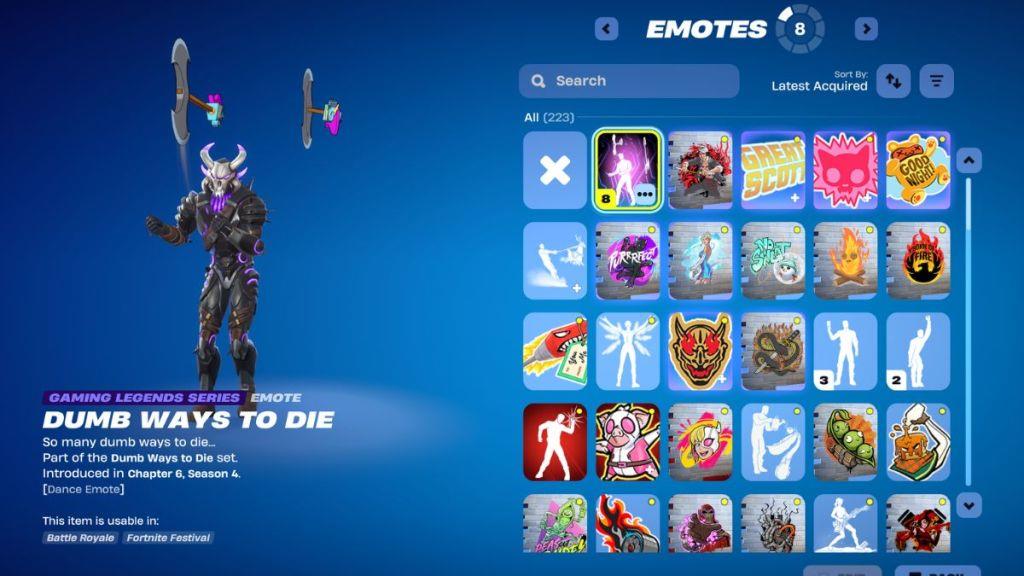
Fortnite players can claim the free Dumb Ways to Die emote and Back Bling through Epic Games’ official promotion tied to the campaign. Visit the Fortnite item shop or check the in-game notifications during the active event period, usually announced on Epic’s social channels. Link your Epic account to the Dumb Ways to Die site if prompted, then redeem the code provided there directly in Fortnite’s redemption menu. Items appear in your locker instantly after verification, available until the offer expires. Keep an eye on patch notes for exact dates.
You can get the free Fortnite Dumb Ways to Die items by interacting with the current ongoing promotion in the mobile version of the Epic Games Store. You need only an Epic Games account already linked to Fortnite and a mobile device compatible with the Epic Games Store app. The mobile Epic Games Store is available worldwide on Android devices. However, it is limited to the EU and US regions on iOS devices. Once you have everything you need, you can follow these steps:
- Log in using the same Epic Games account tied to your Fortnite profile.
- In the search tab of the store, search for “Dumb Ways to Die,” and tap “Get” once you are on the game’s page.
- After claiming the game, simply launch Fortnite.
- You will then receive the Dumb Ways to Die Emote and Botch Back Bling in your inventory.
Since the game is free for the promotional period, you don’t have to worry about using V-Bucks or real-life money. If you face a hiccup in receiving the items, you need to confirm your login and relaunch Fortnite. The rewards can take 15-30 minutes to appear in your library, as there might be server sync issues.
What devices support Epic Games Store mobile app
The Epic Games Store mobile app supports Android devices worldwide and iOS/iPadOS devices in select regions like the EU and US.
Android Requirements
Android phones require SDK 24 or later (SDK 34+ recommended for best performance) with about 25MB of storage. It works on most modern devices globally, excluding areas prohibited by US law such as North Korea and Iran.
iOS/iPadOS Requirements
iPhones need iOS 17.6 or later; iPads require iPadOS 18 or later, also with around 25MB storage. Availability is limited to EU and US regions due to app store policies.
Installation Notes
Download directly from Epic’s site via QR code or link, as it’s not on Google Play or standard App Store everywhere. Games like Fortnite have higher specs, but the app itself runs on these minimums.
Which iOS versions are required for the Epic Games Store app
The Epic Games Store mobile app requires iOS 17.6 or later on iPhones.
iPadOS Requirements
iPads need iPadOS 18 or later for compatibility.
Regional Notes
These specs apply primarily to supported regions like the EU and US; around 25MB of storage is also needed. Older versions may work unofficially via sideloading but are not officially supported.
