Transform your Minecraft experience with maps that twist familiar worlds into fresh challenges, from sprawling adventure zones to clever player indicator tools that change how you explore and build.
Although we now have the player locator bar, sometimes a dedicated map Minecraft mod can make things easier by displaying the player’s indicators, surrounding biomes, and even the nearby structures. So, whether you’re playing with people who aren’t quite directionally inclined or simply hunting down Minecraft structures all by yourself, the right Minecraft map mod can completely change the game. So, here are the best map mods you should try right now.
1. Xaero’s Minimap
Xaero’s Minimap displays a detailed overhead view of terrain, caves, and structures with customizable waypoints and zoom levels. Players mark locations for bases or portals easily, while the radar highlights mobs, items, and players. It integrates seamless entity tracking and region overlays, making exploration straightforward without performance hits. Options for cave mode and full-screen toggle enhance underground navigation.
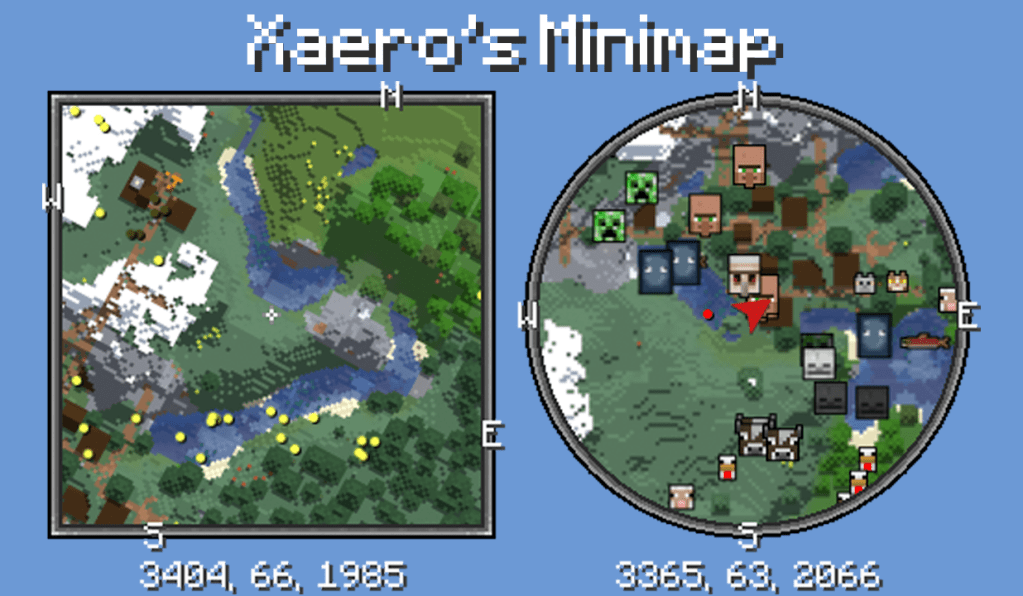
Xaero’s Minimap is one of the most popular and go-to Minecraft mods for a polished mini-map feature. This stays true to the vanilla Minecraft style and makes the addition feel natural. The minimap is neatly shown on the top of your screen, and it shows your current position, nearby mobs, entities, players, and terrain in real time.
What sets this map Minecraft mod apart from others is the waypoint system inside. You can mark villages, bases, biomes, and custom locations where you want to make a second visit. On the minimap, you can zoom in to get a clearer view of all the entities around you. Additionally, there’s a fairplay feature for PvP gameplay in this map mod as well.
2. Better Treasure Map
Better Treasure Map upgrades the basic in-game map with clear icons, detailed coordinates, and customized markers that make finding rare loot or hidden dungeons more precise. It automatically records explored areas, helping players track structures, caves, and biomes without missing anything valuable. The mod adds color-coded hints for treasures and lets users share their maps with friends, turning exploration into a more organized and rewarding task.
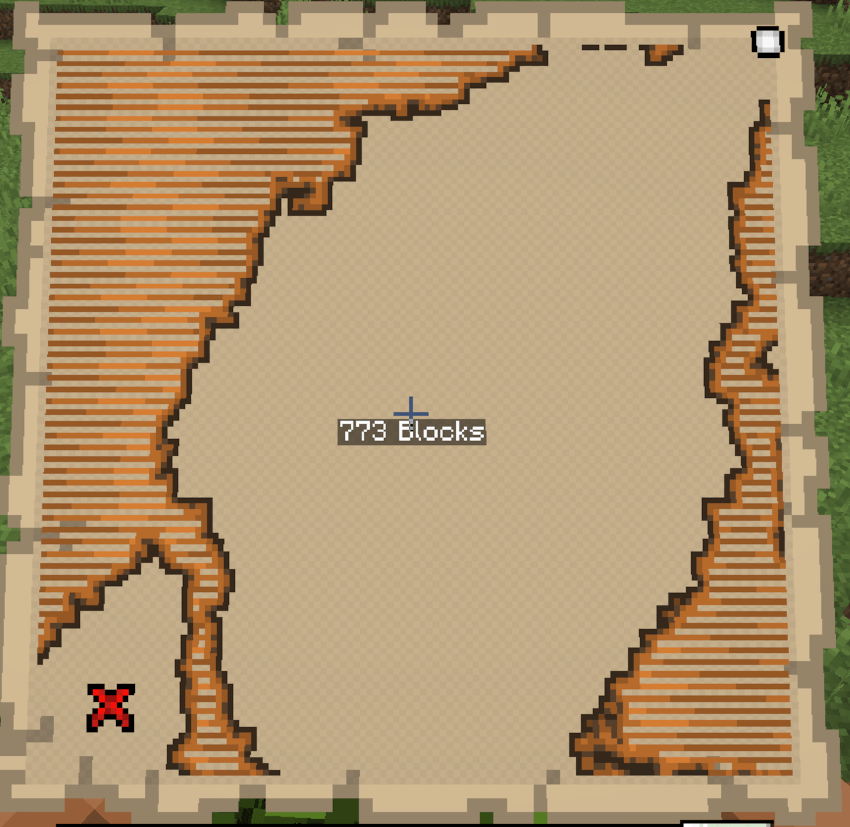
If you love finding treasure chests in Minecraft, the Better Treasure Map mod will be a great choice for you. Over the decade, finding the treasure chests has been more of a guesswork than actually finding them at the X position, as shown in the treasure maps of Minecraft.
But with this mod, you don’t need to wander all around the hidden treasure chest and dig random holes. You will rather get a map that precisely shows you the location of the treasure chest with the number of blocks you’re away from it. Since it works seamlessly with other Minecraft map mods, you can install this alongside them.
3. Cave Maps
Cave Maps is a practical mod that enhances underground exploration by displaying detailed layouts of caves and tunnels. It helps players understand their surroundings, identify unexplored areas, and pinpoint resource-rich zones without constant guesswork. The mod also supports surface markers, making it easier to retrace routes or locate important spots after extended mining trips.
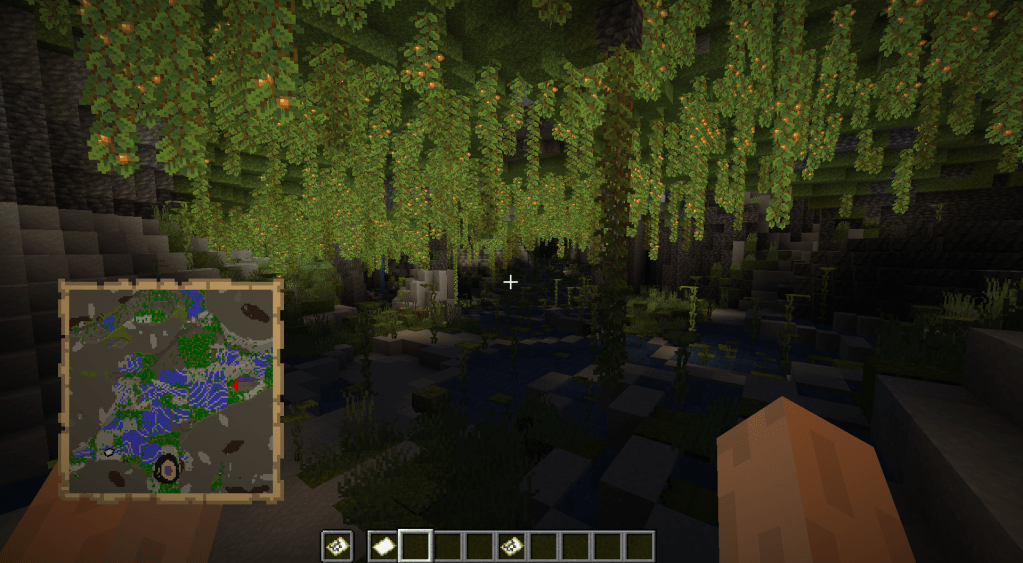
Cave Maps is a unique map Minecraft mod which is designed specifically for underground exploration. The usual maps you can create in vanilla Minecraft tend to struggle with the world generation underneath the surface. And this is where the Cave Maps mod comes in to help you.
You can choose between fixed, snap, or a variable Y-level mapping, based on how precise you want your underground maps to be. This becomes a perfect tool for miners, alongside the Minecraft ore distribution chart for finding the precious items like iron and diamond.
Download Cave MapsAlso Read: 10 Best Dinosaur Mods in Minecraft
4. Map Atlases
Map Atlases add functionality for players who like to explore large worlds without losing their bearings. These mods combine multiple map sheets into one organized collection, letting players flip through pages to track explored terrain. They often include markers, waypoints, and adjustable zoom levels, making it easy to catalog regions or share detailed maps with friends. This feature suits adventurers and builders who enjoy maintaining detailed records of their surroundings.
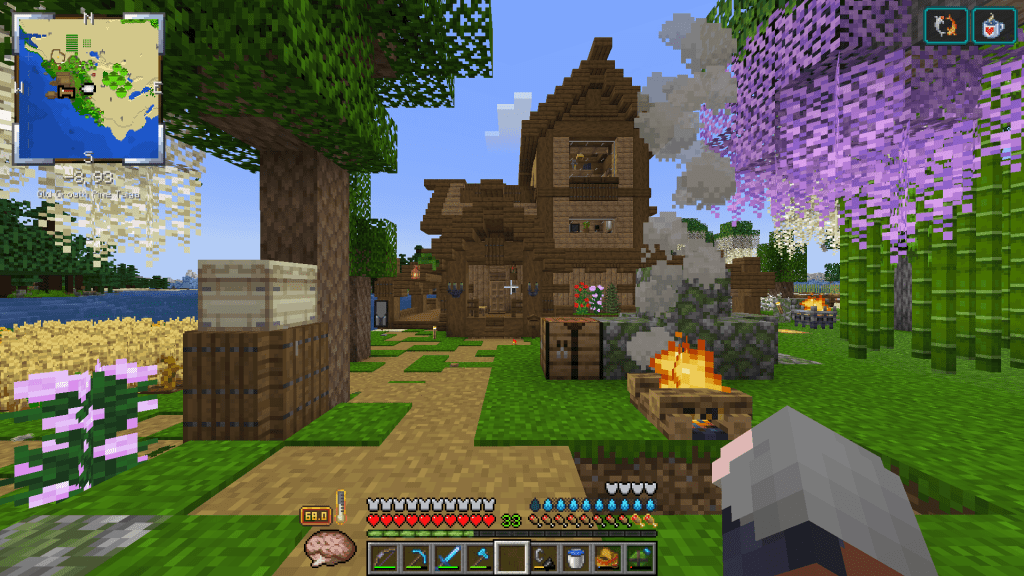
The Map Atlases take the mapping to an entirely new level by combining multiple maps into a single, powerful atlas. This can be crafted using a filled map, a book, and a sticky item like slime. This way, you can build a collection of maps for all the areas you have explored in your world, all in one place.
As you travel more, the Atlas automatically expands and generates new maps. You also get a small minimap feature on the screen to view your current position and surroundings. This mod can show you waypoints, dimensions, and info on the biomes; therefore, a perfect map Minecraft mod for long-term survival worlds.
5. JourneyMap
JourneyMap displays a real-time map with waypoints, cave layers, and player markers. Players track locations, share coordinates, and avoid getting lost in vast worlds. Custom overlays show mob spawns and biomes. Death points mark respawn spots for quick recovery. Integration with minimaps keeps navigation seamless during exploration.
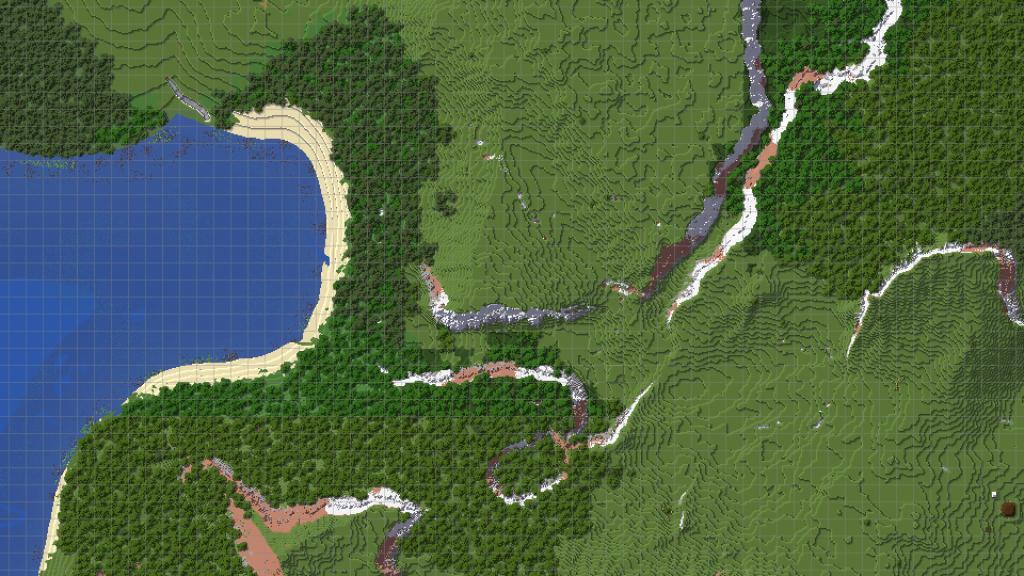
The JourneyMap is often considered the gold standard for Minecraft map mods, and it offers a real-time minimap, a full-screen map, a waypoint system, mob-tracking, and even the complete view of all biomes.
What makes JourneyMap stand out is the depth of this mod. You can view maps at any time of the day, irrespective of the biome type or topography of the place. So, waypoints will get easy to create and locate as well. For all the players who want maximum control in map mods of Minecraft, JourneyMap can give you immense flexibility.
6. VoxelMap
VoxelMap adds a detailed mini-map and full-screen map to Minecraft, showing terrain, player positions, and waypoints with clear precision. Players can mark key locations, such as villages, dungeons, or their base, and easily navigate using color-coded markers. The mod also displays mob icons and death points, helping users track progress and recover lost items without frustration. Its customizable interface fits both exploration and survival playstyles, making it a practical tool for any adventure.
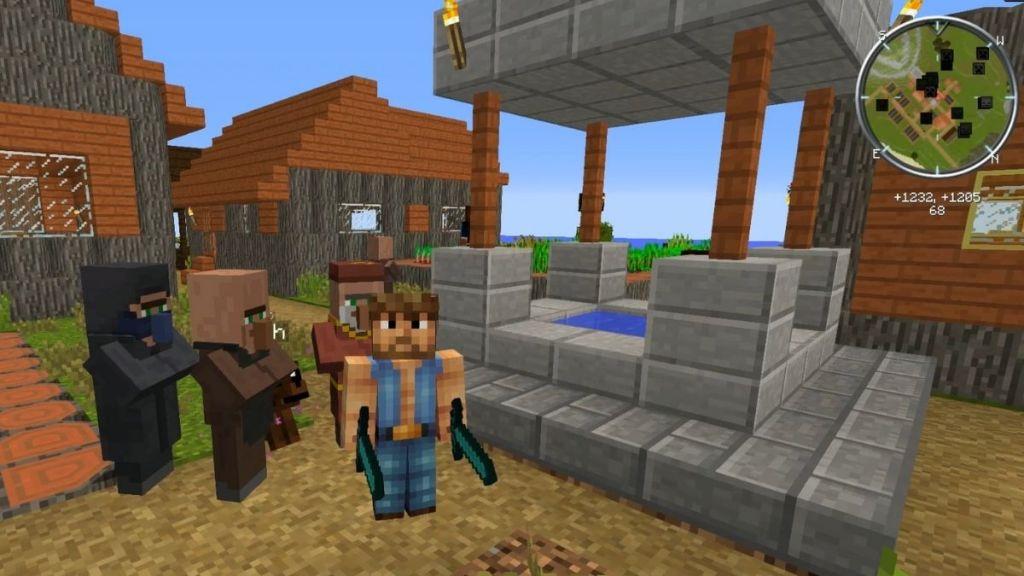
VoxelMap is a lightweight yet powerful Minecraft map mod that focuses on clarity and ease of use. This mod adds a clean minimap at the top of your screen that shows waypoints and radar for all the nearby mobs.
You can also check the nearby caves on the minimap, and they will be darkened for your convenience. The coolest feature of this map Minecraft mod is that it can track the mobs in Minecraft and display your own coordinates right underneath.
7. Just Map
Just Map provides players with a clean, customizable minimap and world map that make exploration much easier. It displays terrain details, player locations, and waypoints without cluttering the interface. You can adjust the map’s size, zoom, and style to match your preference, keeping navigation simple and intuitive during every adventure.
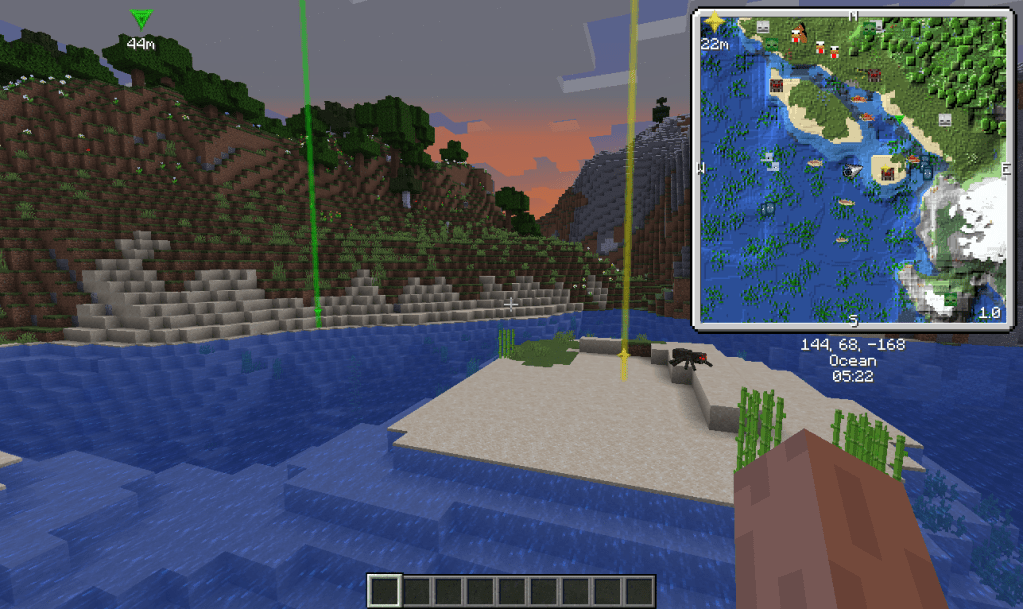
Just Map is a fabric-based Minecraft mod for maps that mainly focuses on customization options. So, every feature, starting from cave-mapping to entity radar, can be enabled or disabled as per your preferences.
Here, you can get round or square minimaps, render waypoints, display your current status effects and your current skin as well. So, if you’re someone who would like complete control over the HUD without unnecessary clutter, this Minecraft map mod fits in perfectly.
Download Just MapAlso Read: 15 Best Minecraft Shaders (December 2025)
8. Travellers Map
Travellers Map brings a clean and functional minimap that helps players keep track of their position and surroundings without cluttering the screen. It marks explored areas, waypoints, and player locations, making exploration smoother for both solo players and multiplayer adventures. The mod’s intuitive interface and customization settings allow users to adjust map size, shape, and markers to suit their playstyle, offering a practical tool for those who like to explore without losing their sense of direction.
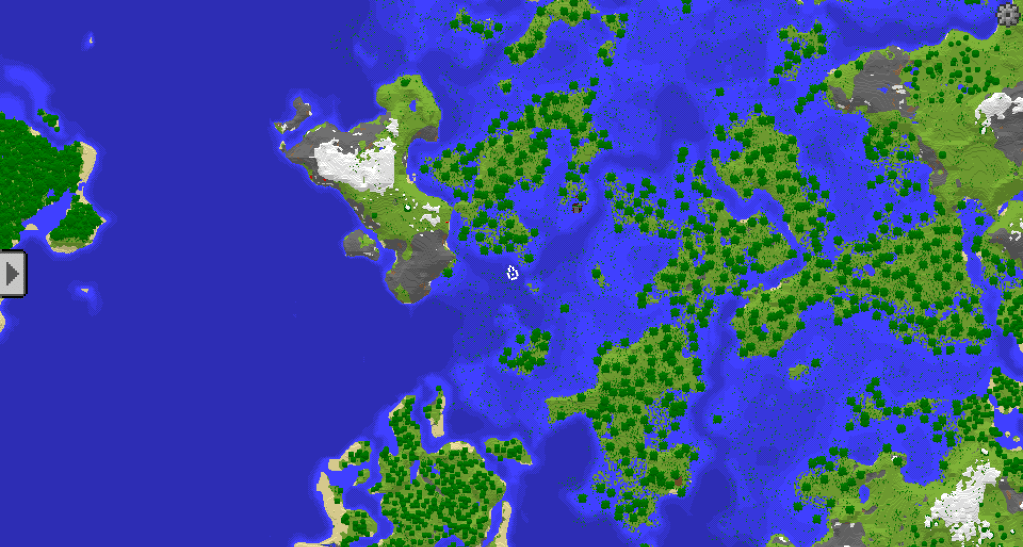
The Travellers Map is a modern and intuitive option among the list of best Minecraft map mods because it is specifically designed for adventurers. Not only do you get a small minimap option on the screen, but a full-screen-sized interactive map is also accessible via the keyboard.
Here, you can easily mark your waypoints, locate the structures, smoothly zoom in or pan across various biomes and structures around the world. The interface is clean, and it is designed for both experienced and beginner players in the game.
9. Antique Atlas
Antique Atlas adds a beautifully crafted, book-style map that fills as you explore, offering a charming alternative to the default minimap. It lets players leave markers, draw routes, and track their adventures with a vintage look reminiscent of old cartography. The mod is lightweight, easy to use, and perfect for those who prefer a more personal and immersive mapping experience.
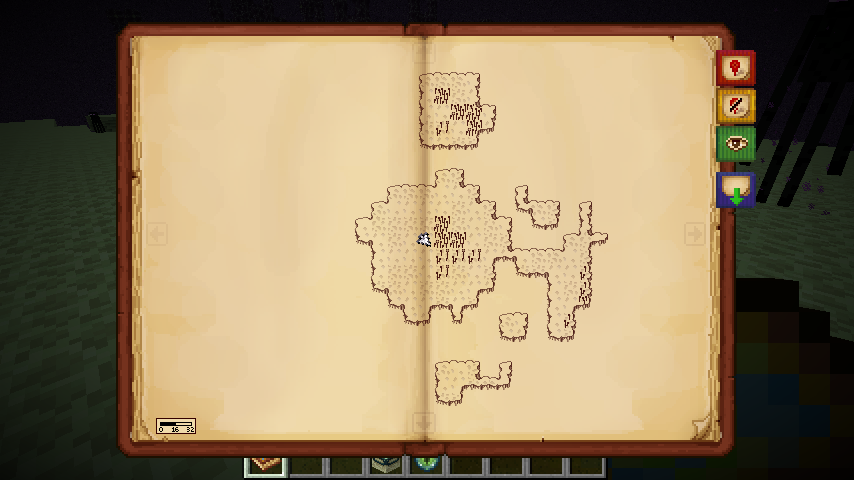
The Antique Atlas offers players a refreshing and alternative option for maps in Minecraft. Rather than the traditional minimaps that display the terrains and biomes with their respective colours and contrasts, the Antique Atlas mod hand-draws each of them and shows them in a book.
This atlas updates automatically as you explore the different biomes in Minecraft, all sorts of structures, as well as the existing Nether portals near you. You can highlight places with customized markers, thus making it the perfect addition to your RPG-style adventure in Minecraft.
10. Mapwriter 2
Mapwriter 2 offers an advanced minimap and full-screen map system that enhances exploration by tracking player position, marking waypoints, and displaying terrain details in real time. It supports custom zoom levels, surface and underground views, and integrates smoothly with most modpacks. The mod also allows players to export map images for sharing or reference, making it a practical addition for builders, adventurers, and server administrators.
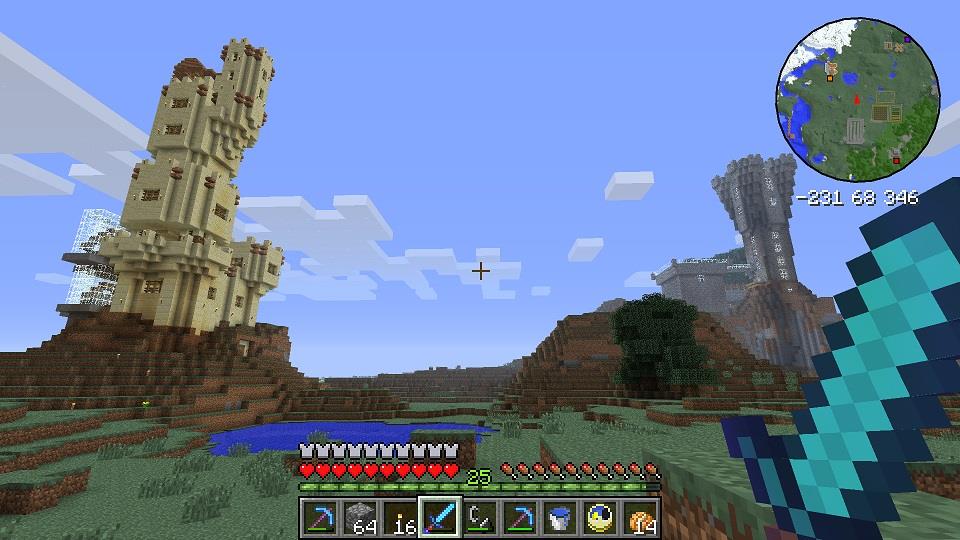
The Mapwriter 2 is a classic map mod in Minecraft that still holds up to date due to its robust features. Similar to all other mods in this list, it also includes a minimap, a full-screen map, a waypoint system, and an underground mapping system as well.
These maps are saved on the client side, and therefore, you can check the areas you have explored anytime you open the world. The greatest feature of this mod is the option to export the map in the form of a PNG file, which you can review later on.
Which map mod has the best cave mapping features
For pure “best cave mapping,” the dedicated Cave Maps mod is generally considered the strongest choice, with Xaero’s World Map (with cave mode) and JourneyMap close behind.
Cave Maps (Best Focused Option)
-
Cave Maps is designed specifically for underground exploration, fixing how normal maps struggle below the surface.
-
It lets you pick fixed, snap, or variable Y-level mapping so you can see tunnels and ore levels precisely while mining.
Xaero’s World Map (Advanced Cave Mode)
-
Xaero’s World Map includes a configurable cave mode that can render underground layers per dimension (Overworld, Nether, etc.).
-
You can toggle “legible cave maps” and adjust cave top Y and cave mode per dimension, giving fine control over how underground terrain is displayed.
JourneyMap (Flexible All-Rounder)
-
JourneyMap can map remote caves and lets you adjust which vertical levels you are viewing on the map.
-
With proper settings, it shows surrounding caves and mineshafts in a wide radius, making it easy to locate big cave systems and dig safely toward them.
If you want a simple rating:
-
Best dedicated cave mapper: Cave Maps.
-
Best all-purpose with strong cave tools: Xaero’s World Map or JourneyMap, depending on which UI you prefer.
Compare JourneyMap cave mapping features to Xaero’s World Map
JourneyMap generally offers more detailed, “at-your-Y-level” cave viewing by default, while Xaero’s World Map offers more performance-friendly but slightly more manual cave controls.
How JourneyMap handles caves
-
JourneyMap’s full map can show the world at your current Y-level, so opening it underground tends to display the caves around you rather than just the surface.
-
It supports cave layers/vertical chunk controls and is often praised in modpack discussions for strong cave mapping and waypoint tools, though it can be heavier on performance.
How Xaero’s World Map handles caves
-
Xaero’s system splits features between Minimap and World Map; the minimap is very good at tracking your underground surroundings and can be enlarged for better cave view.
-
Players note Xaero’s generally runs lighter than JourneyMap, but some find viewing exactly the current underground Y-level on the fullscreen map a bit less straightforward than in JourneyMap.
Practical choice for caves
-
If you prioritize the clearest cave layout on the big map and do not mind some extra resource usage, JourneyMap tends to feel better underground.
-
If you care more about FPS and like using an enlarged minimap plus a configurable world map, Xaero’s World Map + Minimap is usually smoother, especially on weaker machines.
