Curious how players trade growth for friendship in Grow a Garden? The Friendship Pot mechanic turns teamwork into a thriving garden feature-helping you share progress, earn rewards, and grow plants faster in Roblox’s most creative farming game.
The mechanic is a lot like the Snapchat streaks; the difference being that you need to nurture your friend’s plants daily rather than sending blank images to maintain the streak. So, if you are curious about how the Friendship Pot works in the game, follow our guide below.
How to Get a Friendship Pot in Grow a Garden
The Friendship Pot in Grow a Garden can be obtained through completing friendship-related tasks or reaching certain friendship levels with other players. You’ll usually receive it as a special reward after spending time helping friends with their gardens, exchanging gifts, or cooperating during events. Once earned, it appears in your inventory and can be placed like other pots. Its main benefit is boosting growth rates for plants shared with friends, making it a valuable item for players who enjoy gardening together.
The Friendship Pot is a permanent item in Grow a Garden, and it can be purchased from the Gear Shop for 15,000,000 Sheckles. Remember, since it’s a divine gear, it may not always be in stock at the shop. So, you will need to spend some time in the game or request others to notify you once the Friendship Pot is in stock.
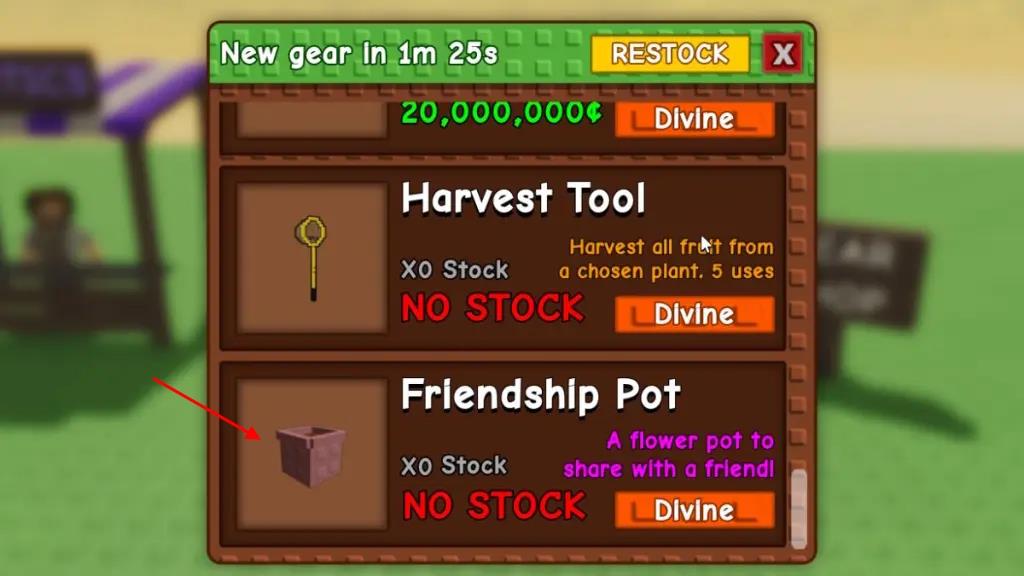
Moreover, even if you don’t find the Friendship Pot in stock, but your friend managed to get his hands on the same, they can share the pot with you. Then, you will obtain a pot to place in your garden, that too for free.
Also Read: All New Bee Egg Pets in Grow a Garden Roblox
How Does Friendship Pot Work in Grow a Garden
The Friendship Pot lets players grow special plants together by combining seeds with friends in Grow a Garden. When placed, it connects with another player’s pot, allowing shared progress as both contribute water, care, and fertilizer. The plant inside grows faster and may yield rare rewards compared to solo pots. Players can track growth stages, collect shared prizes, and enjoy cooperative gardening, making teamwork a central part of this feature.
After you’ve bought the Friendship pot, you won’t be able to place it in your garden right away. That is because it remains unlinked until you share it with a friend. The pot in your backpack also carries an ‘Unlinked’ tag.
1. How to Link Friendship Pot
So, you first need to link your Friendship pot with another player or let them link their pot with you. Once you do that, you’ll see your friend’s name instead of unlinked on the pot in your backpack. So, here are the steps to share and use the Friendship Pot in Grow a Garden:
- Equip the Pot in your hand and go near a friend or any other player in the game.
- You will see a message asking you to press the E key (or tap on mobile) to link the pot.
- Once your friend accepts your request, your pot will be linked. Your friend will also receive a linked pot with your username.
2. How to Place the Friendship Pot
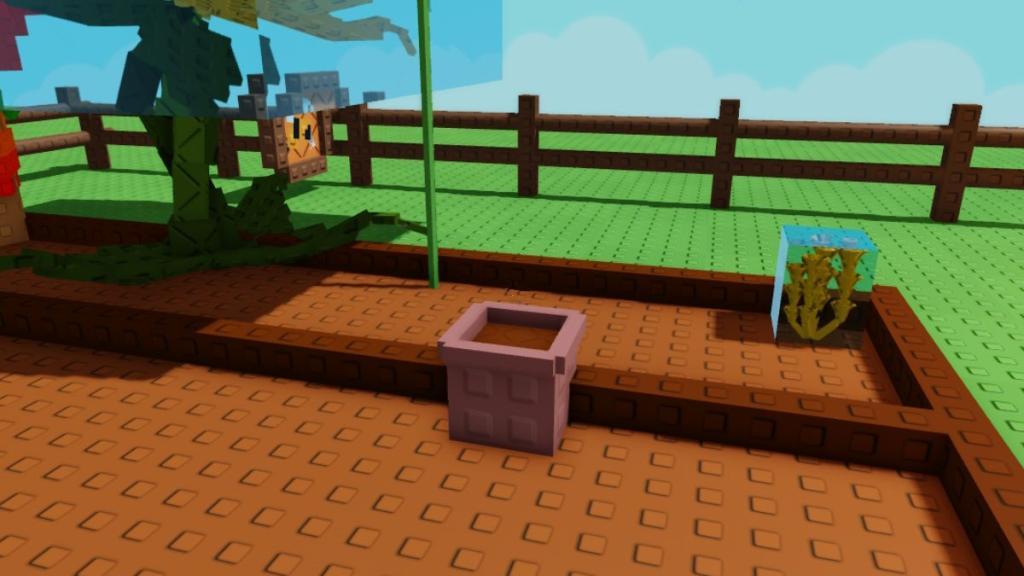
- Now, both of you need to place the pot in an empty space in your garden.
- Once placed, you must visit your friend’s garden and tend to their pot by long-pressing the E key on their keyboard (or hold on mobile).
- At the same time, your friend must visit your garden and tend to your pot.
3. Tend to Friendship Pots Together
Now, the first step to using the Friendship Pot is complete. You will notice a green stem growing diagonally from your pot. From now on, both players will see a timer hovering on top of the pot, mentioning the time left (4 hours and 40 minutes based on initial testing, more to come on this later) after which they can tend to the plant in the pot.
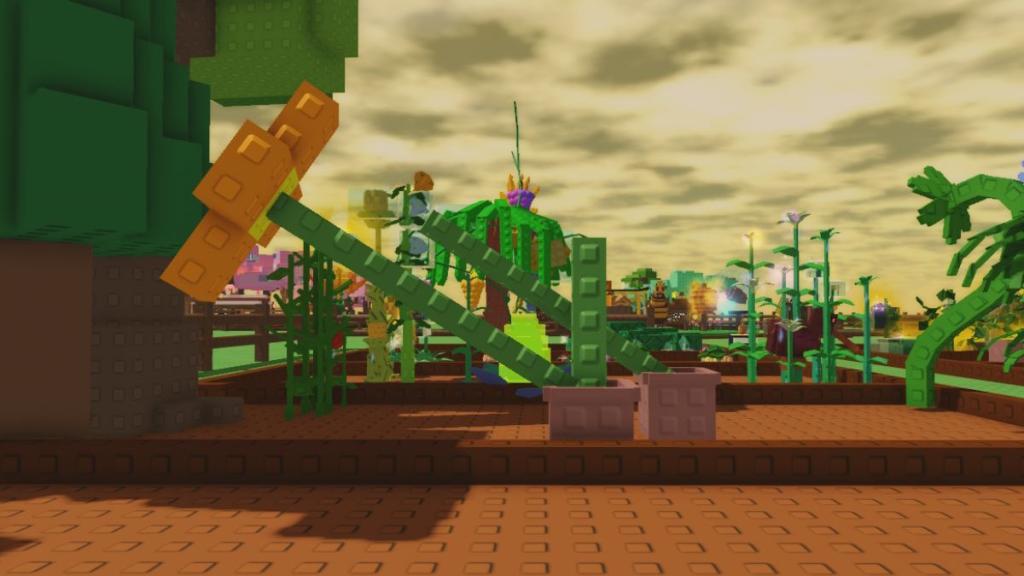
Once this timer ends, you and your friend can join the game together and tend to each other’s pots to maintain the streak. However, do note that both of you will have a secondary timer, stating how long is left for tending to the pots until it gets reset.
If you fail to tend the Friendship pots in time, the plant will be reset, and you will have to start the streak once again.
As you start maintaining the streak and tending to the pots, the plant grows, first the diagonal stem, then buds start appearing on it as it gradually forms a flower. The next stage comes when another vertical stem starts growing, with flowers emerging from it as well, and the process repeats.
So, this way the Friendship pot works in Grow a Garden, and you can fill your plot with a maximum of four Friendship pots at once. So, whether you want to place them in each corner of your garden or wherever you think it would look the best, it’s all up to you.
Best seeds to grow with a Friendship Pot
Friendship Pots in Grow a Garden grow a unique shared plant through mutual tending, not regular seeds. No sources specify “best seeds” for them, as the pot’s plant is fixed and advances via interaction timers and streaks.
Core Mechanics Recap
The Friendship Pot displays a collaborative stem that evolves from a green sprout to a multi-stage flower over days of reciprocal tending (every 3-5 hours initially). Regular seeds like lavender are tested in videos but do not plant inside; the pot’s growth is independent for visual and streak rewards.
Planting Nearby Strategy
Position high-value seeds around Friendship Pots for space efficiency, especially on garden edges where pots yield taller plants. Underrated options from the Friendship Update include Bean Stalk (up to 1B Sheckles with mutations) or Pepper (dense, high-volume profits).
Top Nearby Seed Picks
-
Bean Stalk: Multi-harvest, mutation-friendly for billions; pairs with pot streaks for steady checks.
-
Pepper: Fits tightly, scales to 200M+ per row with Disco mutations; low maintenance near pots.
-
Ember Lily: 50k base value, reliable under sprinklers; matches pot’s visual bloom theme.
How do you link a Friendship Pot with a friend
Linking Basics
Both players must own a Friendship Pot and be on the same server. Equip the pot from inventory before starting; do not place it yet.
Step-by-Step Process
-
Approach your friend while holding the equipped Friendship Pot.
-
Hold E key (or tap on mobile) to send a link request; a prompt appears on screen.
-
Friend receives and accepts the request by clicking “Yes” or similar-pot links instantly.
Post-Link Setup
Each gets a named version of the other’s pot in inventory. Place your linked pot in your garden; the friend’s pot appears there automatically for tending. Visit their garden to tend theirs by holding E near it, starting the growth streak.