Glitches in All Grow a Garden can turn ordinary farming into a goldmine of automated harvests. From duplicating fruits to triggering endless growth loops, these quirks give players clever shortcuts for faster progress and effortless fruit collection.
So if you’re a curious cat and want to know about all of them, this one’s for you. So with that, keep on reading as we tell you about all the Grow a Garden glitches, along with how to use them.
1. Auto Fruit Collection
Auto fruit collection lets players gather fruits automatically without needing to click each one manually. This glitch works by tricking the game’s collection system into continuously detecting nearby fruits as interactable items. Players often set up their character in a specific spot or use an in-game trigger that refreshes collection commands repeatedly. It’s especially useful for farming rare fruit types or speeding up growth-related tasks without constant interaction.
Ever wondered how efficient it would be to collect your harvest if you didn’t have to smash the ‘E’ key each time you’re near a crop? This Grow a Garden glitch will help you collect items simply by walking around the garden.
This might simply be a coding oversight that allows players to perform a unique key combo, helping them collect fruits hands-free until their backpack is full.

So, all you need to do is press and hold the ‘E’ key near your crops and simultaneously press the Escape key four times quickly. Now, walk around your crops, and the harvest will be collected automatically.
2. Tall Dragon Fruit Bug
The Tall Dragon Fruit Bug causes certain fruit trees to stretch high above the ground, making it possible to harvest fruit automatically without needing to climb or use tools. Players trigger this glitch by planting multiple dragon fruit seeds near uneven terrain, which sometimes forces the plants to spawn with elongated trunks. The bug works best in crowded areas, where plant positioning tends to glitch more easily, and players often use it to gather fruit faster than usual before the game resets the plant height.
Talking about tall plants in Grow a Garden, well, a few of them can reach abnormal heights, especially the Coconut trees and Cactuses. However, this specific glitch is about the Dragon Fruit trees, which may seem smaller in height. However, as you start climbing along the stump, you do not seem to stop at all, as if there’s an invisible ladder.
Also Read: Roblox Grow a Garden: 8 Beginner Tips and Tricks
This might be a hitbox issue, as your character doesn’t stop at the vertex from where the leaves start originating and keeps climbing to reach the top. With this handy Grow a Garden glitch, you can enjoy the view from above.
3. Sprinkler Bug
The Sprinkler Bug causes sprinklers to misfire, spraying water in random directions and flooding nearby blocks. It can disrupt crops, wash away items, and trigger other glitches, making it hard to gather fruit efficiently. To fix it, reset the sprinkler, replant nearby, and keep an eye on water flow while you work around the garden.
Sometimes, the glitches in Grow a Garden can be so helpful that it seems like you have activated a cheat code for infinite boosts. There’s a similar bug that causes the sprinklers not to despawn even after their timer ends.
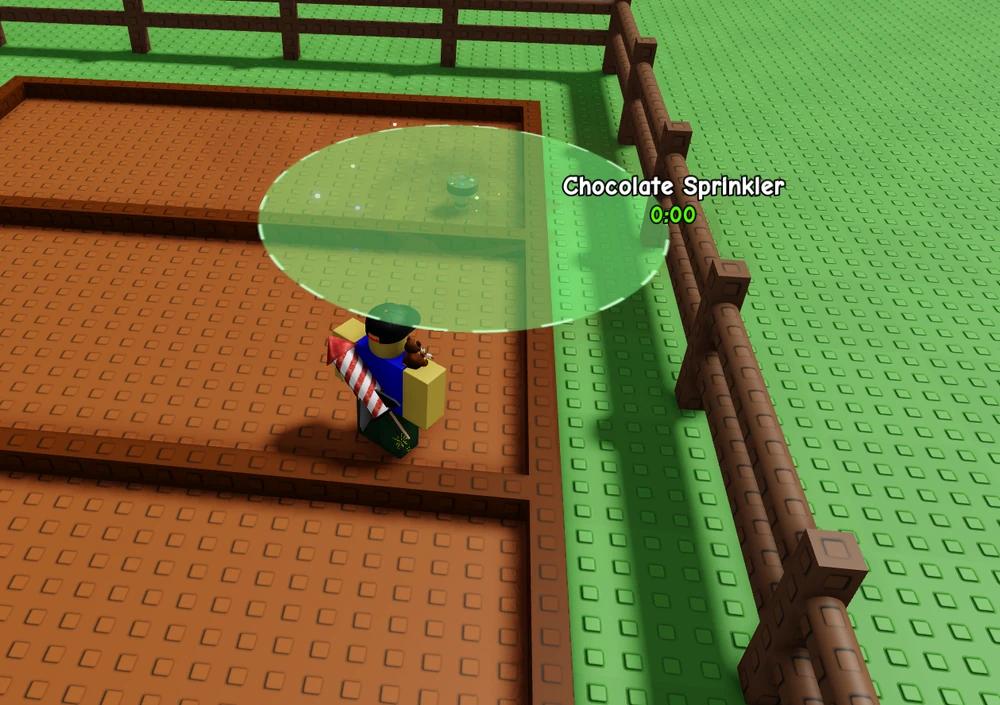
You can easily reproduce this by placing a sprinkler in your garden and then waiting for the timer to reach the last five seconds. Now, turn off your internet for a few seconds and then turn it back on. If you’re lucky, the sprinkler will stay in the same place even when the timer shows 00:00. You can also reproduce this glitch while on a laggy and high-ping server.
4. Large Lotus Bug
The Large Lotus Bug glitch lets players collect fruits at a much faster rate by spawning a giant lotus that drops multiple items at once. To trigger it, place several lotus seeds close together, then water them in quick succession. When they bloom, one may grow oversized and repeatedly drop fruit each time the player interacts with it. This trick works best with an auto-clicker or scripted setup, allowing for nearly continuous fruit collection without manual effort.
Next is a funny glitch that can be reproduced by holding a heavy-weighted Lotus flower. A lot of Grow a Garden farmers have faced an issue where when they hold the lotus, it throws them out into the sky and even causes them to die.
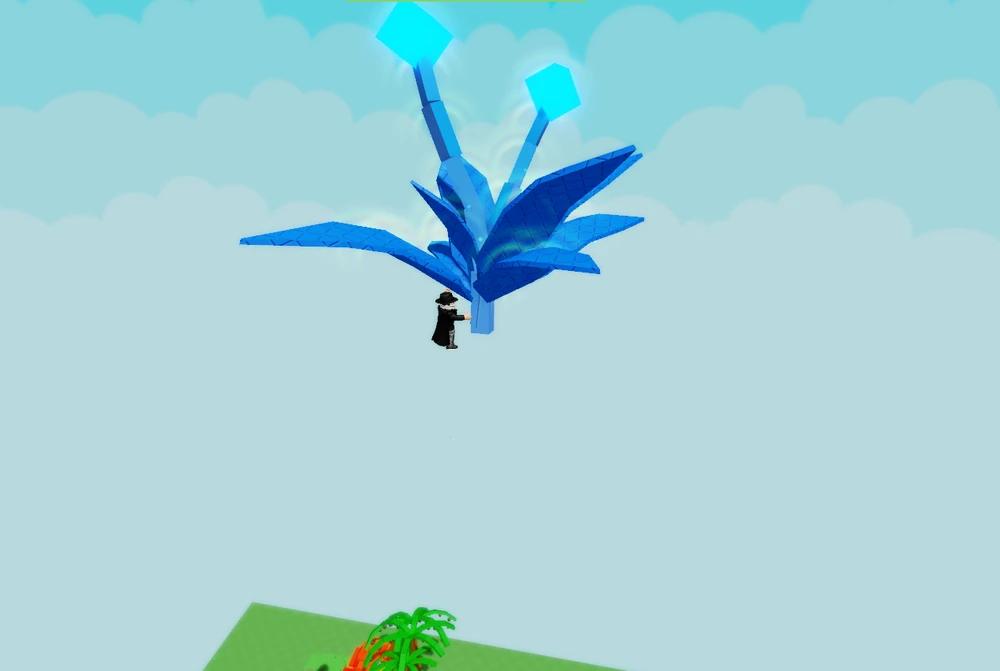
You may even lose all your inventory items if you die accidentally during this time. This can be really annoying sometimes when you have rare and valuable harvests. The best way to avoid this glitch is to leave the game and then rejoin.
5. Floating Coconuts
Floating coconuts appear when a fruit spawns above ground or on uneven terrain, causing it to hover slightly instead of falling. Players often use this glitch to gather coconuts faster, as they’re easier to spot and click before others reach them. By standing under the spawn area or using a low jump boost, you can collect these floating fruits automatically without extra movement. This trick is especially popular in shared servers where fruit competition is high.
While Coconut trees can grow exceptionally tall in Grow a Garden, who could’ve thought they might get completely invisible, leaving behind the massive round coconuts floating in mid-air.
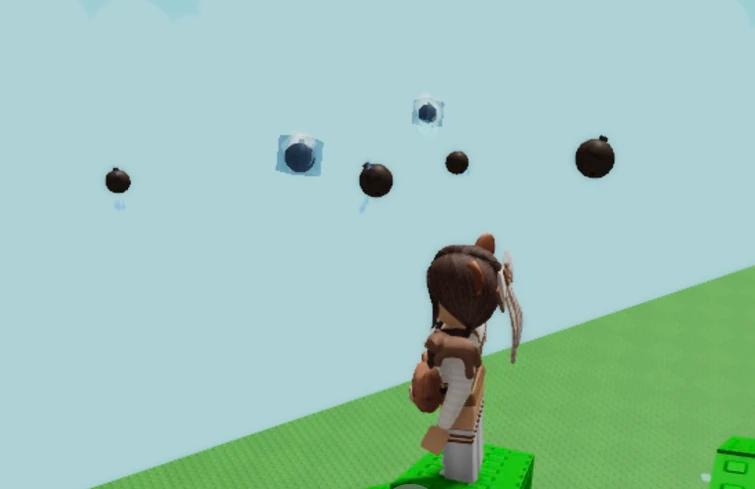
Although this bug is pretty harmless because it is rarely seen in the game, once it happens, it will make it extremely difficult for you to collect the coconuts. You can reproduce it by joining a server with high ping, or experience this when you have network issues.
6. Basic Seed Pack Collision
The Basic Seed Pack Collision glitch happens when two seed packs are placed too close together, causing one to shift position or duplicate during planting. Players can use this to stack seeds and speed up growth cycles, especially in crowded garden areas. To trigger it reliably, drop a seed pack against another at a slight angle and plant quickly before the physics engine resets their placement. Though harmless, this quirk can help players experiment with tight-space farming setups or quick resource production.
Finally, we have another funny glitch in the game that essentially does nothing apart from a few chuckles with your friends. This requires a Basic Seed Pack, which you can easily obtain by completing tasks from the Angry Plant.
Once you have the Basic Seed Packs in your hotbar, face towards the Seed Chest and press the corresponding key. This results in a collision between the pack and the block in front, and hence, you get stuck or fall to the ground, unable to move a muscle.
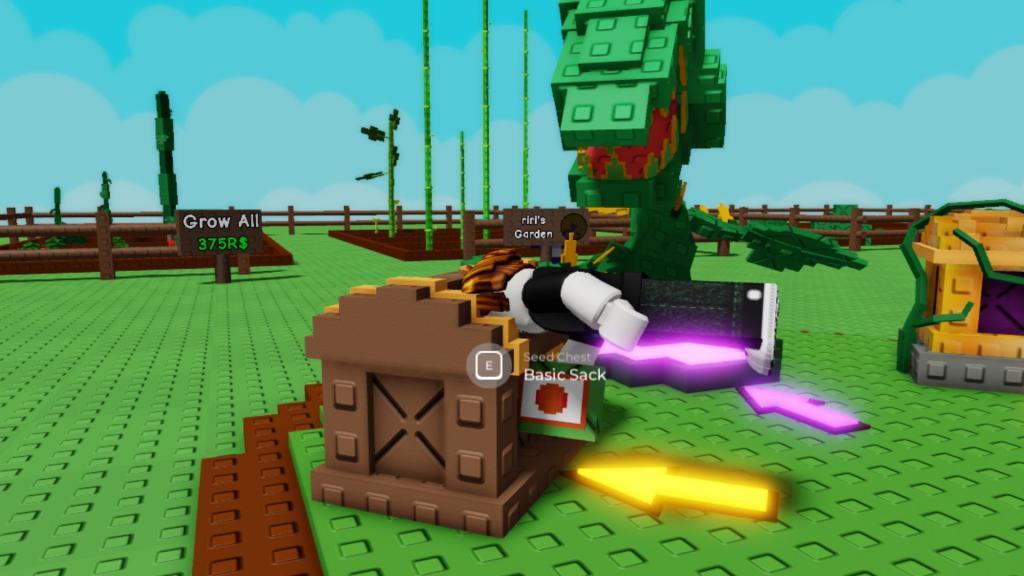
You may similarly reproduce this by standing in one corner of the fence or front of the stall signboards. Furthermore, these packs can also be used to push players around.
Is auto collect allowed or considered cheating in Grow a Garden
Auto collect and similar macro/auto-click methods in Grow a Garden sit in a risky “use at your own risk” zone: the community generally treats light macros as tolerated, but Roblox’s wider rules and anti-cheat can still flag them as cheating or exploiting. The safest assumption is that fully AFK auto collect is not officially allowed and could get you warned or banned, especially if combined with glitches or external cheat tools.
What the community says
-
Some Grow a Garden creators explicitly say simple macros or auto-clickers (like TinyTask or OP Auto Clicker) are “not bannable” in theory if they only repeat normal clicks and do not inject scripts.
-
Community Q&A and wiki posts still warn that auto-clickers are technically bannable under Roblox’s terms, even if individual games say they are fine, because the platform itself treats them as automation.
Why it can be considered cheating
-
Auto collect gives constant, perfect farming and shop buying while you are AFK, which is a clear gameplay advantage over normal manual players and is often described by creators as “cheating” or “OP.”
-
Videos and discussions about “ways to get banned” in Grow a Garden group glitch abuse, duping, and extreme automation together as things that can cross into punishable exploiting, especially if they disrupt other players or the economy.
Practical risk tips
-
Avoid script injectors, exploit executors, or anything that modifies the game; that is almost always treated as full cheating and can lead to both game and Roblox bans.
-
If you still choose to use auto-click/auto-collect software, keep it low-intensity (longer click intervals, stay at your PC, don’t run 24/7) and be ready to stop if the game updates its rules or anti-cheat.
If you want, a safer “legit play” strategy for faster fruit collection without any automation can be outlined.
Could using an auto clicker lead to a Roblox ban
Yes, using an auto clicker can lead to a Roblox ban, even though it does not always happen and many players use them without issues. The risk depends on how you use it and on each game’s specific rules.
What Roblox’s rules imply
-
Roblox’s terms prohibit third-party software that modifies or automates gameplay in a way that gives an unfair advantage, and auto clickers fall into that “automation” category when used to gain benefits.
-
Automated, extremely fast or prolonged clicking patterns can trigger anti-cheat or draw moderator attention, which can result in temporary or permanent bans in serious cases.
Global ban vs. game-only bans
-
Many community discussions note that Roblox rarely issues a platform-wide ban for a basic auto clicker that just sends normal clicks, but individual games can and do ban players if their rules forbid it.
-
Some games (especially clicker or economy games) have their own detectors or moderation and will kick/ban auto-clicker users even if Roblox itself does not act on the account globally.
How to reduce the risk
-
Avoid ultra-high click rates (like multiple clicks per millisecond) or 24/7 AFK farming; these patterns are much more likely to be flagged as suspicious.
-
Always check a game’s rules/Discord/wiki to see if automation is explicitly disallowed; if it is, using an auto clicker there can clearly justify a ban from that game.
If you say which Roblox game you are worried about, a game-specific risk overview can be given.
