Players are wondering if any new Grow a Garden codes dropped for April 2025. Here’s what you should know about the latest updates, bonus rewards, and whether any fresh codes are available in this relaxing Roblox farming game.
This is why players often search for Grow a Garden codes to get free rewards that can help take their garden from barren land to lush greenery. So, here is a quick guide on whether Grow a Garden has a code system or not and how to obtain free rewards.
All New Grow a Garden Codes
Unlock the latest details on Grow a Garden codes released around April 2025, including guidance on how to redeem them and what rewards you can expect for Roblox players.
Currently, there are no Grow a Garden codes. That’s because this Roblox experience doesn’t have a code system. This means we won’t see codes until the developer adds a code redemption system in the game. However, there are other ways to get free rewards in Grow a Garden. You can complete daily quests to get seed packs for free every day.
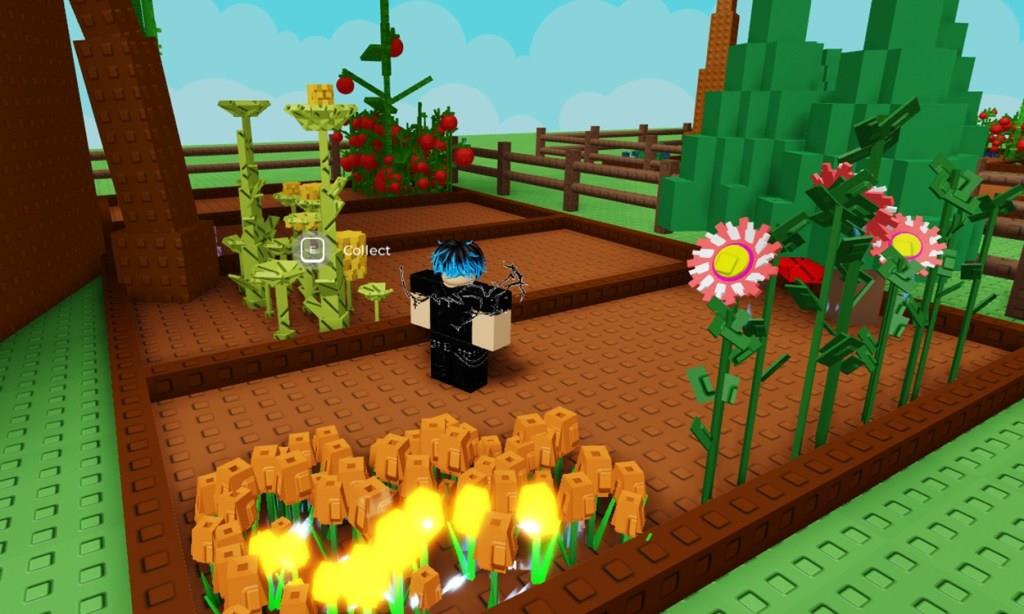
Moreover, you get free one-time rewards in the shop every day. The best part about Grow a Garden is that your friends can gift you seeds from the shop or offer you their grown fruits and vegetables for you to sell.
If you are tired of such slow-paced games and looking for more thrill, check out Arise Crossover, Blox Fruits, and Anime Rangers X. Not your cup of tea? Check our Roblox games list to find the games that suit you best.
Where to Get More Grow a Garden Codes
Discover where to obtain additional Grow a Garden codes, including official channels, community events, and verified promotions that may yield free in-game items and bonuses.
We suggest you bookmark our post if you wish to learn when the developers add a code system to the game (or they don’t). We will constantly be on the lookout for any updates related to codes for Grow a Garden. Once a code system is added and codes are released, you will find them first here.
But if you feel adventurous and want to check on the game’s progress by yourself, join the Grow a Garden Discord server and keep an eye on the #announcement channel. Other than that, you can join The Garden Game’s Roblox group to stay connected with other players.
How to Get More Rewards in Grow a Garden
Plant new seeds often, complete daily tasks, and care for your plants regularly to earn more rewards in Grow a Garden. Joining friends for co-op gardening sessions can help you progress faster and gain extra bonuses. Keep an eye on limited-time events or special challenges, as these often offer rare items or large coin boosts that speed up your garden’s growth.
Although the game lacks a code system, there are still other ways to get rewards in Grow a Garden. The quickest way to get rewards is by completing the daily quests, as mentioned earlier. Other than that, you can ask your friends to give you high-priced crops, preferably with mutations, from their gardens to give you a head start on money.
How to redeem codes in Grow a Garden step by step
Redeeming Codes in Grow a Garden
Launch Grow a Garden on Roblox and join a server.
Access Settings Menu
Click the gear icon (settings cog) in the top-left corner to open the Settings menu.
Enter and Claim Code
Scroll down to the “Redeem Codes” section, type your code exactly (case-sensitive, no extra spaces), and click the green “Claim” button. Rewards appear instantly if valid; otherwise, double-check spelling or wait for server fixes.
Open the settings menu in Grow a Garden where redeem is located
Accessing Settings in Grow a Garden
Click the gear icon (settings cog) located in the top-left corner of the screen.
Locate Redeem Codes Section
The Settings menu opens immediately upon clicking the gear. Scroll to the bottom of the menu to find the “Redeem Codes” option, often labeled with a note about developer socials for rewards.
Confirmation and Tips
Rewards appear in your inventory or backpack after successful entry. The gear sits to the left of the backpack icon across all platforms.
