Spotting the binoculars in Beaks can be trickier than it seems. Hidden behind specific gameplay choices and subtle clues, this guide reveals how to track them down and make the most of their surprisingly useful features.
Fortunately, Beaks provides both basic and advanced binoculars for all the beginners and those who have progressed a lot in the game. Want one? Keep reading as we show you how to get Binoculars in Beaks right here.
How to Get Binoculars in Beaks
Binoculars in Beaks can be obtained by completing the “Eagle’s Eye” quest, which becomes available once you reach level three in exploration. Speak to the guide near the lookout tower to receive the quest and gather the required materials, typically feathers and glass shards. After crafting the binoculars at the workshop, equip them through the inventory menu. Using them enhances your view range, helping you spot distant items and hidden routes more easily during gameplay.
Both the basic and advanced pair of Binoculars are located at the same location as the Glider in Beaks, at the Pinewood River area of Mountain Beaks. Although the Mountain Beaks area is easily noticeable, finding out the Pinewood River can be a bit tricky. So, follow these simple steps to get the Binoculars easily.
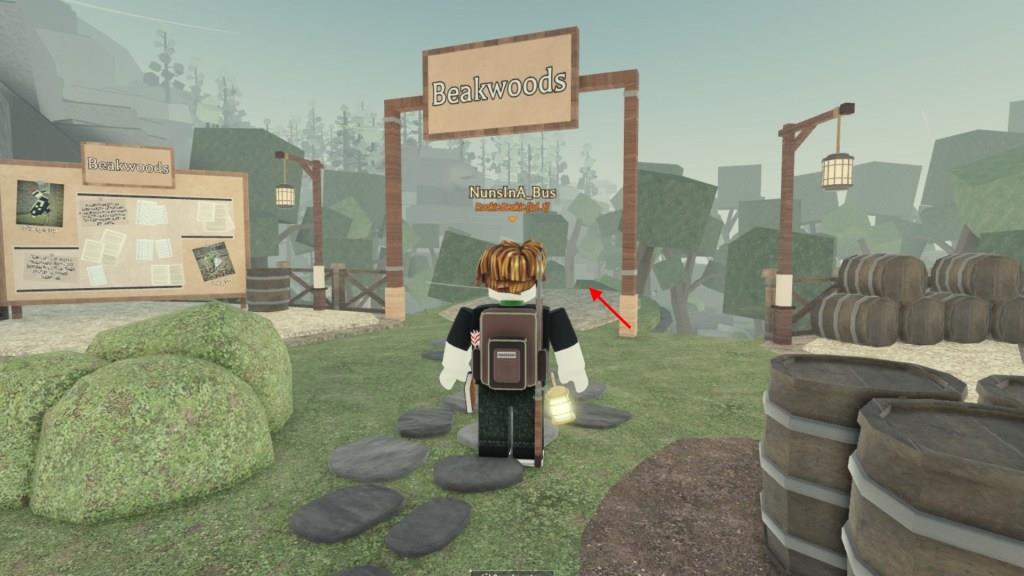
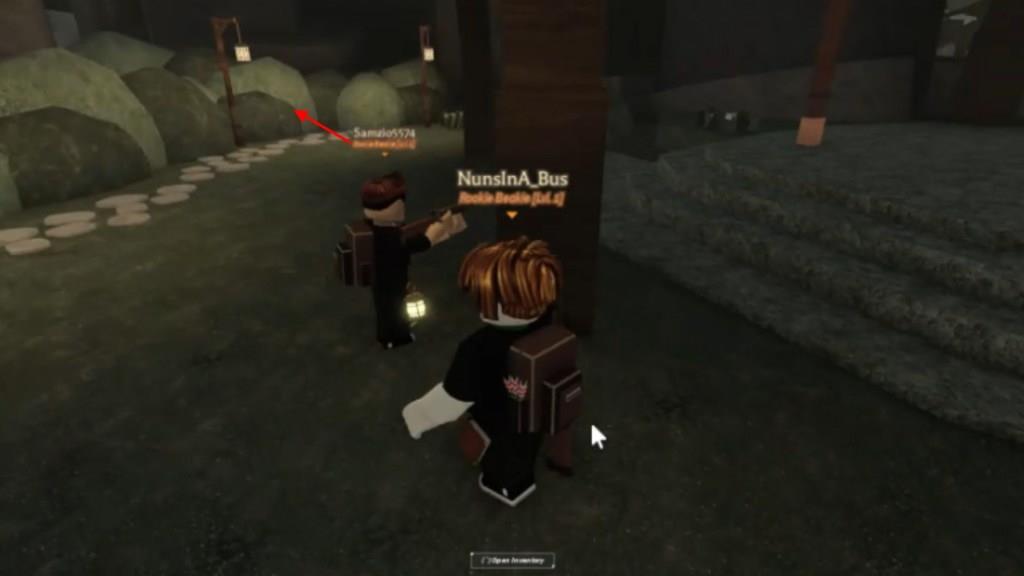
- From the first spawn point, which is Beakwoods, head straight from the banner, jump down, and then take the left path to find the entrance to Mountain Beaks.
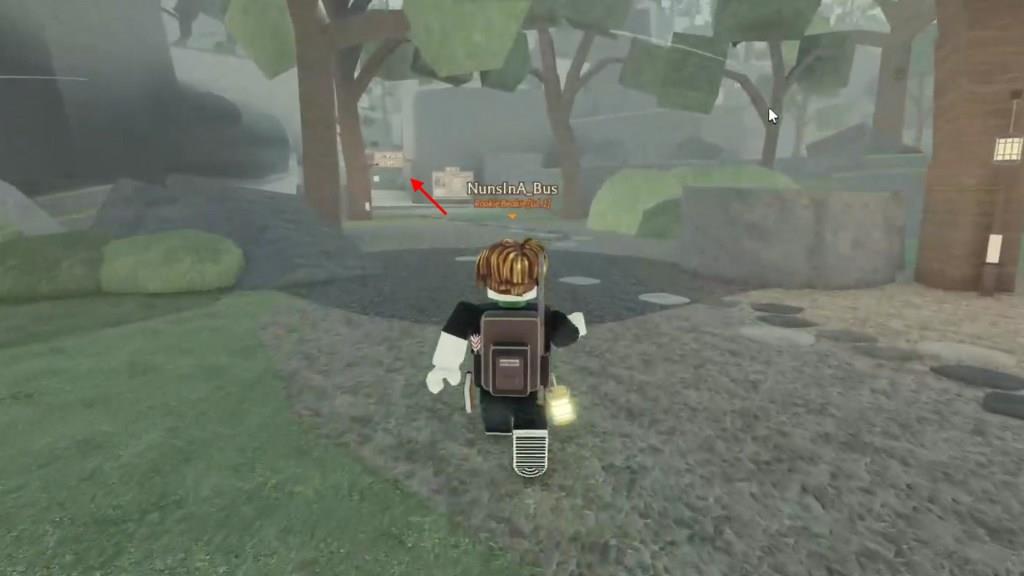
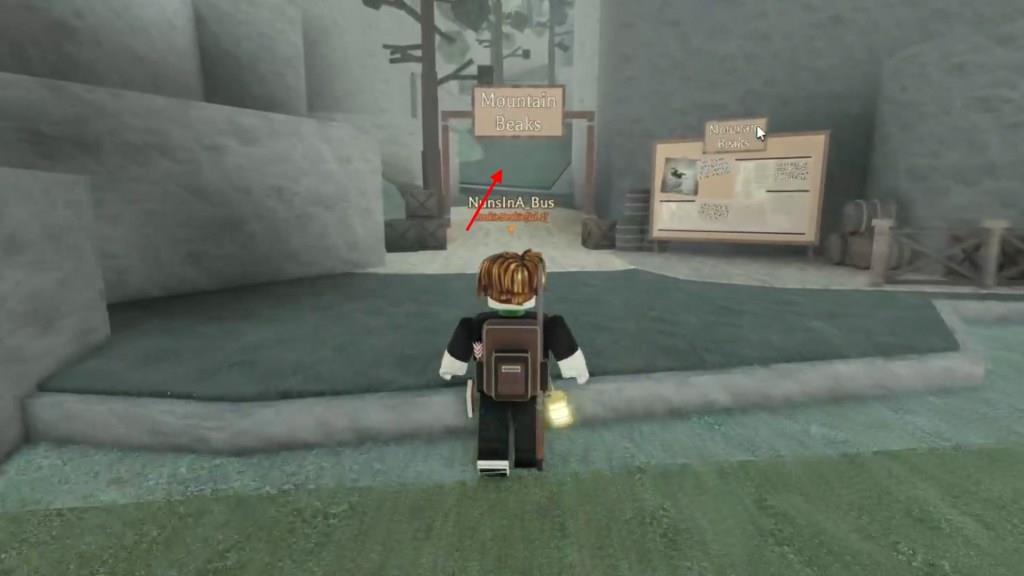
- Now, walk this stony path to reach the ground above, and you’ll find a banner saying ‘Mountain Beaks.’
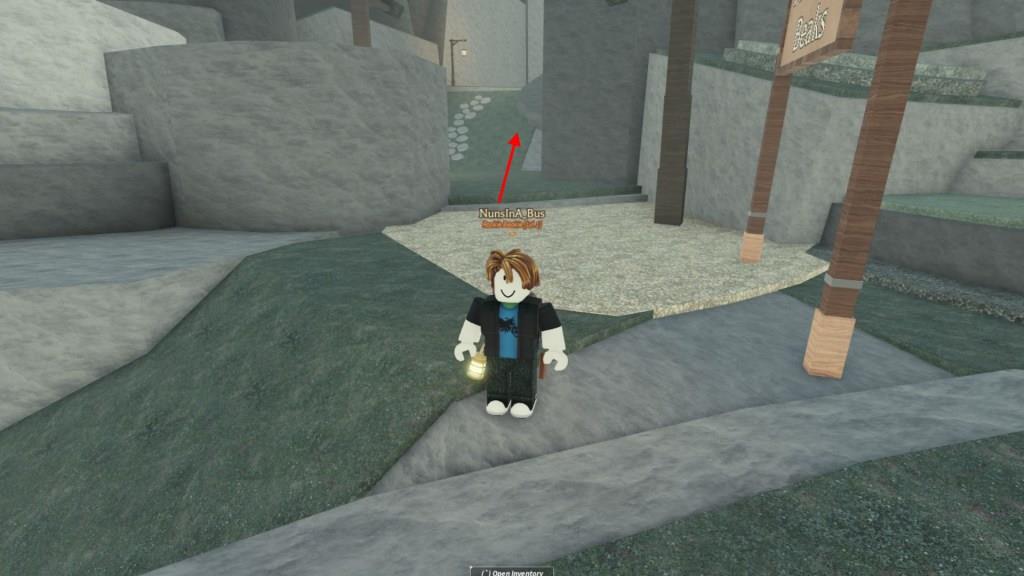
- Take the path on your left and get to the next level.
- Here, you will find another banner, and opposite it will be a series of bushes hiding a secret area.
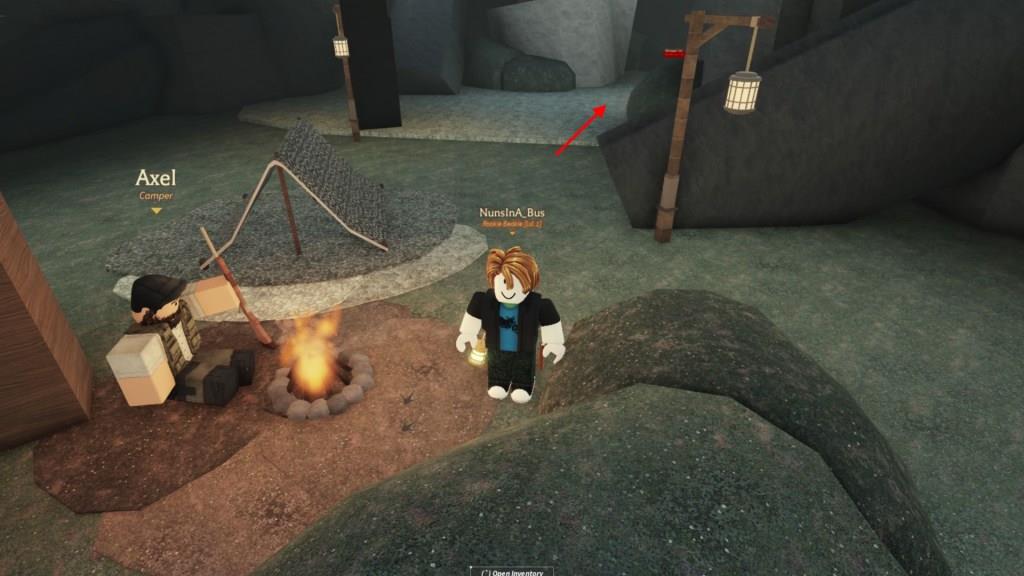
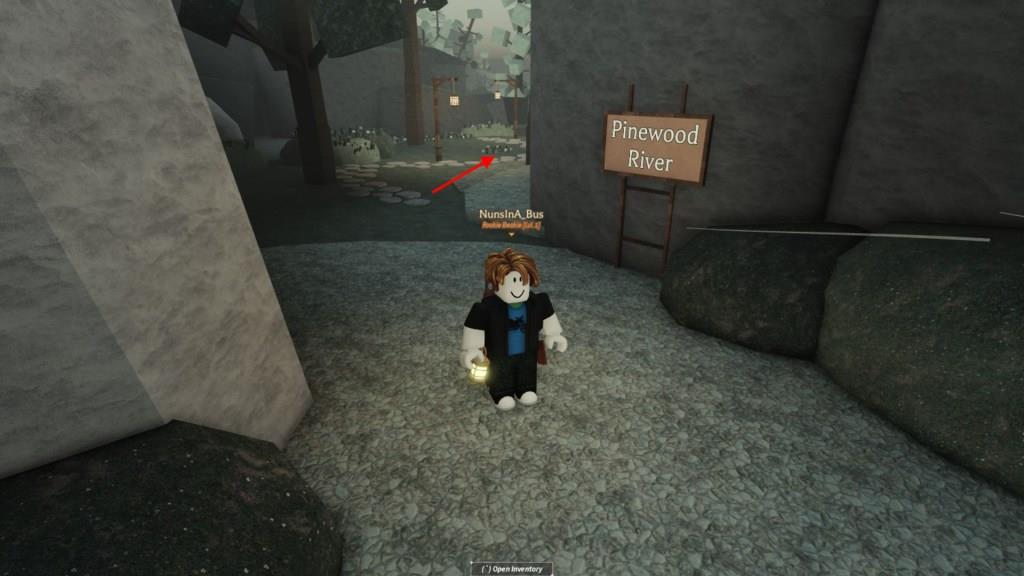
- Walk through the bushes and then pass the Axel NPC to find a checkpoint labeled ‘Pinewood River‘.
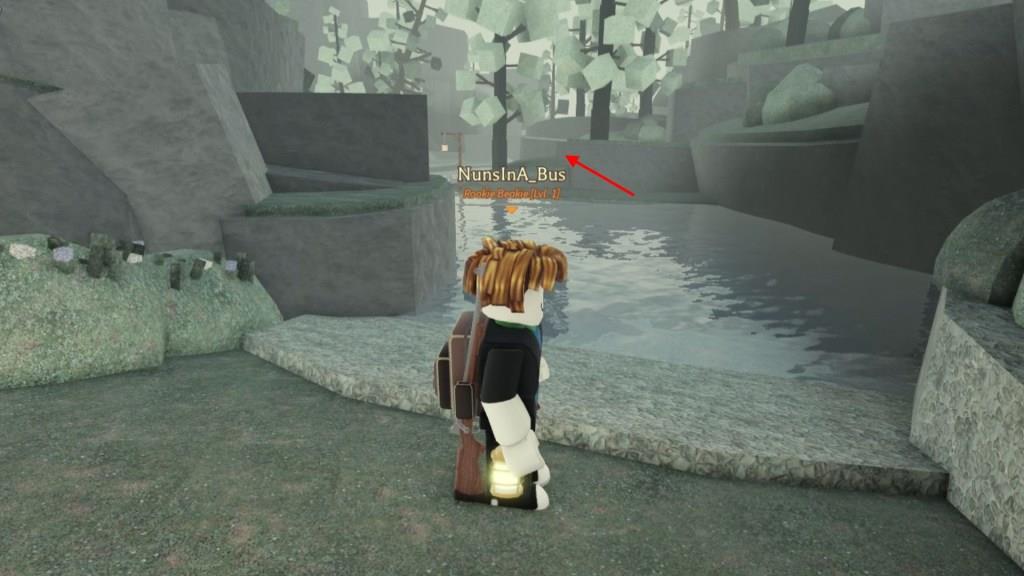
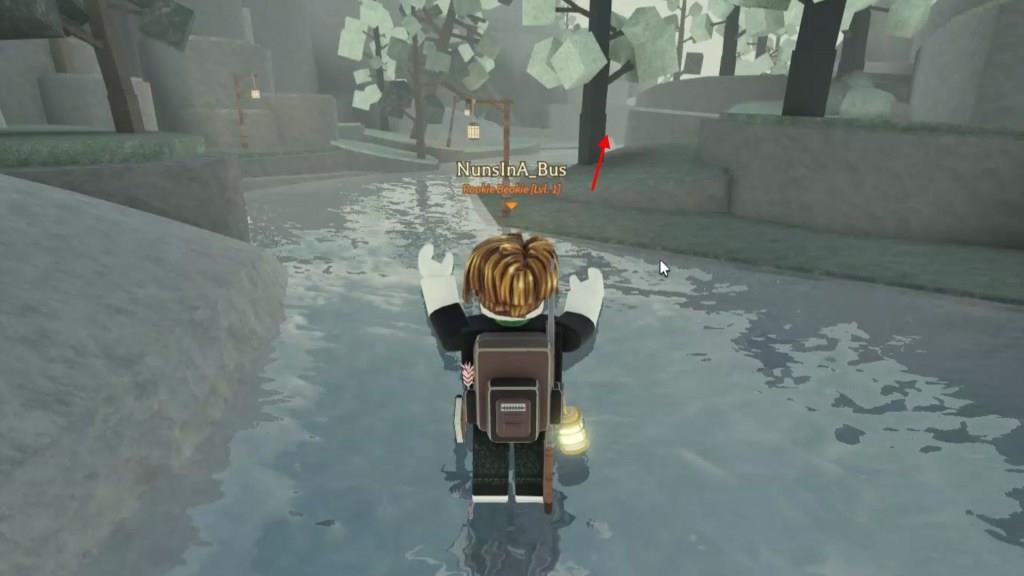
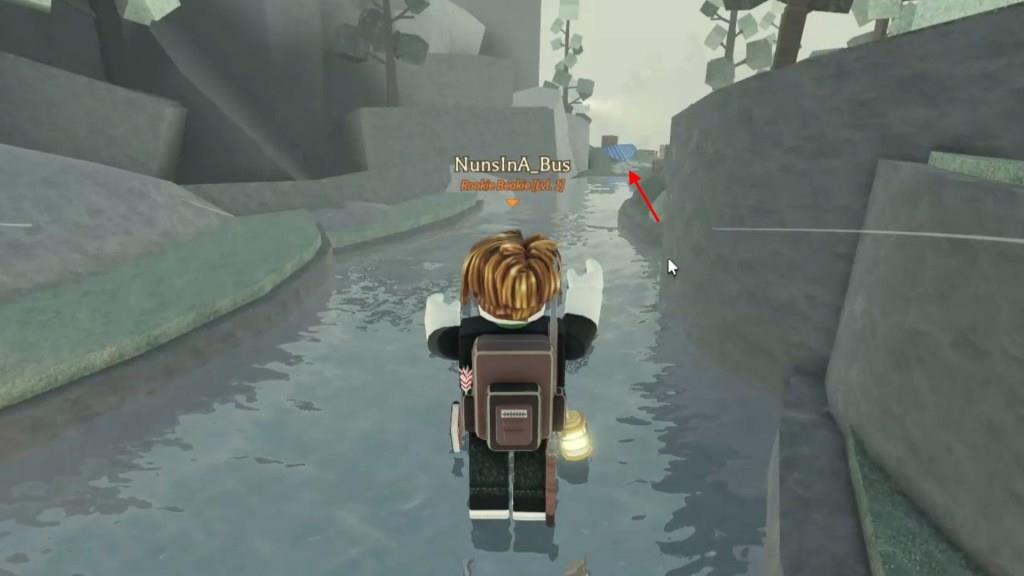
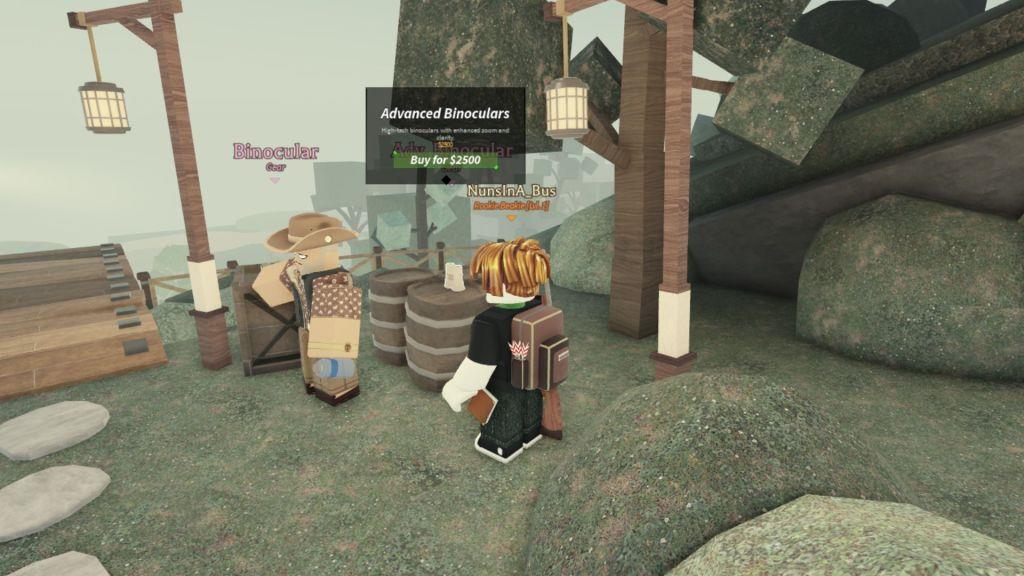
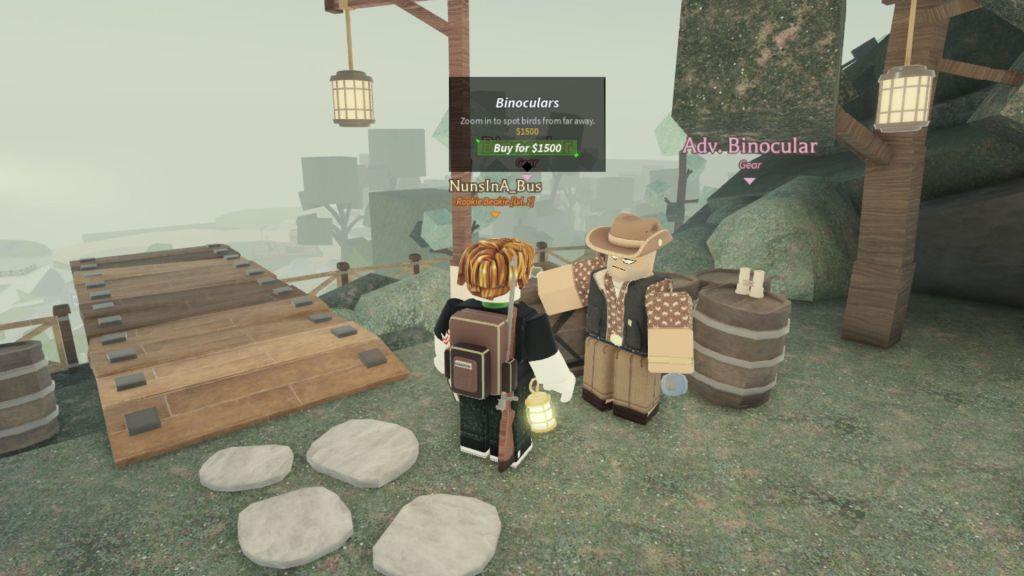
- Continue on the same path to find a small river, and at the end of this river, you’ll locate both the basic and advanced binoculars.
- Here, you can purchase basic binoculars for $1,500 and advanced ones for $2,500.
Also Read: Rematch First Impressions: Sloclap Breaks the Deadlock With Beauty
All Uses of Binoculars in Beaks
Binoculars in Beaks serve multiple purposes, helping players explore their surroundings more clearly and plan their movements with precision. They allow detailed observation of distant objects, hidden areas, and potential items without direct interaction. Players can also use them to track other creatures’ behaviors, study environmental patterns, or locate pathways that are otherwise difficult to notice. This makes binoculars a practical tool for exploration and strategic gameplay.
Binoculars are one of the most essential pieces of gear in Beaks, used to watch and find birds. Sometimes, birds tend to hide behind trees or inside leaves on branches, or they might fly at great heights.
Here, you’ll need a pair of binoculars to locate them from a distance and aim your shot more accurately. The basic set of binoculars can be suitable for beginners, although it comes with limited zooming capabilities. Hence, you can aim for the Advanced pair to get better clarity and zooming power, making it easier to spot the birds.
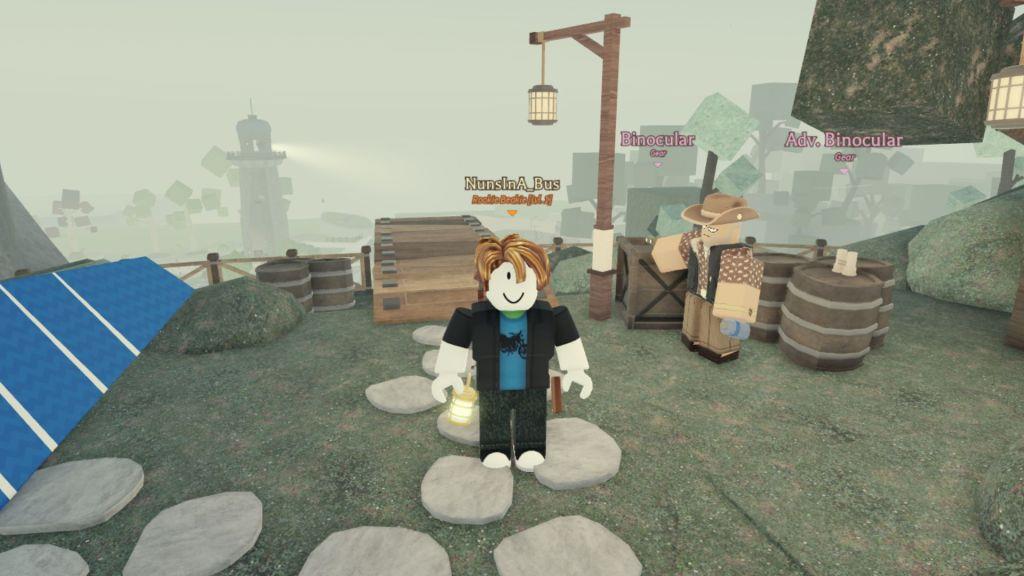
Apart from watching the birds, is there anything much you can do with them, but again, what else would you expect from a pair of binoculars? Simply open up your inventory, search for the pair you bought by typing its name in the search bar, and then drag it to your hotbar.
How to get Glider in Beaks
The Glider in Beaks, a Roblox bird-hunting game, enables faster map traversal across rugged terrain. It costs 2,500 Bucks from an NPC vendor or 99 Robux via gamepass. Follow the path from Beakswood to Mount Beaks and Pinewood River.
Location Steps
Start at Beakswood spawn and jump down the ditch. Head left to Mount Beaks entrance, climb the uphill path past the “Mount Beaks” banner, take the left stony path through bushes to Axel NPC by the campfire, continue past him to Pinewood River checkpoint, cross the river stream, and reach the cliffside vendor.
Purchase Options
Purchase for 2,500 Bucks (in-game currency earned by catching birds) at the Pinewood River NPC, or buy instantly via the Premium shop gamepass for 99 Robux. It’s a one-time buy that equips permanently.
Usage Instructions
Drag the Glider to your hotbar from inventory. Jump from high ground and press the hotbar key mid-air to deploy, steering with direction keys while descending gradually. Practice timing on Mount Beaks cliffs for efficient travel to high or distant spots.
How to use Glider in Beaks
The Glider in Beaks Roblox enhances mobility by allowing controlled descent from heights. Players activate it mid-air after equipping to traverse the large map efficiently. Proper timing improves distance and control.
Equipping Steps
Drag the Glider from inventory to a hotbar slot, assigning it a key (like 1-9). Ensure purchase from Pinewood River NPC or gamepass beforehand. This permanent equip persists across sessions.
Activation Method
Jump from elevated terrain such as Mount Beaks cliffs. Immediately press the hotbar key upon jumping to deploy wings and enter glide mode. It works while walking and jumping together for speed boosts.
Controls and Tips
Steer using WASD direction keys during descent, which gradually lowers you. Practice on Mount Beaks’ varied heights to master timing and avoid crashes. Glider descends over time, so plan landings ahead.