Sharing a screen in Fortnite brings back the joy of couch co-op-with both players battling side by side on one console. Here’s how to set it up smoothly and enjoy split-screen mode without interruptions.
So, if you are looking to defeat the latest Chapter 2 Remix NPCs on with your couch buddy, learn how to play split screen on Fortnite right here.
Fortnite Split Screen Mode Requirements
Fortnite’s split screen mode is available on PlayStation and Xbox consoles, supporting two players on the same system. Both players must have their own Epic Games accounts and be logged in before starting a session. A stable internet connection and a display with a 16:9 ratio are recommended to ensure smooth gameplay. The feature works only in select modes such as Duos and Squads, and both players must use the same language settings. Split screen mode is not supported on PC, Nintendo Switch, or mobile devices.
There are some important things you must know about the Fortnite split screen mode before we jump to the steps. For starters, Fortnite split screen is only available on select consoles. You can play Fortnite on split screen only on PS4, PS5, Xbox One, or Xbox Series X/S.
Moreover, you cannot share inventory in a split-screen mode. So, no Eminem and Ice Spice skin sharing for your friend unless they own one in their account. Both you and your friend will be using individual accounts as it works like a party game.
Furthermore, the lobby and other menus will also not be available in split-screen mode. This means you will only see the split screen when a match starts. Furthermore, you can only play the game’s Battle Royale, Zero Build and LEGO mode on split screen. Moreover, If you are on PC, Android, iOS, or Nintendo Switch, you cannot use the Fortnite split screen mode.
How to Split Screen Mode in Fortnite
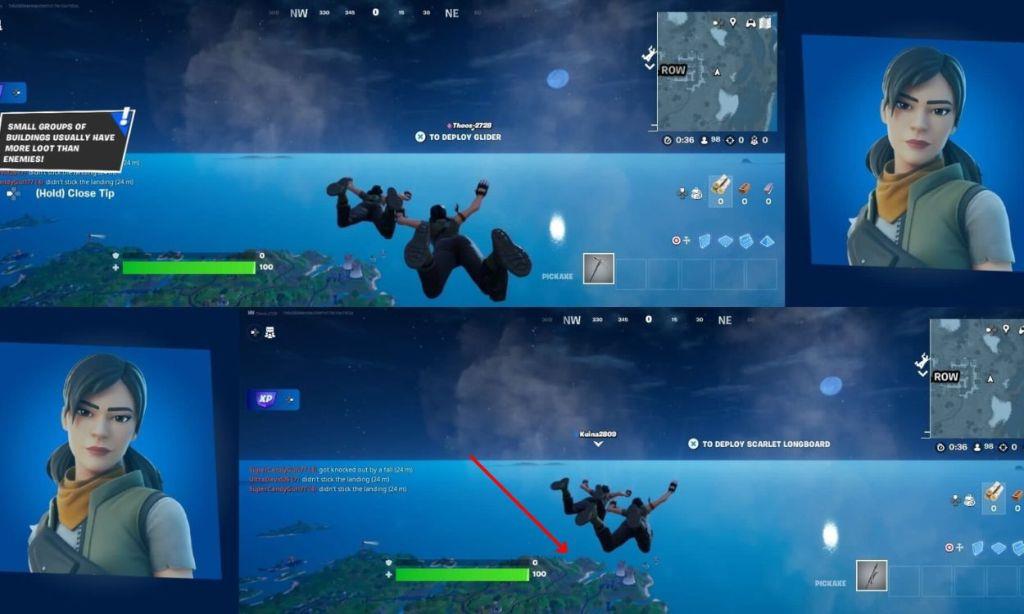
To use split screen mode in Fortnite, connect two controllers to your console and make sure both players are signed into their accounts. From the main menu, select Battle Royale and wait for the second player to press their controller’s designated button to join. The screen will then divide horizontally, displaying both players’ viewpoints. This feature works only in certain modes, such as Duos and Squads, and is available on PlayStation and Xbox consoles.
With the important things out of the way, follow the easy steps below to play Fortnite on split screen mode whether you are on Xbox or PlayStation:
- To begin the process, first, open Fortnite and join a Duos or a Squads lobby.
- Connect the second controller and use the PlayStation button or Xbox button to turn it on.
- Select the new user from the user profiles and sign into it.
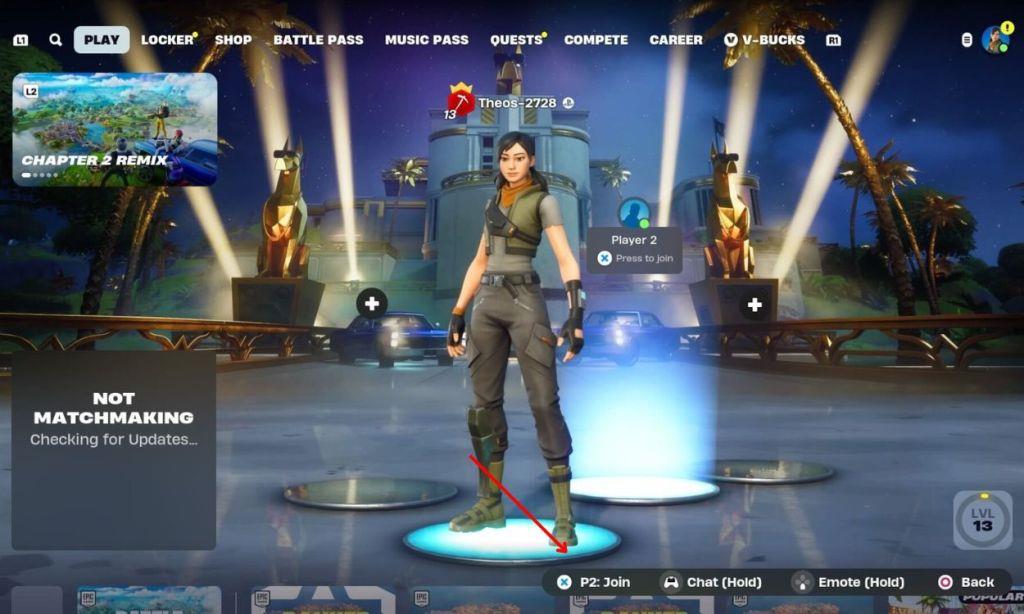
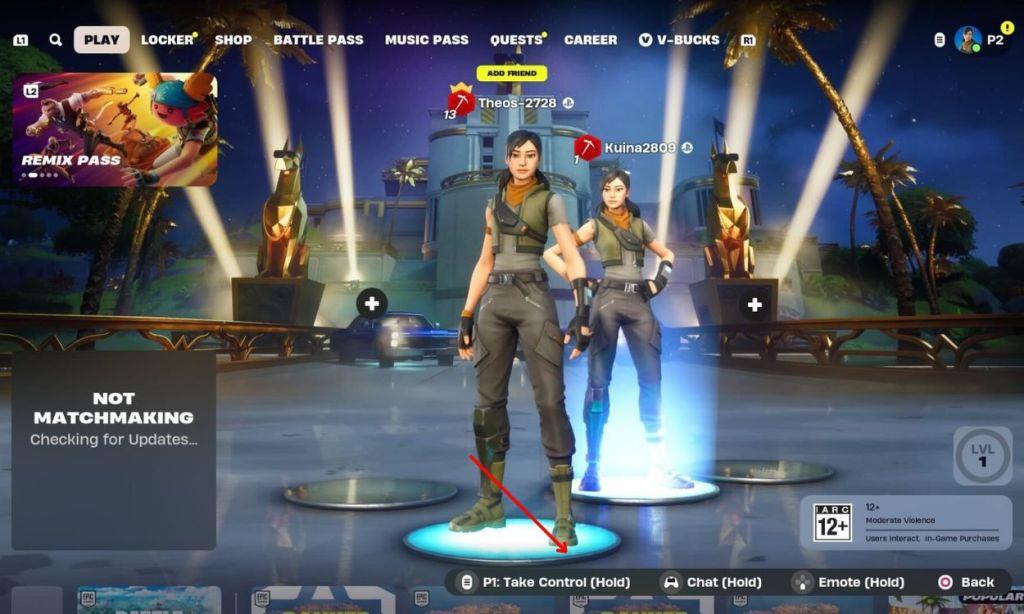
- On the Fortnite lobby, hold the [P2] LOG IN (HOLD) button on the second controller (X on PlayStation, A on Xbox).
- You will see the second player in the lobby and once the game loads, you will be able to play Fortnite on a split screen.
Requirements for split screen on PS5 and Xbox Series X
Fortnite split-screen on PS5 and Xbox Series X requires specific hardware and account setups for smooth local multiplayer. Both consoles fully support the feature in compatible modes like Duos and Squads.
PS5 Requirements
Two DualSense controllers must be connected and powered on, with each assigned to a separate PSN account linked to an Epic Games account-no guest logins allowed. A stable internet connection helps with account linking and matchmaking, though offline modes like LEGO Fortnite work locally.
Xbox Series X Requirements
Two Xbox Wireless Controllers are needed, paired with distinct Xbox accounts (Microsoft or local profiles) connected to Epic Games accounts. Set the primary console as “Home Xbox” to share game access if using Game Pass titles alongside Fortnite.
Shared Requirements
Both players need full Epic accounts for progress syncing; ensure firmware is updated on consoles and Fortnite for optimal performance, as split-screen demands more processing power. A large TV (55+ inches) improves visibility on these next-gen systems.
Which Fortnite modes support split screen on PS5 and Xbox Series X
Fortnite split-screen mode on PS5 and Xbox Series X supports local multiplayer in specific Battle Royale and alternative game modes. Availability remains consistent across both consoles, with recent updates expanding options as of 2025.
Battle Royale Modes
Duos and Squads (including Zero Build variants) fully enable split-screen for two players on the same console. These modes split the screen horizontally upon match start, allowing independent control for each player.
Additional Supported Modes
LEGO Fortnite supports split-screen for co-op building and survival play. Select Creative maps tagged for “Local Co-op” or UEFN experiences also work, reflecting 2025 expansions to more multiplayer content.
Unsupported Modes
Solo, Ranked, Team Rumble, Save the World, and most Limited Time Modes do not support split-screen due to single-player focus or technical limits. Standard Creative without local tags remains incompatible.
